Need help?
Do you have a question about the Celluon Epic and is the answer not in the manual?
Covers avoiding direct sunlight, temperature changes, physical impact, disassembly, and laser exposure.
Advises on avoiding uneven, reflective, or slanted surfaces and placing objects within the keyboard layout space.
Device must not cause harmful interference and must accept any interference received.
Equipment tested and found to comply with Class B digital device limits, designed for residential environments.
Modifications not approved by the responsible party could void user's authority to operate.
Risk of explosion if battery is replaced with incorrect type; dispose used batteries properly.
Device complies with Industry Canada license-exempt RSS standard(s), no interference, accepts interference.
Procedures other than specified may result in hazardous radiation exposure.
Antenna must provide 20cm separation from persons and not be co-located with other antennas.
Lists various certifications including KC, FCC, RoHS, CE, IC, TELEC, CMIIT, and Bluetooth ID.
Dispose product separately from household waste or take to an electronic waste disposal center.
Details rechargeable lithium-ion battery operating time, capacity, and charging information.
Charging may take longer when product is in use or battery is extremely low.
Warnings about battery explosion risk, using correct cable, initial charge, charging times, and environmental storage.
Lists features like German QWERTZ layout, portability, full key pitch, durability, and OS compatibility.
Lists the items included in the package: Epic, Micro USB Cable, User Manual, Quick Start Guide.
Explains how the device uses infrared light to detect fingers and analyze movement for keystrokes.
Lists conditions to avoid such as direct sunlight, low color temperature light, uneven surfaces, and reflective surfaces.
Notes that strong infrared radiation can cause operating errors and cautions against direct eye exposure to laser beams.
Explains the Pattern Projector, Sensor, and IR emitter functions.
Details the meaning of LED colors and blinking patterns for battery and Bluetooth status.
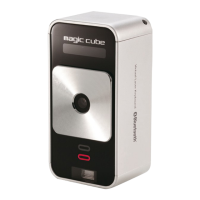
Illustrates front and rear views of the device, labeling key components like Pattern Projector, Sensor, LEDs, Power Switch, and connectors.
Lists compatible operating systems and devices for Bluetooth HID connection, including iOS, Android, Windows, Mac, and Blackberry.
Provides step-by-step instructions for pairing the Epic with iOS, Android, and Windows devices.
Details how to activate the device's pairing mode using the pairing switch.
Explains how to adjust sound feedback levels using FN key combinations.
Details how to adjust projection brightness levels using FN key combinations.
Describes how to adjust the device's sensitivity using FN key combinations.
Instructions on how to enable or disable laser projection to save power.
Explains how to change input language using shortcut keys on iOS and Android devices.
Explains the multi-touch mouse feature availability and how to switch between keyboard and mouse modes.
Details gestures for controlling cursor, right-click, click-and-drag, scroll, and zoom.
Lists specifications for light source, keyboard layout, size, location, projection, recognition rate, and operating surface.
Details specifications for external power supply, battery, Bluetooth, and frequency range.
Specifies operating and storage temperature and humidity ranges.
Provides the physical size (dimensions) and weight of the device.
States that the product has passed quality control and will be repaired or replaced if defective during the warranty period.


 To Next Page
 General