EasyManua.ls Logo

Celluon magic cube - User Manual

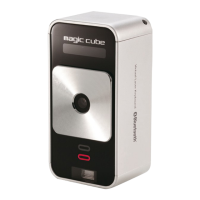
Celluon magic cube
24 pages
Print Icon
To Next Page IconTo Next Page
Loading...
Copyright:
Copyright 2011
All rights reserved by Celluon. All page contents are properties of Celluon.
Celluon, evoMouse®, Magic Cube™ are trademarks or registered trademark of Celluon.
All other products are trademarks or registered trademarks of their respective
companies.
Please refer to host device instruction manual for Bluetooth pairing information.
Users Guide
Question and Answer IconNeed help?

Do you have a question about the Celluon magic cube and is the answer not in the manual?

Summary

Safety Precautions

RF Exposure Information

Laser Safety

About the Built-in Battery

Cautions

How this Product Works

Identifying Parts and their Functions

Using the Projection Keyboard

Connecting via Bluetooth HID

Adjusting keyboard brightness

Connecting to iPhone and iPad

Connecting to Android devices

Connecting to PC

Volume adjustment (key click feedback sound)

Projection keyboard brightness adjustment

Switching between keyboard and mouse mode

Celluon magic cube Specifications

General IconGeneral
Device interfaceBluetooth
Wireless receiver interfaceUSB
Built-in batteryYes
Power source typeBattery
Battery life (max)1.5 h
Keyboard form factor-
Keyboard layoutQWERTY
Pointing deviceNo
Product colorBlack
Battery capacity700 mAh

Related product manuals