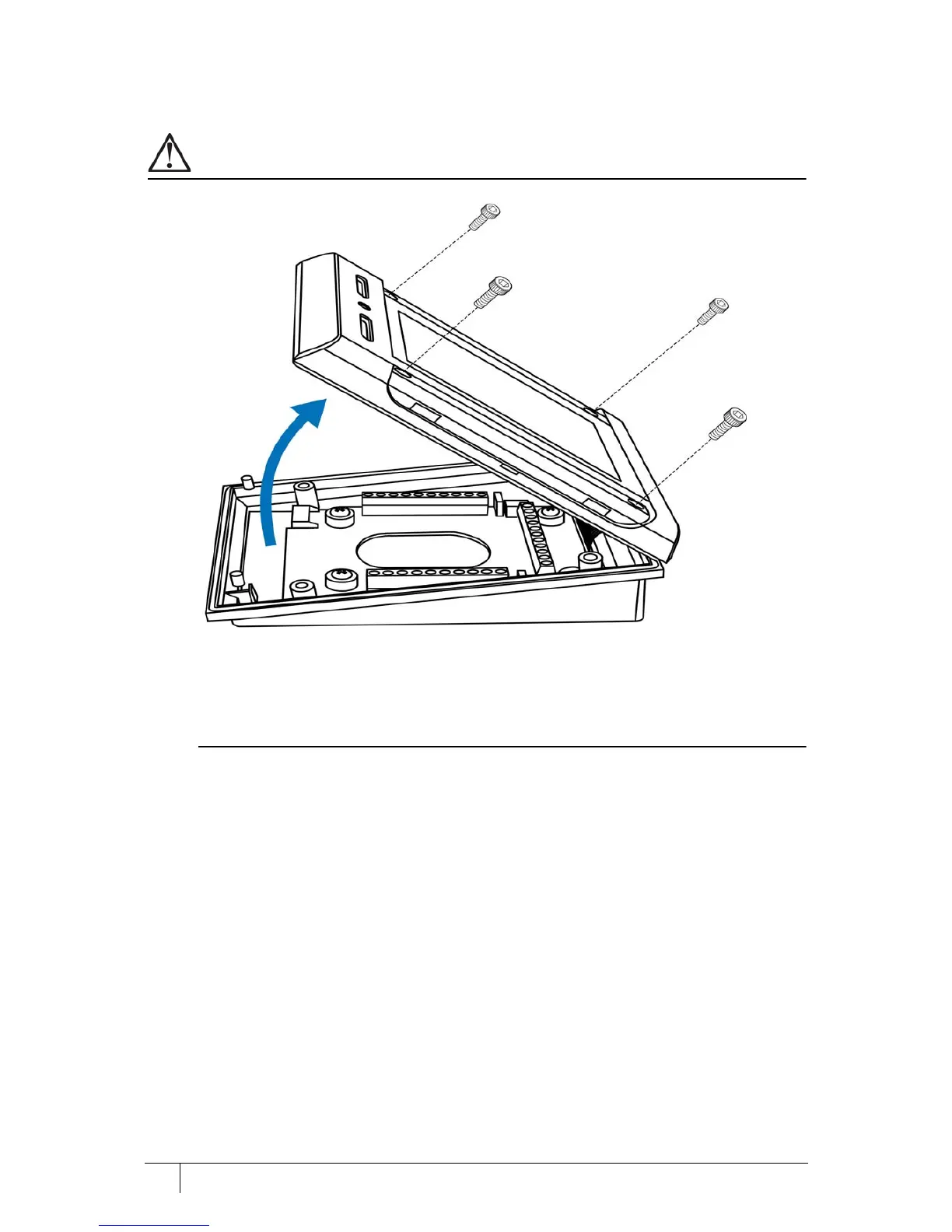
Take care not to strain the ribbon cable connecting the two halves of the terminal.
Figure 6 Opening the terminal
1. If the terminal is being retro-fitted after installation the side panels must be removed. To do
this, position a 5 mm (0.2”) flat head screwdriver under the panel and slide it along the
length to release it.
A factory shipped terminal does not have the panels fitted.
2. Set the terminal on a stable, level surface to reduce the risk of the front of the terminal
falling when it is disconnected.
3. Remove the four screws using a security hex screwdriver.
4. Carefully lift the top casing away from the back of the terminal, pivoting as shown.
5. Disconnect the ribbon cable from the I/O board before commencing wiring.



 To Next Page