Page 13For technical questions, please call 1-888-866-5797.Item 62142
4) I/M Readiness
Check emissions readiness prior to having a vehicle inspected for a state Emissions Test.
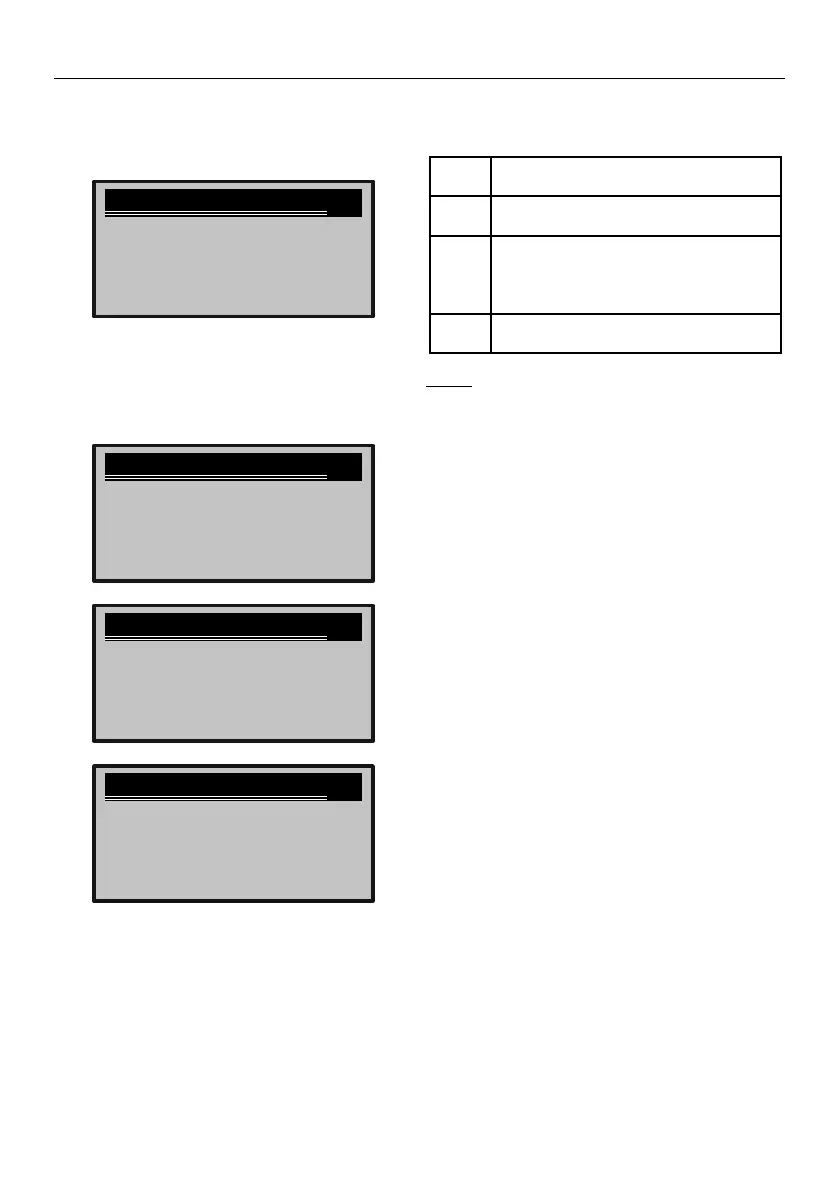
1. From Diagnostic Menu, select
I/M Readiness, then press ENTER.
I/M Readiness
►Since DTCs Cleared
Previous Menu
This Driving Cycle
1/3
Figure R
2. Select Since DTCs Cleared or
This Driving Cycle, then press ENTER.
3. View data.
Since DTCs cleared
MIL Status OFF
Fuel System Mon
Comp. Component
OK
OK
OK
Misfire Monitor
1/3
Since DTCs cleared
Catalyst Mon OK
EVAP System Mon
Sec Air System
N/A
INC
N/A
Htd Catalyst
2/3
Since DTCs cleared
A/C Refrig Mon OK
Oxygen Sens Htr
EGR System
N/A
OK
OK
Oxygen Sens Mon
3/3
Figure S
4. Interpret data.
OFF Check Engine light off, no
stored DTCs present.
OK The Monitor has completed its
diagnostic routine and is ready.
INC The Monitor has not completed its
diagnostic routine and is not ready.
Perform a Drive Cycle,
then repeat the test.
N/A
The Monitor is not supported
on the vehicle.
Note: A Drive Cycle will need to
be completed before performing an
I/M Readiness test if the battery
has been disconnected or DTCs
have been erased recently.
Brought to You by www.snapwhole.comBrought to You by www.snapwhole.com



 To Next Page