EasyManua.ls Logo

CEN-TECH CEN - TECH 66550 - User Manual

CEN-TECH CEN - TECH 66550
12 pages
Print Icon
To Next Page IconTo Next Page
Loading...
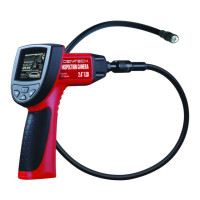
INSPECTION CAMERA 2.4” LCD
66550
SET UP AND OPERATING INSTRUCTIONS
Visit our website at: http://www.harborfreight.com
Read this material before using this product.
Failure to do so can result in serious injury.
SAVE THIS MANUAL.
Copyright
©
2008 by Harbor Freight Tools
®
. All rights reserved. No portion of this manual or any artwork
contained herein may be reproduced in any shape or form without the express written consent of
Harbor Freight Tools. Diagrams within this manual may not be drawn proportionally. Due to continuing
improvements, actual product may differ slightly from the product described herein. Tools required for
assembly and service may not be included.
For technical questions or replacement parts, please call 1-800-444-3353.
Revised Manual 09k

Questions and Answers

  • K
    Kevin BernardJul 30, 2025
    Why my CEN-TECH CEN - TECH 66550 tool will not start?
    • J
      Jeffrey CharlesJul 30, 2025
      If your CEN-TECH Analytical Instrument tool won't start, there are a couple of things to check: 1. Ensure the monitor is fully charged. If not, charge the monitor. 2. The batteries in the Control Handle may need replacing. Replace them with fresh batteries.
  • T
    Tony ThomasAug 10, 2025
    How to adjust image if it is too dark or light on CEN-TECH CEN - TECH 66550 Analytical Instruments?
    • M
      medinachristinaAug 10, 2025
      If the image on your CEN-TECH Analytical Instruments tool is too dark or light, here's what you can do: 1. Adjust the brightness of the LEDs using the dial on the Control Handle. 2. Adjust the image using the Contrast and Brightness buttons on the Monitor.
  • L
    Lisa MurphyAug 19, 2025
    What to do if CEN-TECH Analytical Instruments monitor will not charge?
    • J
      Jennifer CuevasAug 19, 2025
      If the monitor of your CEN-TECH Analytical Instruments tool isn't charging, consider the following: * Ensure the Adapter Cable is properly connected between the Monitor and the Adapter. * Verify that the Adapter is securely plugged into the wall socket.

Summary

Safety Information and Warnings

Important Safety Information Overview

Explains the safety alert symbol, DANGER, WARNING, and CAUTION levels for hazard communication.

General Power Tool Safety

Covers work area safety, electrical safety, and personal safety precautions for power tool operation.

Power Tool Use, Care, and Battery Safety

Details proper usage, maintenance, storage, battery handling, and charging to prevent hazards.

Camera Specific Safety Warnings

Safety warnings specific to the inspection camera, including medical use, handling, and pacemaker considerations.

Setup and Operation Instructions

Unpacking and Product Functions

Instructions for unpacking the camera and a brief overview of its basic functions and capabilities.

Inspection Camera Set Up

Step-by-step guide for installing batteries and assembling camera components for first use.

Work Area Preparation and Operation

Guidelines for setting up the work area and basic instructions for operating the camera.

Using the Camera with External Displays

Instructions on connecting the inspection camera to a TV or external monitor for remote viewing.

Maintenance, Charging, and Troubleshooting

Maintenance and Servicing Procedures

Procedures for inspecting the tool before each use and general servicing guidelines.

Monitor Charging Process

Details on how to charge the monitor, charging indicators, and battery life.

Troubleshooting Common Issues

A guide to identify and resolve typical problems encountered with the inspection camera.

Parts List and Warranty

Parts List and Assembly Diagram

Identifies all included parts and provides a visual guide for assembly of the inspection camera.

Limited 90-Day Warranty Details

Outlines the terms, conditions, limitations, and claim process for the product's 90-day warranty.

CEN-TECH CEN - TECH 66550 Specifications

General IconGeneral
BrandCEN-TECH
ModelCEN - TECH 66550
CategoryAnalytical Instruments
LanguageEnglish

Related product manuals