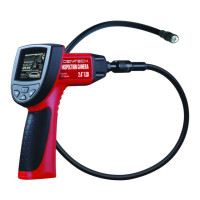
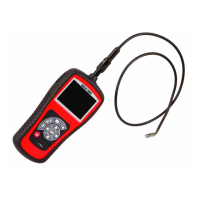
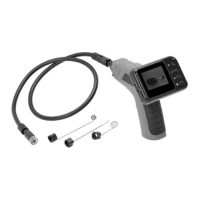
Why won't my CEN-TECH Analytical Instruments tool turn on?
- MMatthew HeathAug 1, 2025
If your CEN-TECH Analytical Instruments tool isn't turning on, the most likely cause is dead batteries. Replace the batteries to resolve this issue.
Why won't my CEN-TECH Analytical Instruments tool turn on?
If your CEN-TECH Analytical Instruments tool isn't turning on, the most likely cause is dead batteries. Replace the batteries to resolve this issue.
What to do if the LEDs are dim or the display turns off on my CEN-TECH Analytical Instruments?
If the LEDs on your CEN-TECH Analytical Instruments imager head are dim even at maximum brightness, the display changes between black and white and color, or the display turns off after a short time, it probably means the batteries are low. Replacing the batteries should fix this.
How to fix a CEN-TECH Analytical Instruments display that is on but shows no image?
If the display unit of your CEN-TECH Analytical Instruments is on but not showing an image, there are a couple of potential reasons: * A loose cable connection. * The imager head might be covered with debris. To solve this: * Check and reattach the cable connection. * Inspect the imager head and clean it if necessary.
Read this material before using the product to avoid serious injury.
Guidelines for maintaining a safe work environment, including cleanliness, lighting, and avoiding hazardous atmospheres.
Precautions to prevent electric shock, including avoiding live parts, grounded surfaces, and wet conditions.
Advice on avoiding fatigue, maintaining balance, wearing eye protection, and keeping clear of moving parts.
Guides on turning the tool on, adjusting LED lights, controlling image direction, and connecting to a TV.
Solutions for common problems like no image, dim LEDs, or the tool not turning on, relating to cable connection or battery status.
Read this material before using the product to avoid serious injury.
Guidelines for maintaining a safe work environment, including cleanliness, lighting, and avoiding hazardous atmospheres.
Precautions to prevent electric shock, including avoiding live parts, grounded surfaces, and wet conditions.
Advice on avoiding fatigue, maintaining balance, wearing eye protection, and keeping clear of moving parts.
Guides on turning the tool on, adjusting LED lights, controlling image direction, and connecting to a TV.
Solutions for common problems like no image, dim LEDs, or the tool not turning on, relating to cable connection or battery status.
| Type | Digital Multimeter |
|---|---|
| Category | Analytical Instruments |
| Model | 67979 |
| Brand | CEN-TECH |
| Display Type | LCD |
| Diode Test | Yes |
| Continuity Test | Yes |
| Battery Test | 1.5V, 9V |
| Battery Type | 9V |
| Safety Rating | CAT II 600V |
| DC Voltage | 200mV/2V/20V/200V/600V |
| AC Voltage | 200V/600V |
| DC Current | 200µA/2000μA/20mA/200mA/10A |
| AC Current | 200mA/10A |
| Resistance | 200Ω/2kΩ/20kΩ/200kΩ/2MΩ |
| Display | 3 1/2 Digit |
Loading...