EasyManua.ls Logo

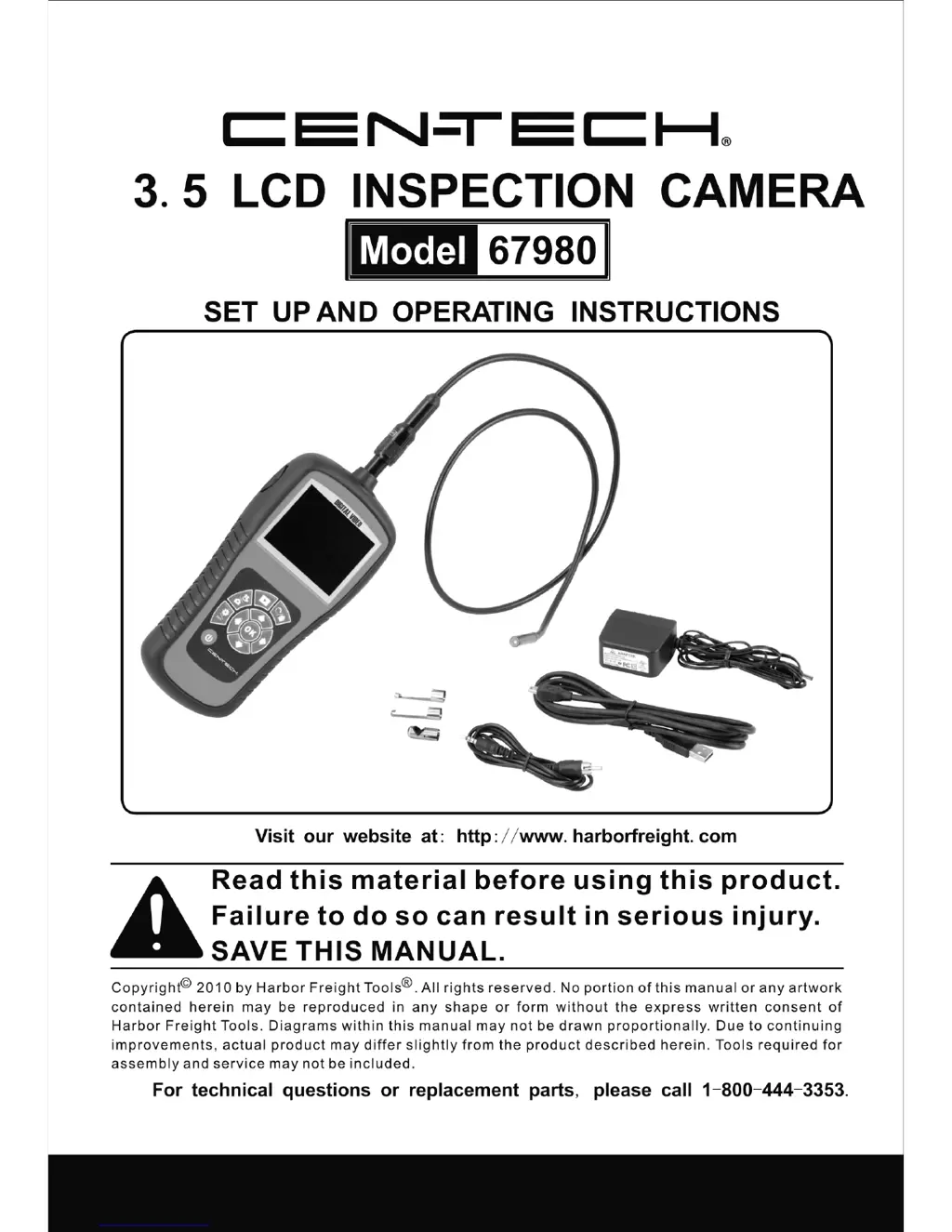
CEN-TECH 67980 - User Manual

CEN-TECH 67980
40 pages
Print Icon
To Next Page IconTo Next Page
Loading...

Questions and Answers

  • A
    Anthony WilliamsonJul 31, 2025
    Why won't my CEN-TECH Analytical Instruments tool turn on?
    • J
      John ShepardAug 1, 2025
      If your CEN-TECH Analytical Instrument tool won't turn on, the most likely reason is a dead battery. To resolve this, charge the battery.
  • A
    Angela GarciaAug 9, 2025
    What to do if LEDs are dim and display turns off on CEN-TECH Analytical Instruments?
    • J
      John LittleAug 9, 2025
      If the LEDs on your CEN-TECH Analytical Instrument's imager head are dim even at maximum brightness, the display changes between black and white, or the color display shuts off shortly after being turned on, the issue is likely due to a low battery. You should charge the battery.
  • V
    Victoria CastroAug 20, 2025
    How to fix a CEN-TECH Analytical Instruments display that is on but shows no image?
    • T
      Theresa CarpenterAug 20, 2025
      If your CEN-TECH Analytical Instrument's display is on but not showing an image, consider these possibilities: * A loose cable connection: Check the cable and reattach it securely. * Debris covering the imager head: Inspect the imager head and clean it if necessary.

Summary

Safety Instructions

Work Area Safety

Guidelines for maintaining a safe environment during operation, including lighting and hazards.

Electrical Safety

Precautions related to avoiding electric shock and handling electrical components safely.

Personal Safety

Measures to protect the user from injury, including awareness and proper body mechanics.

Installation and Connection

Battery Charging Precautions

Battery Charging Safety

Critical safety guidelines for charging the device's lithium-ion battery.

Operation Instructions

Basic Operation

Fundamental steps for turning on and operating the inspection camera.

Operation Precautions

Important safety warnings and guidelines for using the inspection camera.

Tool and Work Area Set-Up

Guidance on preparing the tool and the surrounding environment for inspection tasks.

Troubleshooting

CEN-TECH 67980 Specifications

General IconGeneral
BrandCEN-TECH
Model67980
CategoryAnalytical Instruments
LanguageEnglish

Related product manuals