3
CONNECT TO HOME WIFI NETWORK
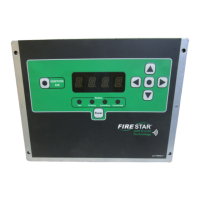
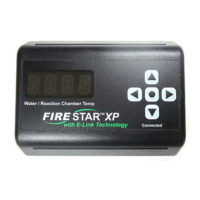
Connecting a FireStar XP to your wi- network can be
accomplished using either a web-enabled device (Option A)
or the FireStar XP keypad (Option B).
OPTION A SET UP USING LAPTOP OR SMARTPHONE
1. Power on the FireStar XP. Once the blue LED stops
ashing and remains on, continue with step 2.
2. Using your smartphone, laptop or other wi- device, scan
for available wireless networks.
3. Select the wireless network that begins with FIRESTAR_
and connect to it. The numbers after the name are unique
to your FireStar XP.
4. Once connected, open your web browser and go to
172.20.50.1, the address for the FireStar XP.
5. Click Edit Settings.
6. Choose your wi- network from the list.
7. Enter your wi- network password. Enter your furnace
serial number (can be found on the data plate attached
to your furnace). Click Save and Connect. Conrm by
pressing OK.
8. Wait a few moments while your FireStar XP restarts.
When the blue LED stops ashing and remains on, you’re
connected!
9. If you need to start over and try Option A again, use the
keypad on the FireStar XP to change it back into setup
mode:
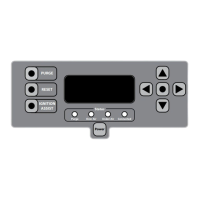
a. Using the keypad on the FireStar XP, press and hold
the
key until #1 is displayed.
b. Press the keypad
or key until #9 is displayed;
then press the key.
c. Press the keypad
or key to set the value to 1
(signies setup mode).


 To Next Page