Sample Rate Adjustment
In order to ensure accurate sample rate playback, make sure your
playback application has “automatic sample rate switching”
enabled. If your application does not offer this feature (such as
iTunes), DACmini will default to the sample rate selected in Audio-
MIDI Setup and your audio may be subject to internal OS SRC.
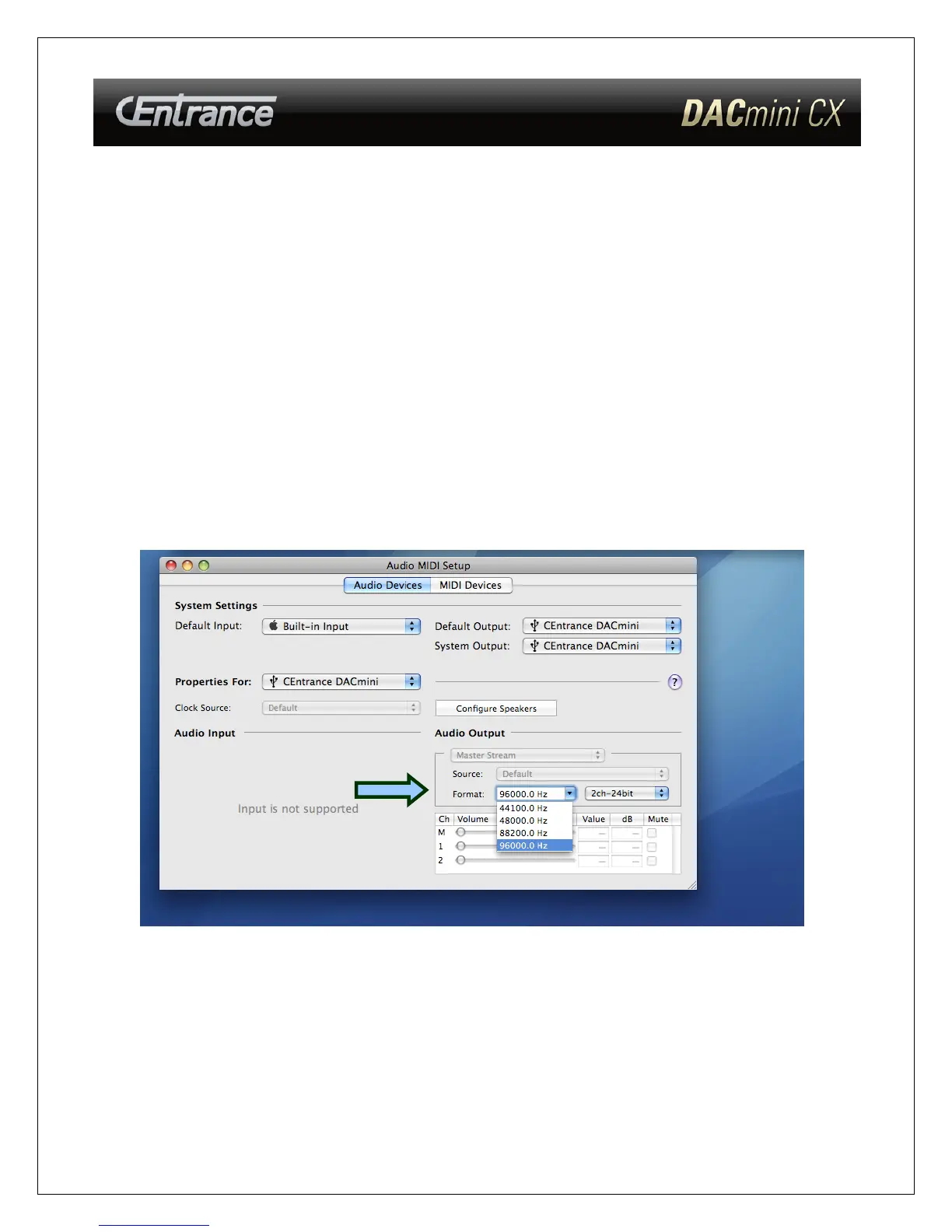
To Locate “Audio MIDI Setup” go to Applications->Utilities->Audio
MIDI setup as shown below.
Select DACmini from the “Properties For” drop-down menu. Sample
rate can be adjusted in the “Format” drop down menu.
- 8 -



 To Next Page