8
SENSOR SET UP
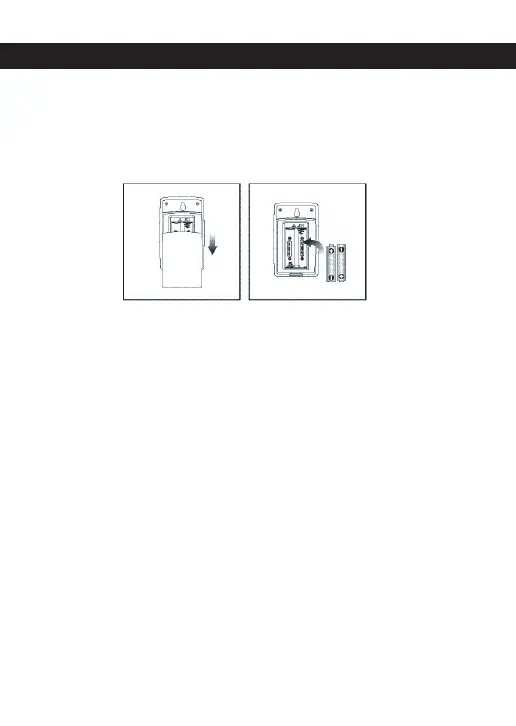
To set up the sensor:
1. Slide open the battery compartment.
2. Insert the batteries, matching the polarity
(+ / -).
3. Set the channel switch. Select a different
channel for each sensor.
4. Place the sensor near the main unit and
press
RESET on the sensor.
5. Slide shut the battery compartment.
6. Place the sensor in the desired location
using the table stand or wall mount.


 To Next Page