2
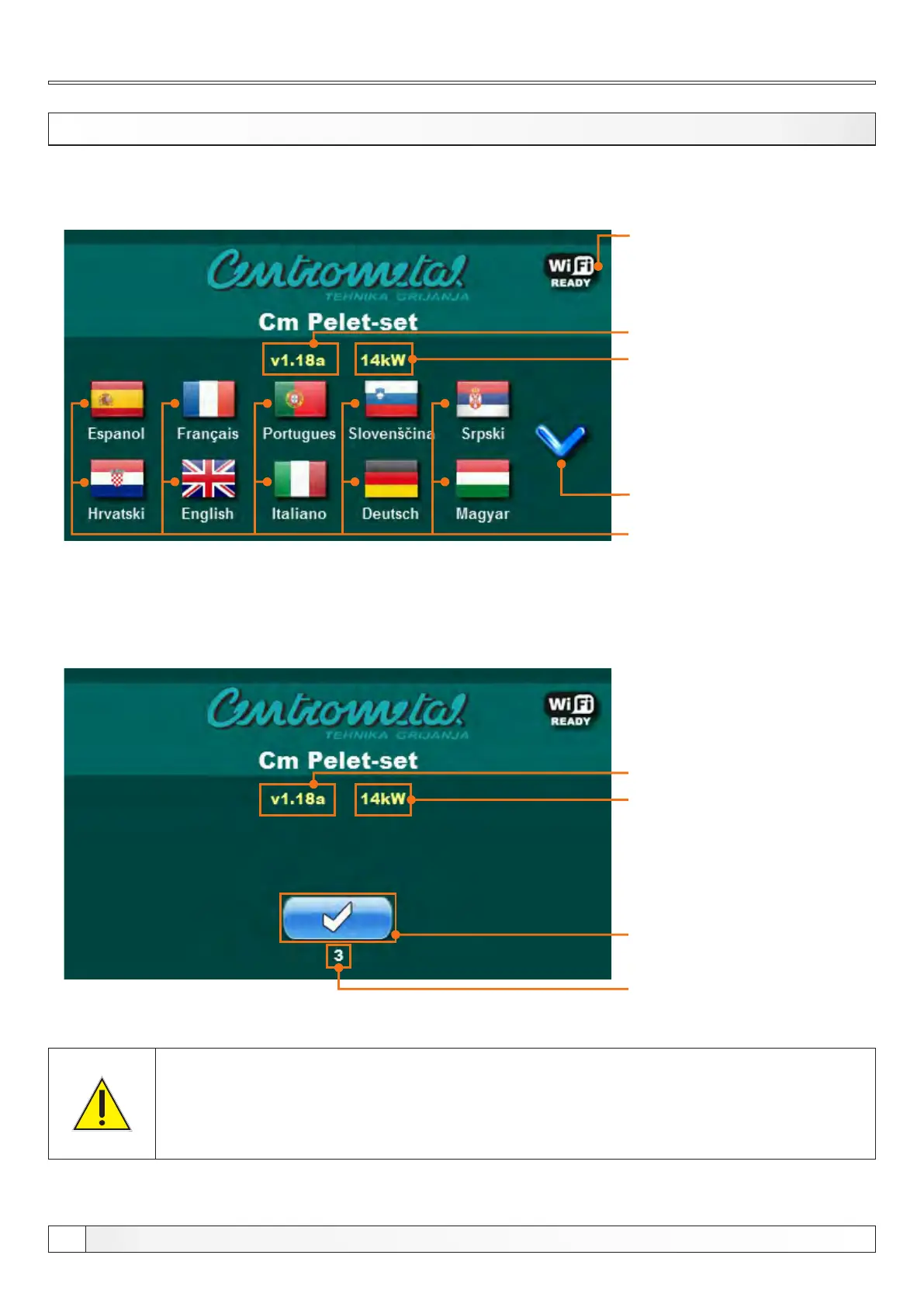
Screen
SWITCHING ON
’’OK’’ button
Initial message countdown
Software version
Language selection
Burner power
- 14 kW (Cm Pelet-set 14)
- 20-35 kW (Cm Pelet-set 35)
- 40/50 kW (Cm Pelet-set 50)
- 60-90 kW (Cm Pelet-set 90)
After turning on the main switch, screen will display language selection menu and software version.
You can choose between various languages. To select the language, press the flag of language you want.
Possibility of online burner
monitoring and burner control
(Additional equipment:
Cm WiFi-box)
When turning on the main switch, touch screen must not be pressed. Otherwise
regulation will enter firmware update mode which is used only by authorized
technican. If this happens, please turn off main switch and turn it back on without
pressing the touch screen.
Software version
Burner power
- 14 kW (Cm Pelet-set 14)
- 20-35 kW (Cm Pelet-set 35)
- 40/50 kW (Cm Pelet-set 50)
- 60-90 kW (Cm Pelet-set 90)
If option "Language selection" is set to OFF under "DISPLAY" menu, initial message screen will be shown (picture
below). This screen will be shown as long it's set in the "Initial message time" option, under "DISPLAY" menu or until you
press "OK" button.
Page scroll
Technical instructions REGULATION Cm Pelet-set


 To Next Page