
 Need help?
Do you have a question about the Centrometal Cm Pelet-set and is the answer not in the manual?
Company address and contact details.
Identifies the product.
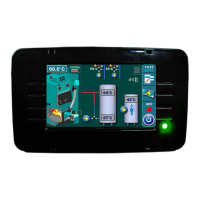
Shows the main interface of the device.
Crucial safety warning about first start-up.
Describes the startup sequence and language choice.
Explains the default screen shown if language selection is off.
Critical warning about touchscreen use during startup.
Overview of the main menu options and their icons.
Detailed description of each button's operation.
Lists and explains the meaning of symbols on the screen.
Shows how different boiler types are represented.
Explains symbols related to room thermostats and heating circuits.
Explains symbols for domestic hot water and external controls.
Explains symbols for connectivity and cascade setups.
Symbols related to return flow protection.
Overview of the four types of parameter adjustment menus.
Method for adjusting burner fan speed.
Method for setting the DHW sensor.
Method for configuring additional equipment.
Method for adjusting parameters on power P2.
Steps for cleaning the burner and its grate.
Setting fan speed during cleaning.
Overview of temperature-related settings.
Setting schedules for boiler operation.
How to set up daily heating schedules.
Accessing logs of system errors and warnings.
Overview of the operation menu.
How to safely shut down the burner.
Using manual tests to check components.
Initial filling and refilling of the pellet conveyor.
Checking pellet delivery accuracy.
Managing system configurations.
Configuring boiler and circuit sensors.
Adjusting photocell settings.
Configuring heating circuits.
Accessing and understanding circuit information.
Options for including/excluding circuits and modes.
Activating or deactivating specific heating circuits.
Adjusting the heating curve for optimal performance.
Fine-tuning circuit parameters.
Adjusting temperature for daytime.
Adjusting temperature for nighttime.
Setting working modes and schedules.
Enabling and configuring extra components.
Protecting the system from freezing.
Choosing between Winter, Summer, or Auto modes.
Setting the shutdown time for the burner.
Adjusting burner modulation parameters.
Customizing the control panel display.
Accessing statistics and software versions.
Adjusting pellet delivery steps.
Using the system for flue gas measurement.
How to enter the service installation menu.
Explanation of different burner operating states.
Basic setup with boiler and accumulation tank.
Setup with boiler, accumulation tank, and DHW.
Setup with dual heating and DHW.
EKO-CKB P boiler with DHW tank.
EKO-CKB P boiler with heating circuit.
EKO-CKB P with dual heating and DHW.
Connecting the regulation to the internet via WiFi.
Setting up WiFi network name and password.
Key requirements and tips for connectivity.
Diagram showing power supply, main switch, and outputs.
Diagram showing mixing valve actuators.
Diagram detailing inputs, sensors, and room correctors.
Diagram showing connections for the TFT display.
Diagram for the burner components.
Diagram for the burner components.
 General
| Brand | Centrometal |
|---|---|
| Model | Cm Pelet-set |
| Category | Control Panel |
| Language | English |

 To Next Page