3
MAIN MENU
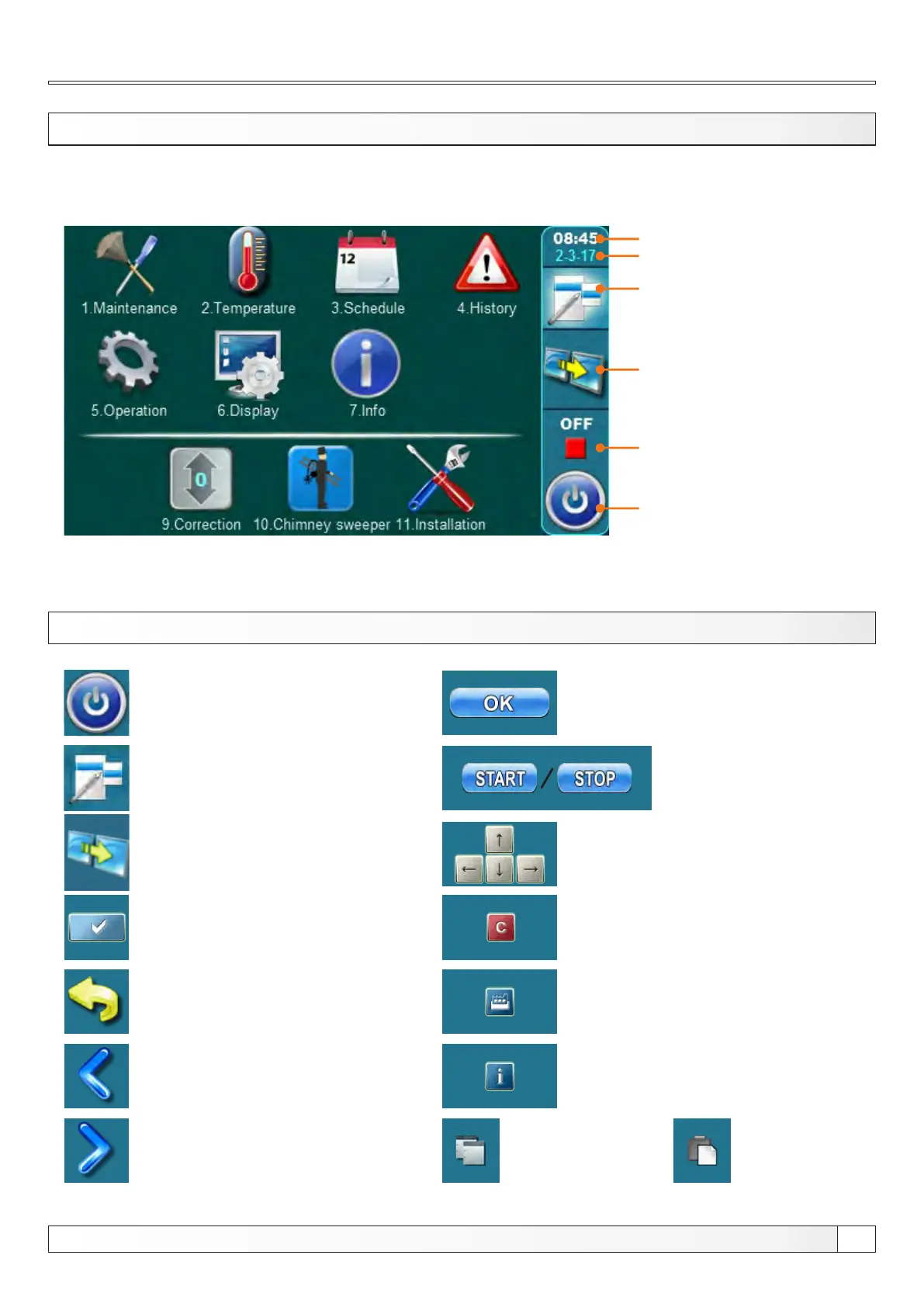
The main menu is used to select the desired submenu. To select a specific submenu you must press the appropriate icon
on the screen. To switch between the ’’Main menu’’ and ’’Boiler working display’’ press the button ’’View selection’’. To
switch between graphic view, numeric view or additional equipment of the boiler press ’’Boiler operation view’’ button.
Main menu, Buttons
View selection:
main menu / work
Time
Boiler operation view:
graphic / numeric / additional
equipment
Boiler start / stop
Current boiler status
Date
BUTTONS
Button ’’ON / OFF’’
options: on / off boiler operation’’
Button ’’VIEW SELECTION’’
options: main menu / work
Button ’’BOILER OPERATION DISPLAY’’
options:
graphic / numeric / additional equipment
Button ’’ENTER’’
Button ’’BACK’’
Button ’’PREVIOUS SCREEN’’
Button ’’NEXT SCREEN’’
Button ’’OK’’
Button ’’START’’/’’STOP’’
Navigation buttons:
’’LEFT’’, ’’RIGHT’’, ’’UP’’, ’’DOWN’’
Button ’’DELETE’’
Button ’’FACTORY SETTINGS’’
Button ’’INFORMATION’’
Button ’’COPY’’ Button ’’PASTE’’
Technical instructions REGULATION Cm Pelet-set


 To Next Page