DE ENFRPL ES
23
12. SCAN-X
With the SCAN-X module, you can display
the electromagnetic eld by means of an
acoustic signal and is therefore suitable
as an eective demonstration for those
interested.
To do this, switch on the Scan Module
by pressing the button, keep it pressed
and hold it in the area to be tested
(L.E.D. lights up).
The more intensive the signal to be
measured, the louder the sound of the
SCAN-X.
It is best to use the program P3:
«Energization».
If the battery is low, the red L.E.D. is only
displayed during the rst 2 seconds.
Suppose the battery capacity is less than
10%, the red L.E.D. lights up.
Suppose the battery capacity is less than
5%, the red L.E.D. ashes.
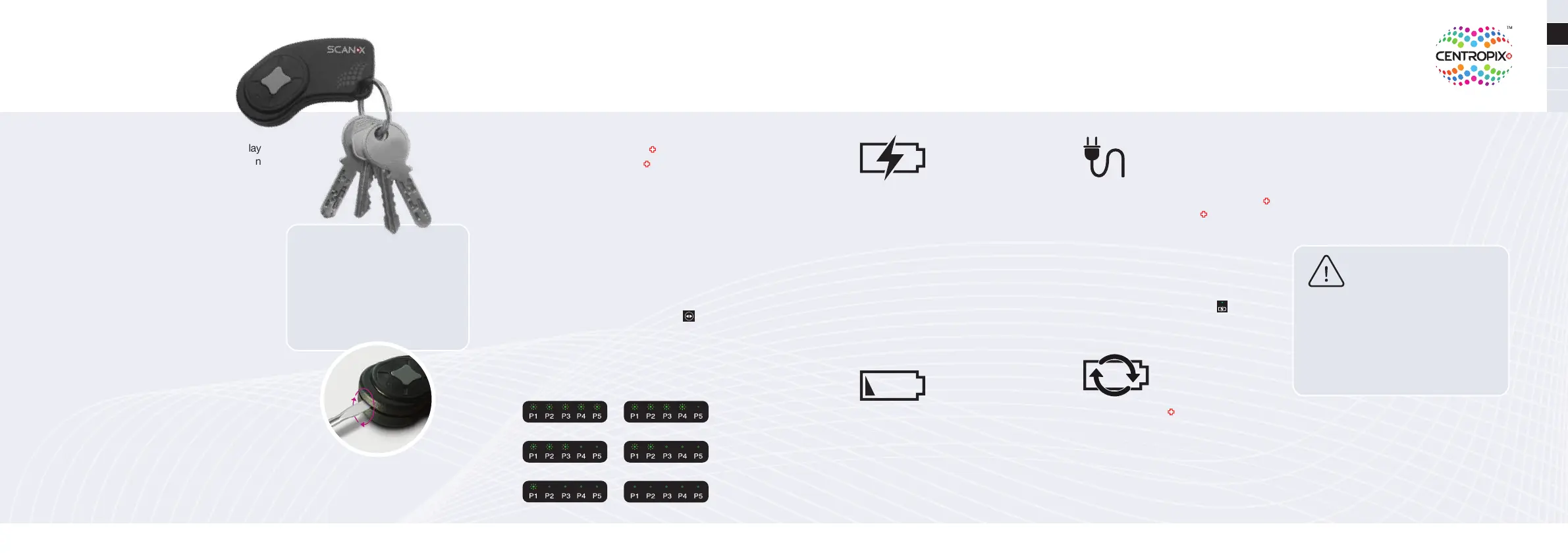
Open up the SCAN-X Case by
pushing apart the upper and lower
case (i.e. by using a screwdriver).
Replace the CR-2032 battery with
a new model.
Do not use the KLOUD while it is
charging.
Both KLOUD
applicators
are equipped
with a high-quality
lithium-ion battery. A new, fully charged
battery lasts for over 4 hours of use or ap-
prox. 17 applications of 15 minutes each.
Depending on the battery care or age of
the battery, the number of applications
per battery charge may be lower.
Check battery status
Press the program selection button for
3 seconds. Depending on the battery
status, the LEDs P1 to P5 light up (example:
All LEDs from P1 to P5 light up means
that the battery is full).
Changing the battery
of the SCAN-X
13. Battery
100 % 75 %
50 % 25 %
10 %
0 %
24
The charging time is about 4 hours.
During the charging process, the charging
L.E.D. «Charging battery» is lit.
Exception: If the battery is very low, it
can take one to two minutes to start the
device, then the blue power L.E.D. Lights
up, but the system cannot start. in this
case, please connect the charging cable.
As soon as the battery is charged, the
charging process is automatically termin-
ated and the blue charging L.E.D. goes
out.
When the battery status is approx.
20%, the L.E.D. «Low battery» lights up.
Then approx. 2 more therapies can be
performed. At a battery level of approx.
10%, this L.E.D. starts ashing. You can
then perform approx. 1 therapy before
the battery needs to be recharged.
The 1.8 m long charging cable and the
magnetic connections of the KLOUD
maxi and the KLOUD mini ensure
convenient charging. Connect the
charging cable to the applicator and
the green L.E.D. on the charging
cable changes to blue. If the L.E.D.
does not change to blue, the battery
is already fully charged. In addition,
the blue charging L.E.D. on the
applicator keyboard lights up during the
charging process.
Fold the KLOUD and open the leather
ap on the side of the headboard. Fold
the ap underneath and carefully pull out
the white plug. Disconnect it by pres-
sing the release clip. Pull out the battery
which is the short part of the plug.
Insert the new battery and reconnect the
cable. Reposition the white plug as before
and close the leather aps.
Only the original battery and the supplied detachable
power supply unit with the original charging cable
may be used. If another battery or charging cable is
used, the device can be damaged, e.g., the warranty
becomes void.
Replacement batteries or charging cables can be
ordered through your CENTROPIX consultant or
online on the CENTROPIX Partner Page.



 To Next Page
 Loading...