2. Instructions
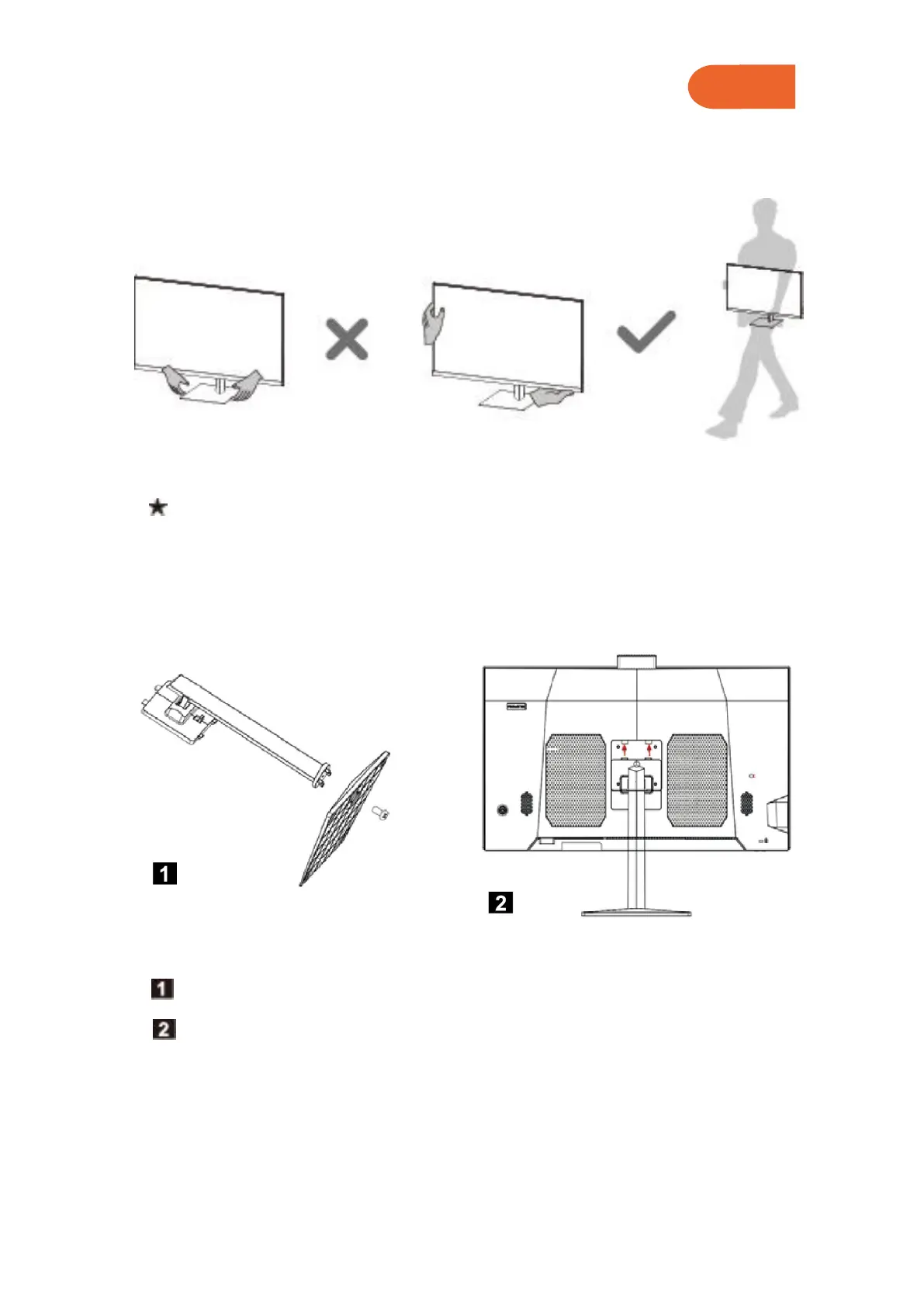
2.1 Transport
When transporting the computer, you should tightly and firmly grasp or hold its
body before lifting or putting down the computer.
2.2 Install Bracket
Remove the base screw and lock the base to the bracket with screw.
Insert the top two clasps of the bracket into the corresponding card holes of the
machine, and press the bracket downward to make the support stuck into the
machine.



 To Next Page