GB - 4
Preparation For Your New TV
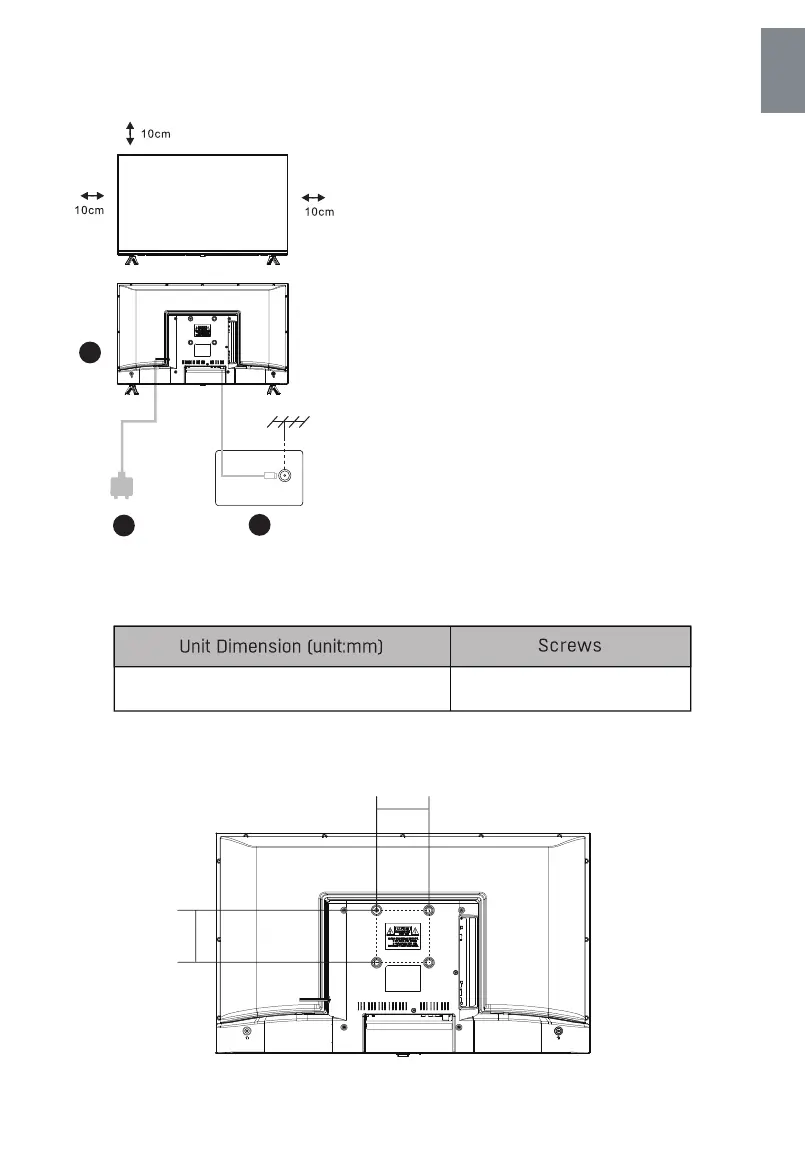
Set your TV
To put your TV in a firm place which can bear the weight
of the TV.
To avoid danger, please don’t expose theTV near water
or heating place (such as light, candle, heating machine),
do not block the ventilation at the back of TV.
Connect antenna and power
1.Connect the antenna cable to the antenna socket on the
back of the TV.
2.To plug the power cord of TV.
Turn on TV
3.lf the TV is on standby mode(the light is red), press the
power button of the TV or press the power button on the
remote control to turn on the TV.
Note:
Picture for reference purposes only
1
2
TV ANT
TV signal output
3
English
Note: The length of the screw specified is only a recommendation; actual length required can vary
depending on the type of wall mount used.
M6x12mm , 4pcs
VESA 100x100mm
100mm
100mm
Wall Mount Installation(if available)



 To Next Page