2221
If any problem occurs while using the product, refer to the following solutions.
If the problem persists, turn off the power supply, disconnect the
power plug from the outlet, and then ask the service center.
Users should never disassemble or repair the product at their own discretion.
CERAGEM is not responsible for any damage to the product
caused by disassembly or repair at the user’s discretion.
Problem Solution
The product does not work.
You can hear a fricative sound
from the massage machine
parts. You can hear the sound
of the motor.
Noise increases when using the
tapping and kneading function.
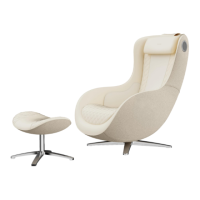
The massage chair does not
operate but the remote control
does.
Both the remote control and
the massage chair do not work.
06
Troubleshooting
Those noises are generated due
to the mechanical structure and
are not a malfunction. There
may be noise even during
normal operation.
In case the working time has
been set automatically, the set
time has ended. Press the
button again. Please turn the
product off and on again.
* If this does not work, please refer to the product warranty and contact customer support.
When the product is used for a
long time, the massage chair
automatically switches to
overheating prevention mode
due to increase in temperature.
When the product is used for a
long time, the massage chair
automatically switches to
overheating prevention mode
due to increase in temperature.
In this case, turn on the power
and wait 30 to 50 minutes for
the heat to cool.
Check that the main power and
power switch are turned on.
Check the power plug connec-
tion state. Check that the correct
voltage is used.



 To Next Page