EasyManua.ls Logo

Cerwin-Vega Vega Series - User Manual

Cerwin-Vega Vega Series
47 pages
Print Icon
To Next Page IconTo Next Page
Loading...
1
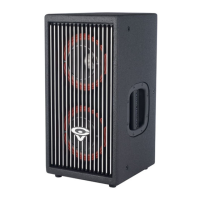
VEGA SERIES WIRED / WIRELESS MONITORS
FOR PROFESSIONAL AND HOME USE
WITH EMBEDDED BLUETOOTH AND SKAA PRO HIGH-SPEED WIRELESS TECHNOLOGIES
REV: D
INTRODUCTION
You are in good company for your purchase of Cerwin Vega Professional and Home Products, so congrats! And thank you
for joining the growing family of Cerwin Vega owners who have high standards for their brand's merchandise, quality, and
functionality.
We take pride in offering our cutting-edge VEGA Studio Monitors. Two years were spent on the design and development
and we think that anyone may utilize and quickly appreciate using them.
We hope you enjoy your Cerwin-Vega Monitors for a very long time to come!

Other manuals for Cerwin-Vega Vega Series

Questions and Answers

  • D
    derekbrownAug 16, 2025
    How to troubleshoot Cerwin-Vega Subwoofer amplifier that will not power up?
    • L
      Lisa RussellAug 16, 2025
      If your Cerwin-Vega Subwoofer amplifier won't power up, ensure a solid ground connection and at least 12V at the battery (+) terminal. Verify the Remote Input (Turn-On) has at least 10VDC and the green power LED is lit. Check all fuses, replacing if needed. Confirm the Protection LED isn't lit; if it is, power cycle the amplifier.
  • D
    dennis56Aug 19, 2025
    What to do if Cerwin-Vega Subwoofer has no output?
    • J
      Jacqueline HallAug 19, 2025
      If your Cerwin-Vega Subwoofer has no output, check that all fuses are OK and the power light is on. Ensure the unit is properly grounded and the Remote Input (Turn-On) has at least 10VDC. Also, verify that the input signal connections are correctly plugged in.
  • V
    Victoria MyersAug 22, 2025
    Why does my Cerwin-Vega Subwoofer have distorted sound?
    • J
      Jennifer WoodAug 22, 2025
      If you are experiencing distorted sound from your Cerwin-Vega Subwoofer, check that the Input Gain control is set to match the signal level of the head unit, keeping it as low as possible. Remember, Input Gain is NOT power output. Also, check that all crossover frequencies are properly set.
  • D
    Daniel SimmonsAug 25, 2025
    What to do if Protection LED comes on when Cerwin-Vega Subwoofer amplifier is powered up?
    • A
      Angela YoungAug 26, 2025
      If the Protection LED comes on when your Cerwin-Vega Subwoofer amplifier powers up, turn down the volume control on the head unit to prevent overdriving the input speaker leads. Try power cycling (resetting) the amplifier. If the Protection LED still comes on, the amplifier may be faulty and require servicing.
  • R
    Ricky WeberAug 28, 2025
    Why does my Cerwin-Vega Subwoofer amplifier get very hot?
    • C
      Colin MillerAug 28, 2025
      If your Cerwin-Vega Subwoofer amplifier gets very hot, readjust the Input Gain Control. Also, avoid using CCA power wire, as it can cause overheating issues.
  • C
    Crystal BryanAug 31, 2025
    Why does my Cerwin-Vega Subwoofer have low output?
    • R
      raymondstephenAug 31, 2025
      If your Cerwin-Vega Subwoofer has low output, readjust the Input Gain Control. Also, check the Crossover Control settings, possibly trying a higher frequency.
  • M
    Megan ThompsonSep 3, 2025
    How to fix high hiss in the sound from Cerwin-Vega Subwoofer?
    • E
      Edward JohnsonSep 3, 2025
      To address high hiss in the sound from your Cerwin-Vega Subwoofer: 1. Disconnect all RCA inputs to the power sub's control panel. 2. If the hiss disappears, plug in the component driving the amplifier and unplug its inputs. 3. If the hiss disappears at this point, continue until the faulty/noisy component is found. Reset Input Gain, setting the subwoofer's input level control as low as possible for the best signal-to-noise ratio. Aim to set the head unit as high as possible (without distortion) and the subwoofer input level as low as possible.
  • M
    michellecarlsonSep 6, 2025
    How to eliminate engine noise (static type) from Cerwin-Vega Subwoofer?
    • M
      Michael BrownSep 6, 2025
      Engine noise (static type) in your Cerwin-Vega Subwoofer is usually caused by poor quality RCA cables picking up radiated noise. Use only the best quality cables and route them away from power cables.
  • L
    Lisa NicholsSep 9, 2025
    What causes squealing noise in Cerwin-Vega Subwoofer?
    • S
      Steve BellSep 9, 2025
      If a squealing noise is present in your Cerwin-Vega Subwoofer, check for improperly grounded RCA interconnects or a 'blown' signal ground from the head unit, as some head units are known for this issue.
  • D
    Destiny AdamsSep 12, 2025
    What to do if Protection LED comes on in Cerwin-Vega Subwoofer?
    • A
      Andre LeeSep 12, 2025
      If the Protection LED illuminates when your Cerwin-Vega Subwoofer amplifier powers up, first lower the volume control on the head unit to avoid overloading the input speaker leads. If that doesn't work, try power cycling (resetting) the amplifier. If the Protection LED persists, the amplifier may be defective and require servicing.

Summary

INTRODUCTION

Manuals Purpose

Explains the goal of the manual and recommends reading it.

IMPORTANT SAFETY INSTRUCTIONS

Key Features

Technical Specifications (SPECS)

Initial Setup and Configuration

HUB Input Connection Modes

TRIM EQ Controls

SKAA Bonding Mode Selection

Computer Wireless Connections via Bluetooth

Computer Wireless Connections via SKAA

Cellphone Connections via Bluetooth

Cellphone Wireless Connections via SKAA

Direct Wired Connections

XLR or TRS Connection

Explains how to connect using XLR or TRS cables.

RCA Line in Connection

Details how to connect using RCA line inputs.

SKAA Receiver User Guide

Questions and Answers on SKAA Functionality

Managing SKAA Transmitters and Green Lists

Addresses questions on how the SKAA Green List works and managing transmitters.

SKAA Transmitter Selection and Deletion

Covers selecting transmitters remotely and deleting them from the Green List.

Understanding and Creating SKAA Clusters

Explains SKAA Clusters, master receivers, and tips for cluster creation.

SKAA Cluster Operation and Compatibility

Details Bond Button functionality within clusters and receiver compatibility.

SKAA cmd App Usage

Managing Receivers and Settings

Explains how to manage SKAA receivers, adjust volume, and route audio channels.

Transmitter Power and Info Screens

Details transmitter power states, info screens, and app license agreements.

Choosing Listening Profiles and Routing

Guides on selecting listening profiles and routing audio channels for receivers.

Accessories

Monitor Isolation Pads and Grilles

Details available accessories like isolation pads and monitor grilles.

SKAA Transmitter Adapters

Lists various SKAA transmitter adapters and their compatibility.

Individual Monitor Units (HUB;SAT)

Information on purchasing individual VEGA Studio Monitor HUB and SAT units.

Use Cases

Home Products Warranty and Registration

Customer Service and Support

Warnings and Compliance

FCC Warnings

Details FCC compliance requirements and potential interference issues.

IC Warning (Canada)

Covers Industry Canada (IC) warnings, compliance, and RF exposure.

Cerwin-Vega Vega Series Specifications

General IconGeneral
SeriesVega Series
TypeFloorstanding
Configuration3-way
Frequency Response30Hz - 20kHz
Sensitivity96dB
Power Handling300W
Impedance8 Ohms
Tweeter1-inch
Weight60 lbs

Related product manuals