EasyManua.ls Logo

Cessna 172P - Page 254

Cessna 172P
358 pages
Print Icon
To Next Page IconTo Next Page
To Previous Page IconTo Previous Page
Loading...
9
AUDIO
CONTR,OL
PANELS
PII/OT'S OPERATING HANDBOOK
SUPPLEMENT
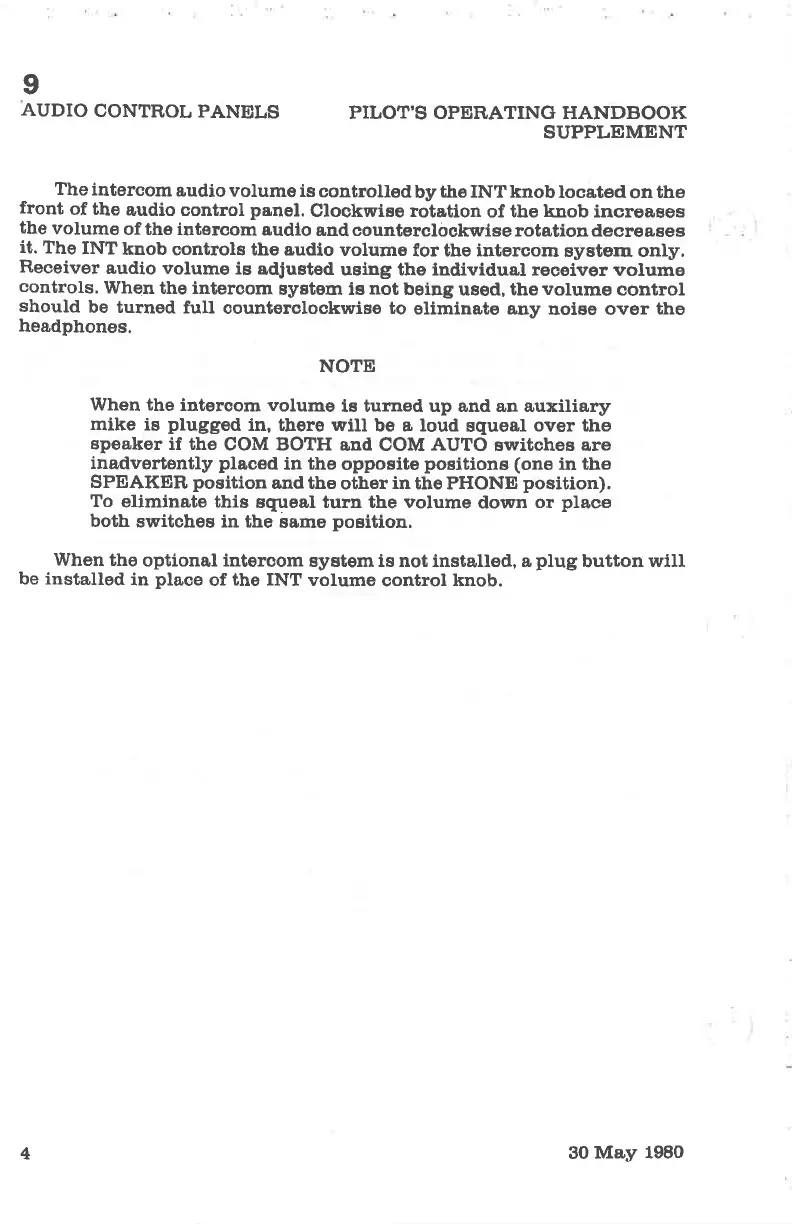
The
intercom
audio
volume is
controlledby
ttre INTknoblocated
on
the
front
of the
audio control
panel.
Clockwise rotation
of tbe knob incroages
the
volumo
of the intercom
audlo
and counterclockwise
rotation decreases
it.
The
INT
knob
controle the audio
volume
for tbe intercom
system only.
Receiver
audio volumo
is
adJusted
using the individual receiver
volume
controls.
When
the intercom
system ie
not
being
used, the
volume
control
should
be turned
full
countorcloskwise to
eliminate auy
noise over
the
headphones.
NOTE
When the
interaom volume
ts turrred up and an auxiliary
mike is
plugged
in, there will
be a loud
squeal
over the
speaker
if the
COM BOTH
and COM
AUTO
switches are
inadvertently
placed
in the
opposite
positione
(one
in
the
SPEAKER,
position
and tbe
other
in
the PHONE
position).
To
eliminate this
squeal turn the volume
down
or
place
both
switches in the
same
position.
When tho
optional intercom
system is not installed, a
plug
button
will
be installed
in
place
of
the INT
volume
oontrol
knob.
4
30
May 1980

Table of Contents

Other manuals for Cessna 172P

Related product manuals