EasyManua.ls Logo

Cessna 172P - Page 315

Cessna 172P
358 pages
Print Icon
To Next Page IconTo Next Page
To Previous Page IconTo Previous Page
Loading...
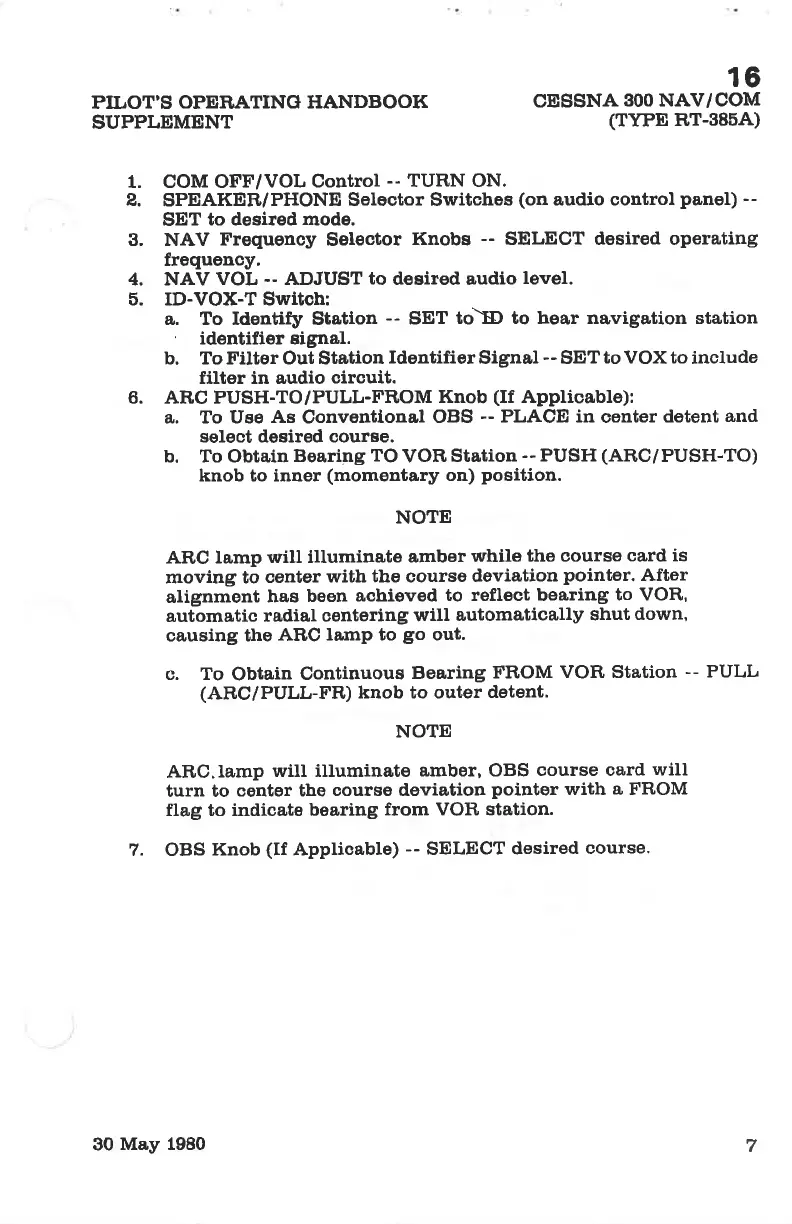
PILOT'S
OPERATING HANDBOOK
SUPPLEMENT
16
cEssNA
300 NAV/COM
(TYPE
RT-38õA)
1. COM OFF/VOL
Control
--
TURN ON.
2.
SPEAKER/PHONE
Selector Switches
(on
audio control
panel) --
SET
to desired mode.
3. NAV Frequency Selector
Knobs
--
SELECT desired operating
frequency.
4. NAV
VOL
--
ADJUST
to
desired audio
level.
õ. ID-VOX-T Switob:
a,. To Identify Station
-- SET
toìÐ to hear navigation station
'
identifier signal.
b. To Filter Out Station
ldentifier
Signal
--
SET
to VOX to
include
filter in audio
circuit.
6. ARC PUSH-TO/PULL-FROM
Knob
(If
Applioable):
a,, To Uee
As
Conventtonal
OBS
--
PLACE in
center
dotent
and
solect desired oourse.
b. To Obtain
Boaring
TO
VOR
Station
--
PUSH
(ARC/PUSH-TO)
knob to inner
(momentary
on)
position.
NOTE
,A'RC lamp
will illuminate
amber
while
the course
card is
moving to
center
with the courso
deviation
pointer.
After
alignment
has
been
achieved
to reflest bearing
to VOR,
automatic
radial oentering
will
automatically
shut
down,
causing ths
ARC
lamp to
go
out.
c. To
Obtain
Continuous
Bearing
FROM
VOF, Station
-- PULL
(AF,C/PULL-FR) knob to outer
detent.
NOTE
ARC.Iamp
wiII iltuminate
amber, OBS
course card
will
turn to
center the
course deviation
pointer
with a FROM
flag to indicate
bearing
from VOIì station.
7. OBS
Knob
(If
Applicable)
--
SELECT
desired
course'
7
30
May 1980

Table of Contents

Other manuals for Cessna 172P

Related product manuals