MAS · MAST · M3 · MS · PAS · PAST · P3 AIR BLOWERS
FUNCTIONS MAS · PAS
Your blower is equipped with a built-in ON/OFF air switch
1
st
press air push: The blower starts at maximum speed.
2
nd
press air push: The blower stops.
FUNCTIONS MAST · PAST
Your blower is equipped with a built-in electronic control, 1 speed
and a 20 minute automatic timer as well as an automatic drying cycle.
FUNCTIONS M3 · P3
Your blower is equipped with a built-in electronic control,
3 speeds: maximum, medium, minimum and a 20 minute automatic
timer as well as an automatic drying cycle.
1
st
press air push: The blower starts at maximum speed.
2
nd
press air push: The blower stops.
Standard function: A drying cycle will automatically start
the blower for 1 minute, 20 minutes
after the system, stops.
1
st
press air push: The blower starts at maximum speed.
2
nd
press air push: The blower turns to medium speed.
3
th
press air push: The blower turns to minimum speed.
4
th
press air push: The blower stops.
Standard function: A drying cycle will automatically start
the blower for 1 minute, 20 minutes
after the system, stops.
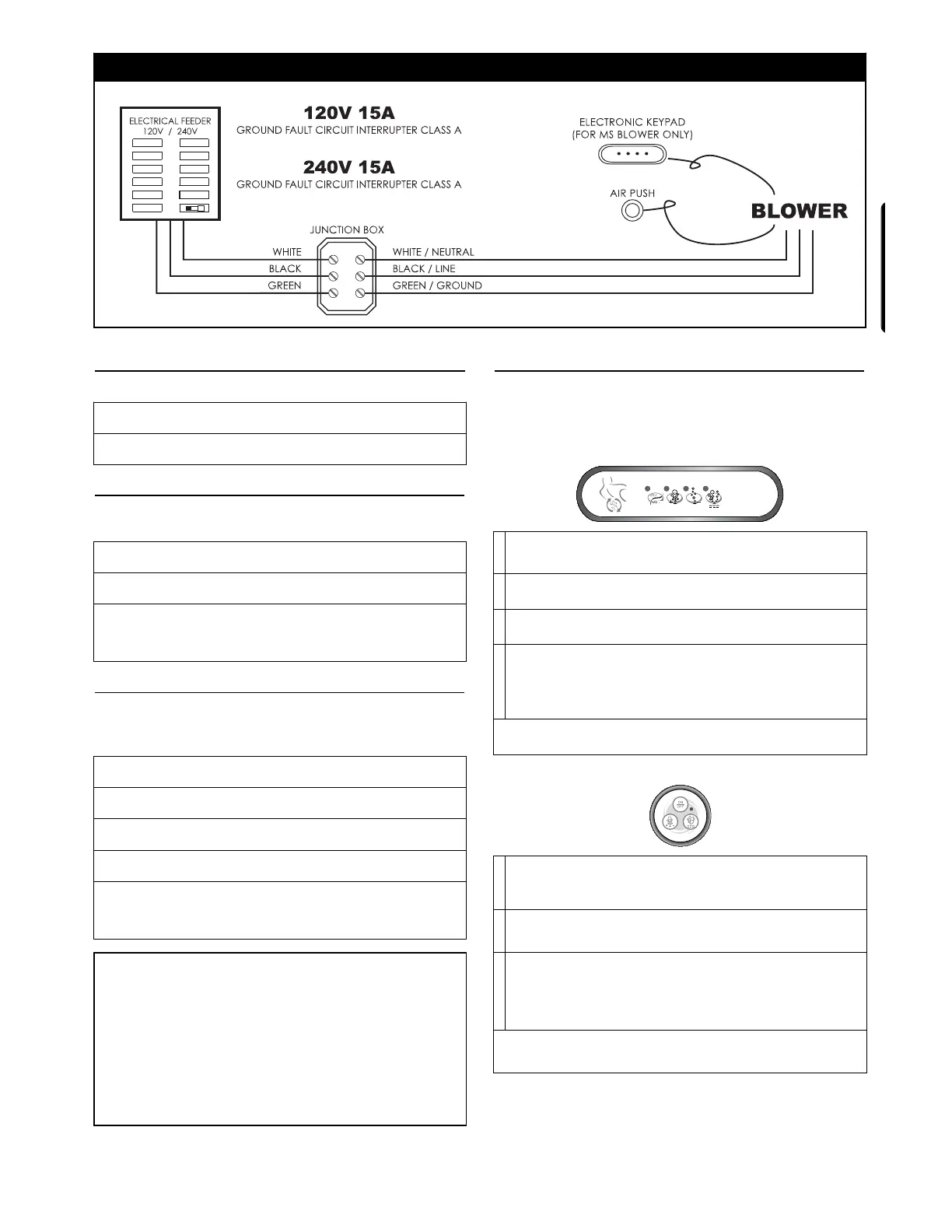
FUNCTIONS MS
Your blower is equipped with an integrated air heating element,
built-in electronic control, variable speed, pulsation cycle, a
20 minute automatic timer and an automatic drying cycle.
Optional: water level detectors
1
1
st
press: The blower starts at maximum speed, LED: ON
2
nd
press: The blower stops, LED: OFF
2
1
st
press: Speed goes up, LED: ON when pressing.
Release pressure at the desired speed.
3
1
st
press: Speed goes down, LED: ON when pressing.
Release pressure at the desired speed.
4
1
st
press: Speed will vary gradually from maximum to
minimum and back to minimum, LED: ON
2
nd
press: System turns o and on, then o again, LED: ashes
3
th
press: Returns to maximum speed, LED: OFF
Standard function: A drying cycle will automatically start
the blower for 1 minute, 20 minutes after the system, stops.
1
1
st
press: The blower starts at maximum speed, LED: ON
2
nd
press: The blower stops, LED: OFF
2
1
st
press: Speed goes up or down, LED: ON when pressing.
Release pressure at the desired speed.
3
1
st
press: Speed will vary gradually from maximum to
minimum and back to minimum, LED: ON
2
nd
press: System turns o and on, then o again, LED: ashes
3
th
press: Returns to maximum speed, LED: OFF
Standard function: A drying cycle will automatically start
the blower for 1 minute, 20 minutes after the system, stops.
AC05
Optional function with M3 · P3 · MS :
If your blower has been factory set for a 24 hour drying cycle,
program as follows:
1. Determine the time that you wish your drying cycle to start
each day.
2. Completely shut down the electrical current to the blower
for 10 seconds.
3. Start your system for a few seconds.
Your drying cycle will start every 24 hours from that moment on.
In case of a power failure, reprogram as needed.
1
32


 To Next Page
 Loading...