INSTALLATION INSTRUCTIONS FOR REMOTE CONTROL
REMOTE CONTROL
14000 · ENGLISH
2006-07-05
Receiver module installation
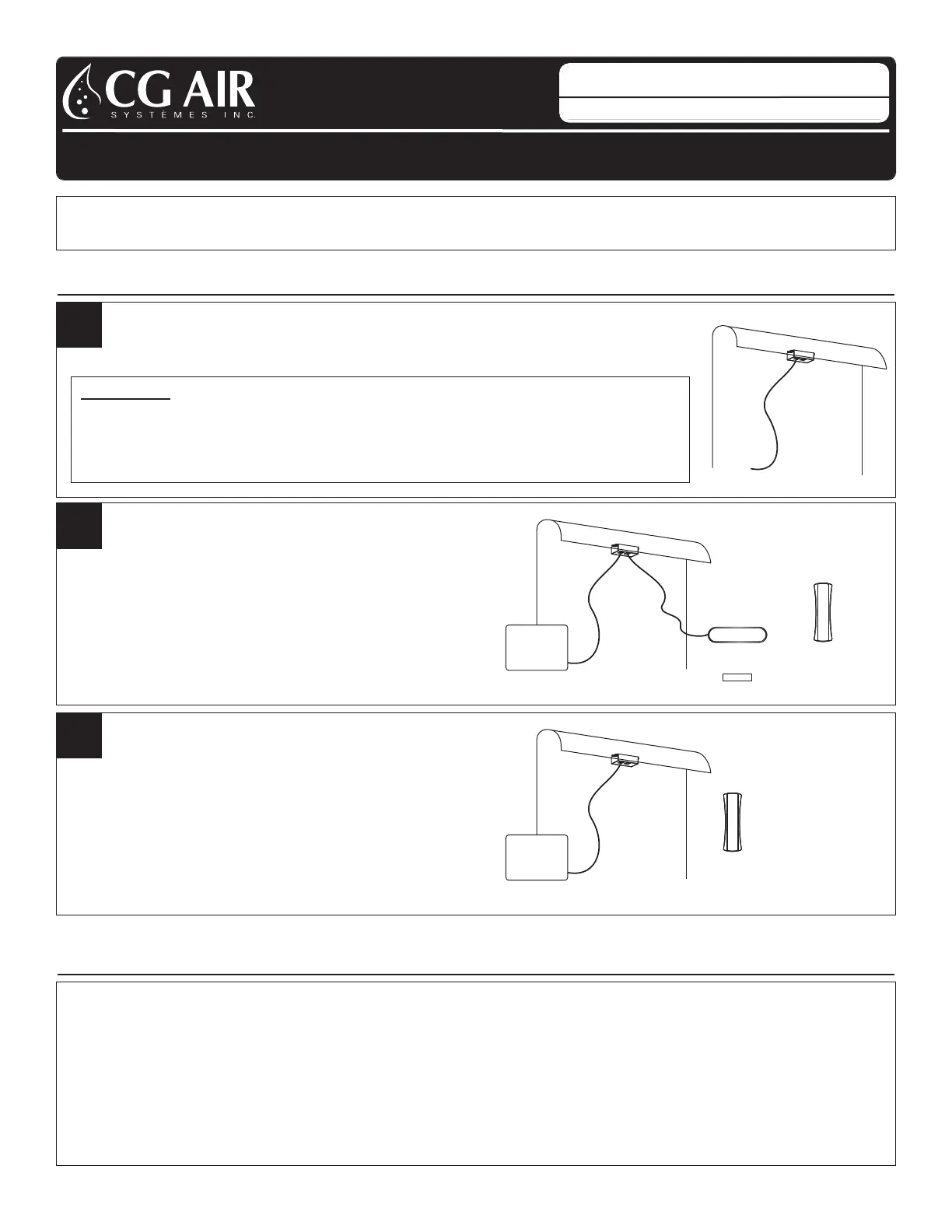
A. The receiver module must be installed under the bathtub rim.
R ECEIVER MODULE INSTA LLA TION
1
The remote control only operates CG Air Systèmes
Millenium MS+ & Silver SLS+ blower series and CG Air electronic controls Evolution
SYNCHRONIZATION
Remote control and keypad used
to activate the system
A. Plug in the cables as shown on the drawing
B. Once everything is connected, the remote
control is ready for synchronization
2.A
RECEIVER
MODULE
KEYPAD
REMOTE CONTROL
BLOWER OR
ELECTRONIC CONTROL
DISPLAY
OR
Remote control only,
to activate the system
A. Plug in the cable as shown on the drawing
B. Once everything is connected, the remote
control is ready for synchronization
2.B
BLOWER OR
ELECTRONIC CONTROL
RECEIVER
MODULE
REMOTE CONTROL
A. Once the system has been connected,
the remote control must be synchronized with its receiver module.
B. Switch off the main breaker or unplug the system and switch it on again.
C.From this moment, you have 15 seconds to proceed with the synchronization.
D. Press simultaneously on the button 2 + 3 of the remote for 4 seconds.
E. The remote control is now synchronized and ready to use.
F. If the synchronization is not successful the first time, you should resynchronize, starting from step B.
RECEIVER
MODULE
IMPORTANT:
· In order to obtain the best reception possible, we recommend not to install
the receiver module next to the faucets or metal piping.
· Location of the receiver module must be easily accessible
from the outside of the bathtub for maintenance.


 To Next Page