EasyManua.ls Logo

CG emotron TSA52-016-23NNN-AA - User Manual

Default Icon
204 pages
Print Icon
To Next Page IconTo Next Page
Loading...
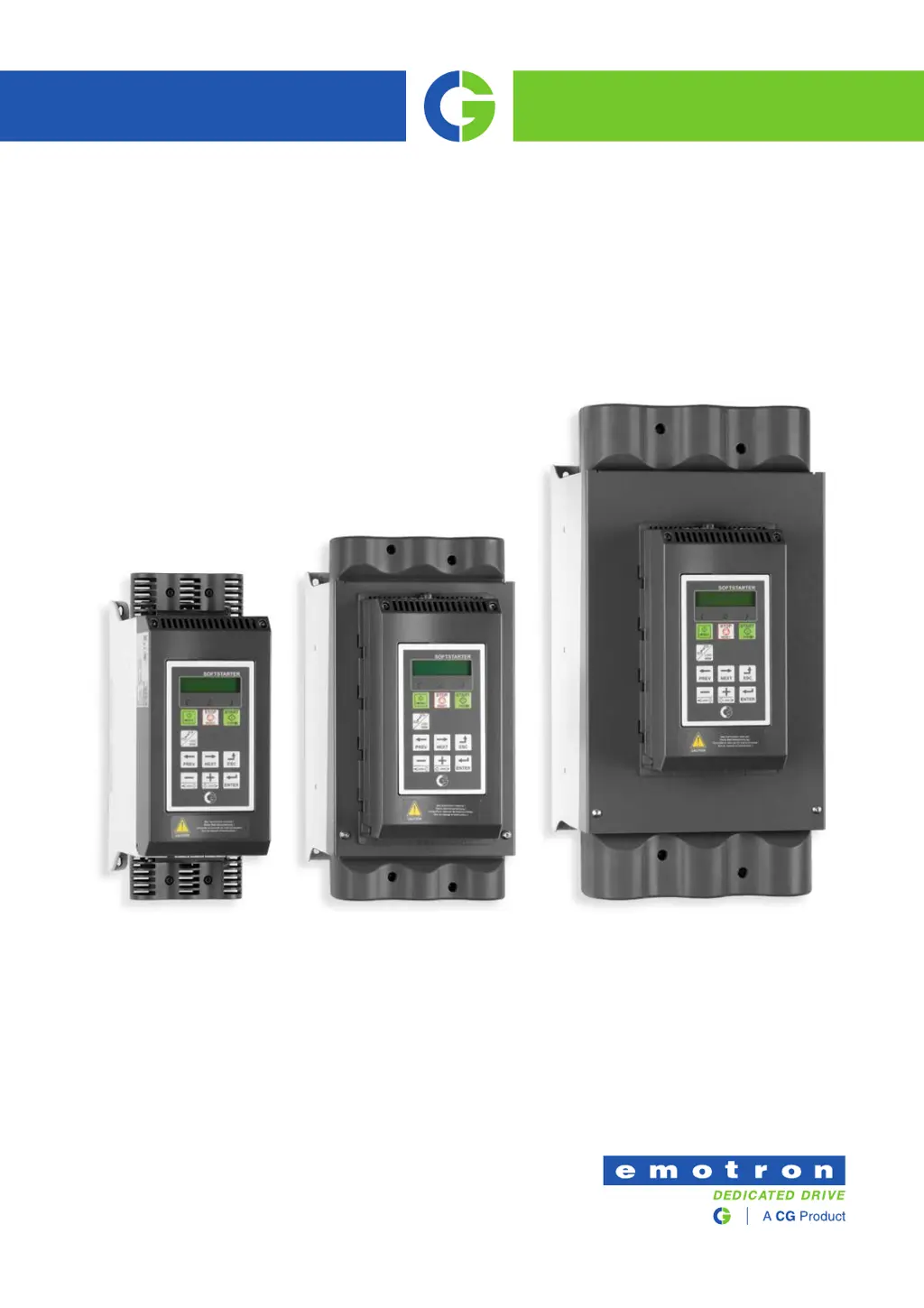
Emotron TSA
Softstarter
Instruction manual
English
Valid from Software version 1.27

Table of Contents

Questions and Answers

  • K
    Kara SuarezAug 20, 2025
    Why is my CG emotron TSA52-016-23NNN-AA showing 'Over temp'?
    • Y
      ydelacruzAug 20, 2025
      If the CG Controller displays 'Over temp', it indicates the heatsink temperature is too high, possibly due to high ambient temperature, insufficient cooling, excessive current, or blocked fans. Ensure proper cooling of the softstarter cabinet, verify the functionality of the built-in fans (if applicable), check the softstarter and motor ratings, and clean the fans.
  • L
    Laurie MillerAug 22, 2025
    What to do if CG emotron TSA52-016-23NNN-AA shows 'M Phase loss'?
    • A
      Angela HunterAug 22, 2025
      If the CG Controller shows 'M Phase loss', it means that 2 or 3 phases are lost in the mains supply voltage. Check the fuses and the mains supply to resolve this issue.
  • J
    Joshua BrownAug 25, 2025
    Why does my CG Controller display 'Phase loss'?
    • S
      Sarah TaylorAug 25, 2025
      If the CG Controller displays 'Phase loss', it indicates a single phase loss, possibly due to a broken fuse. Check the fuses and the mains supply, and ensure that the terminal screws are tightened.
  • C
    Caleb HarrisAug 27, 2025
    What causes 'Under voltage' on my CG Controller?
    • C
      Cassandra EvansAug 27, 2025
      If the CG Controller displays 'Under voltage', it means the 3-phase mains supply voltage is too low, possibly due to a mains voltage dip. Ensure all three phases are properly connected and that the terminal screws are tightened. Verify that the 3-phase mains supply voltage is within the limits set in menu group [433]. If the dip is caused by other machinery, use other mains supply lines.
  • J
    Jessica RamirezAug 28, 2025
    What does 'Over voltage' mean on my CG emotron TSA52-016-23NNN-AA?
    • A
      Alexander GregoryAug 28, 2025
      If the CG Controller displays 'Over voltage', it indicates that the 3-phase mains supply voltage is too high. Check the 3-phase main supply voltage. Remove the interference cause or use other main supply lines.
  • C
    Christopher McmillanAug 30, 2025
    What does 'Motor I2t (Area D: I2t)' mean on my CG Controller?
    • D
      danieljoeAug 30, 2025
      If the CG Controller shows 'Motor I2t (Area D: I2t)', it means the I2t value has been exceeded, indicating an overload on the motor. Check for mechanical overload on the motor or machinery (bearings, gearboxes, chains, belts, etc.). Change the Motor I2t Current setting in menu [2312]. Check setting of menu [228] Motor Vent, which affects I2t behaviour.
  • J
    Julian RamirezAug 31, 2025
    What does 'Locked rotor' mean on my CG Controller?
    • K
      Kristy BoydAug 31, 2025
      If the CG Controller displays 'Locked rotor', it means there is a torque limit at motor standstill, indicating a mechanical blocking of the rotor. Check for mechanical problems at the motor or the machinery connected to the motor. Set [4221] Locked rotor alarm to “No action”. Adjust Locked Rotor time [4222] and Locked Rotor Current [4223].
  • B
    Brian MartinezSep 2, 2025
    What does 'Curr limit' mean on my CG Controller?
    • J
      joycestacySep 3, 2025
      If the CG Controller displays 'Curr limit', it means the current limit parameters might not be matched to the load and motor. Increase the start time (menu [336]) and/or the current limit at start (menu [335]).
  • R
    Renee CarlsonSep 4, 2025
    How to fix 'Comm error' on CG emotron TSA52-016-23NNN-AA?
    • B
      barbercindySep 4, 2025
      If the CG Controller displays 'Comm error', it indicates an error on serial communication/ Fieldbus (option). Check cables and connection of the serial communication. Check all settings with regard to the communication. Restart the equipment including the softstarter.
  • M
    Morgan GonzalezSep 6, 2025
    How to resolve 'Phase rev' on CG emotron TSA52-016-23NNN-AA Controller?
    • B
      Bailey GraySep 6, 2025
      If the CG Controller displays 'Phase rev', it means there is an incorrect phase sequence on the 3-phase main supply. Swap L2 and L3 input phases. Check setting of menu [4342] Allowed Sequence.

Summary

Safety Instructions

Operating and Maintenance Personnel

Instructions for personnel involved in operation and maintenance.

Emergency

Procedure for emergency shutdown of the device.

General Warnings

General safety warnings and precautions.

Mounting

Installation in a Cabinet

Instructions for installing the softstarter within a cabinet.

Connections

Mains and Motor Connections

Electrical connection diagram for mains and motor.

Application Guidelines

Softstarter Dimensioning According to AC-53 b

Guide to selecting softstarter rating based on AC-53b norms.

Getting Started

Check List

Pre-operation checklist for installation and setup.

Mains and Motor Connection

Instructions for connecting the softstarter to mains and motor.

Remote I;O Operation

Operation via the Control Panel

Control Keys

Functions of the physical control keys on the softstarter.

Main Features

Setting Start, Stop and Run Functions

Configuration of start, stop, and run command signals.

Start and Stop Methods

Configuration of different start and stop methods.

Working with Parameter Sets

Selection of Parameter Sets

Methods for selecting parameter sets (panel, digital input, serial).

Configuration of Parameter Sets

How to configure settings within parameter sets.

Applying Limitations, Alarms and Autoreset

Alarm Types and Actions

Overview of different alarm types and their associated actions.

Load Monitor Function

Configuring and using the load monitor function.

Reset and Autoreset

Procedures for resetting and configuring autoreset functions.

Programmable I;O

Remote Control Functions

Default Settings of the Run;Stop;Reset Functions

Default configurations for remote control signals.

Main Setup [200]

Remote Signal Level;Edge [21 A]

Motor Data [220]

Reset Control [216]

Motor Protection [230]

Predictive I2 t Function

Predictive I2t function for motor thermal capacity prediction.

Motor I2 t Class [2313]

Start Limitation [234]

Parameter Set Handling [240]

Select Set [241]

Selecting the active parameter set.

Autoreset [250]

Autoreset Attempts [251]

Setting the number of allowed autoreset attempts.

Motor Protection Autoreset [252]

Automatic reset for motor protection alarms.

Serial Communication [260]

Start Setting [330]

Start Method [331]

Available start methods (Torque control, Voltage control, DOL).

Torque Boost [337]

Stop Setting [340]

Stop Method [341]

Available stop methods (Torque control, Voltage control, Coast, Brake).

Braking Method [344]

Reverse Current Brake

Using reverse current brake for heavy loads.

Jog [350]

Load Monitor and Process Protection [400]

Load Monitor [410]

Configuring and using the load monitor.

Maximum Alarm Level [4112]

Autoset [417]

Process Protection [420]

Rotor Locked [422]

Alarm for mechanically locked rotor to avoid high motor current.

Mains Protection [430]

I;O [500]

Analogue Input [510]

Settings for analogue inputs.

Digital Inputs [520]

Settings for all digital inputs.

Analogue Output [530]

Settings for the analogue output.

Relays [550]

Virtual I;Os [560]

Logical Functions and Timers [600]

Comparators [610]

Monitoring internal signals and values using comparators.

Logic Outputs [620]

Timers [630]

SR Flip-flops [640]

Counters [650]

Real Time Clock Settings [740]

View Trip Log [800]

Trip Message Log [810]

Displaying the cause and time of trips.

Serial Communication

Use of Softstarters with Torque Control

Troubleshooting, Diagnoses and Maintenance

Trip Conditions, Causes and Remedial Action

Identifying causes of failures and how to resolve them.

Maintenance

Regular checks and maintenance tasks for the softstarter.

Troubleshooting List

Derating at High Temperature

Derating at High Altitude

Control Power- and I;O Signal Connectors

CG emotron TSA52-016-23NNN-AA Specifications

General IconGeneral
BrandCG
Modelemotron TSA52-016-23NNN-AA
CategoryController
LanguageEnglish

Related product manuals