Need help?
Do you have a question about the Chacon IPCAM-FI01 and is the answer not in the manual?
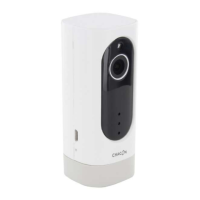
Details the physical components and core functions of the Wi-Fi camera, including night vision and motion detection.
Instructions for downloading the 'Chacon cam+' mobile application from app stores.
Steps for launching the app, creating an account, and granting necessary permissions for first use.
Procedure for connecting the camera to the mobile application via Wi-Fi, including indicator status.
Manage camera settings, sharing, SD card, sleep mode, motion detection, sound detection, and video playback.
Viewing and managing recorded images and videos triggered by motion detection.
Accessing personal account settings, managing friends, and other user-specific functions.
Instructions for adding a new device to the application.
Contact information and website for support and inquiries.
Technical details of the camera including resolution, view angle, night vision, and operating temperature.
Explanation of symbols related to direct current and battery disposal guidelines.
 General
| Brand | Chacon |
|---|---|
| Model | IPCAM-FI01 |
| Category | Security Camera |
| Language | English |

 To Next Page