31
Installation
1. Connect the front pair speakers to the Line-out jack of the audio adapter, and
then connect rear pair speakers to Line-in/Rear jack of the audio adapter. The
original Line-in can be moved to Aux-in.
2. Install the audio driver and Audio Rack application software(see chapter 4).
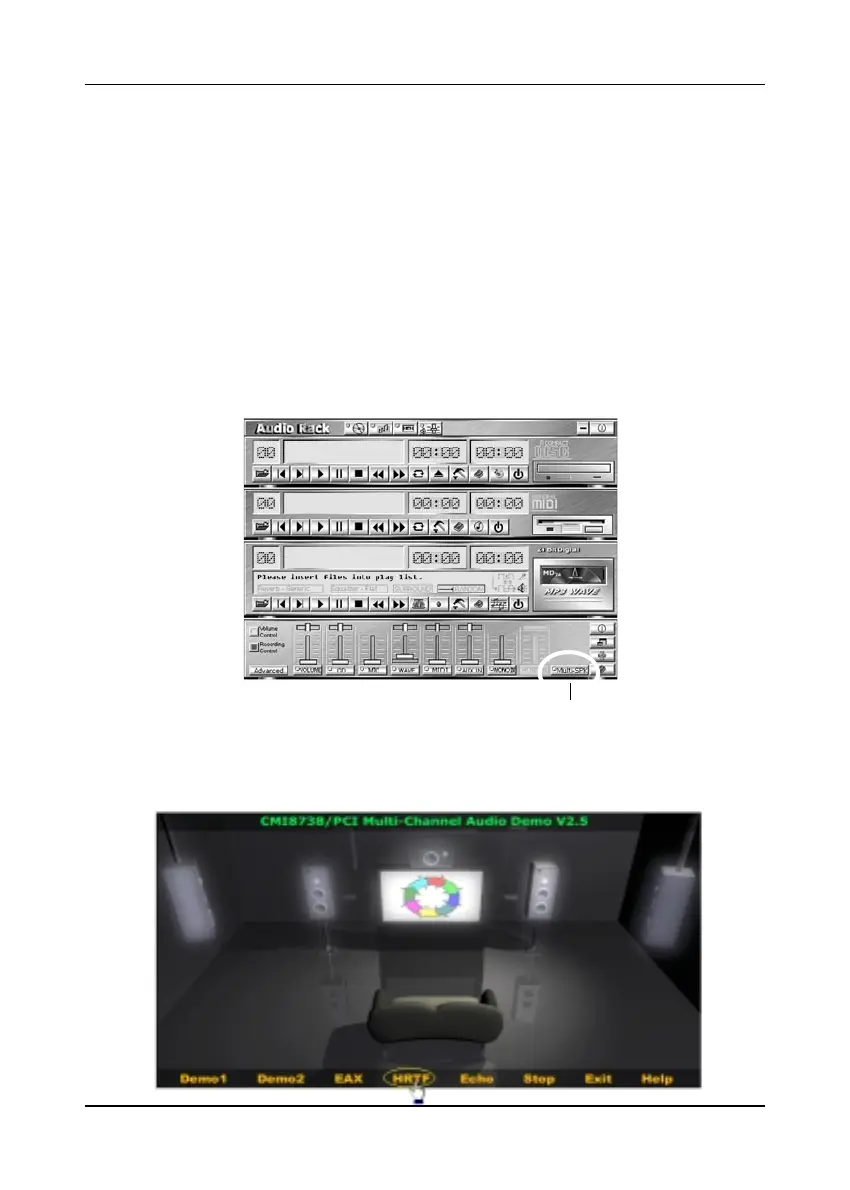
3. There is a multi speakers option in the volume control of the mixer, and when
you enable this option, it means the rear speakers are connected to Line-in/Rear
jack. When Line-in/Rear jack is connected to other external Line-in sources,
please DO NOT enable this option in order to avoid hardware conflicts. Regarding
rear speaker option, you can turn
ON ON
ON ON
ON or turn
OFFOFF
OFFOFF
O F F the output of the back speakers,
and adjust the volume, to have the rear/front speakers have the same volume.
NoteNote
NoteNote
Note : You can test your multi-channel system by clicking the Multi-Channel Audio
Demo at C:\WINDOWS\Start Menu\Programs\PCI Audio Application\Multi-
Channel Audio Demo(as shown in figure below).
Multi Speaker selector Button



 To Previous Page