EasyManua.ls Logo

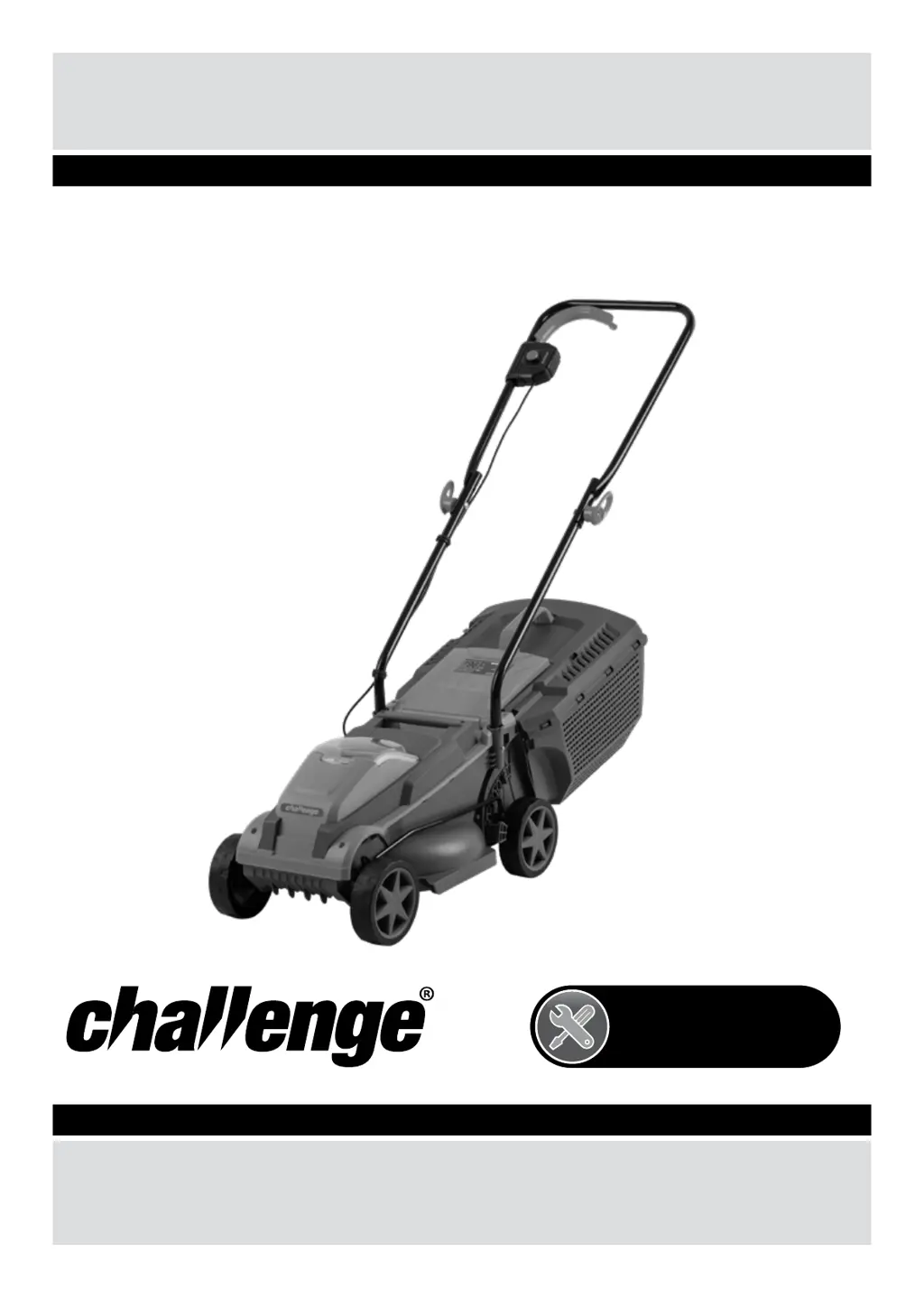
Challenge CH18V2 - User Manual

Challenge CH18V2
32 pages
Print Icon
To Next Page IconTo Next Page
Loading...
Original Manual
Important - Please read these instructions fully before starting assembly
These instructions contain important information that will help you get the best from your
mower, ensuring it is assembled correctly and safely.
If you need help or have damaged or missing parts, call after sales support on 0343 515 1906.
CHALLENGE
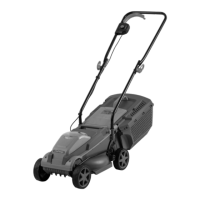
Challenge 18V 31cm Cordless Lawn Mower
CH18V2
OCT 2019
UK/Ireland
0343 515 1906
After Sales Support

Questions and Answers

  • S
    Shannon PerryAug 15, 2025
    Why my Challenge CH18V2 Lawn Mower won't start?
    • K
      Kelly DunnAug 16, 2025
      If your Challenge Lawn Mower won't start, several factors could be at play. First, check for any clogging underneath the mower and clear it, wearing gardening gloves for protection. Ensure the battery is fully charged and correctly inserted. If the grass is too long, increase the cutting height and tilt the mower to reduce the starting load. Also, the battery might be too hot or cold, so allow it to cool or warm to the appropriate temperature. Make sure the isolator key is correctly and fully inserted. Note that there is a normal short delay (1-3 seconds) in the motor starting after engaging the On/Off switch, so hold the switch for the specified time.
  • S
    Scott GrantAug 18, 2025
    What to do if Challenge Lawn Mower motor starts and stops immediately?
    • L
      lewisjacobAug 18, 2025
      If the motor of your Challenge Lawn Mower starts and then stops right away, it could be due to a few reasons. Make sure the battery is fully charged. Also, check that the isolator key is correctly and fully inserted. Ensure the battery is properly inserted. The battery may also be too hot or too cold; allow it to cool down or warm up as needed.
  • M
    Mary WrightAug 21, 2025
    Why Challenge Lawn Mower battery doesn't last long?
    • J
      Jason BrownAug 21, 2025
      If your Challenge Lawn Mower isn't cutting a large enough area on a single charge, there are several potential causes. The cutting height might be set too low, so try increasing it and walking slower. If the grass is too high, increasing the cutting height and walking slower can also help. Wet or damp grass can also reduce battery life, so wait until the grass is dry and walk slower. If the grass is dense, increase the cutting height, walk slower, and cut more frequently.
  • J
    Joshua GardnerAug 25, 2025
    How to fix excessive vibrations in Challenge CH18V2?
    • S
      Stephanie DavisAug 26, 2025
      Excessive vibration or noise in your Challenge Lawn Mower can stem from a couple of issues. First, check if the blade nut/bolt is loose and tighten it to 17 Nm. Alternatively, the cutting blade might be damaged and require replacement.
  • L
    leonardmooreAug 27, 2025
    Why Challenge Lawnmower leaves ragged cut?
    • B
      Brandon WardAug 27, 2025
      A ragged cut from your Challenge Lawnmower can be attributed to two primary causes. If the height of the cut is too low, increase it. Alternatively, the cutting blade may be blunt and need replacement.
  • L
    Leslie NorrisAug 30, 2025
    What causes poor cutting from Challenge Lawnmower?
    • J
      Julie BishopAug 30, 2025
      If your Challenge Lawn Mower exhibits poor cutting performance or the motor seems to be labouring, consider these possibilities. There might be clogging underneath the mower, so check and clear any obstructions, wearing gardening gloves. Also, verify that the blade is fitted correctly; if it's upside down, refit it properly.
  • D
    Dennis DominguezSep 2, 2025
    What to do if Challenge Lawnmower blade is not rotating?
    • R
      Russell JarvisSep 3, 2025
      If the cutting blade of your Challenge Lawn Mower isn't rotating when switched on, it could be due to an obstruction. Switch off the mower and clear any obstruction, wearing gardening gloves. Another possibility is that the blade nut/bolt is loose; tighten it to 17 Nm.
  • N
    ncrossSep 5, 2025
    Why Challenge Lawnmower functions intermittently?
    • K
      Katie ThompsonSep 5, 2025
      If your Challenge Lawn Mower functions intermittently, it's possible the motor protector has activated. To resolve this, allow the motor to cool down and increase the height of the cut.
  • D
    Denise BowersSep 8, 2025
    How to fix Challenge Lawnmower when it is not charging?
    • R
      Robin WallaceSep 9, 2025
      If you're unable to charge your Challenge Lawn Mower, consider these potential causes. The battery contacts might be contaminated; try cleaning them by inserting and removing the battery several times, or consider replacing the battery. Also, the battery could be defective due to a disconnection in the battery cells, in which case you should replace it.
  • N
    nreedSep 12, 2025
    Why Challenge Lawnmower charge control LEDs do not light up?
    • S
      Sonya GordonSep 12, 2025
      If the charge control LEDs on your Challenge Lawn Mower do not light up after plugging in the mains, it could be because the mains plug of the battery charger is not fully inserted into the socket. Ensure it is properly plugged in. If that's not the issue, the socket outlet, mains cable, or battery charger might be defective. Check the mains voltage and, if necessary, have the battery charger checked by a qualified service agent.

Summary

Safety Information

Battery Safety Information

Details safety precautions related to the battery and its charging.

Charger Safety Information

Outlines safety precautions for using the battery charger.

Assembly

Step 1 - Assembling Handles

Instructions for assembling the handles of the lawn mower.

Step 2 - Assembling the Grass Collection Box

Guide to assembling the grass collection box.

Step 3 - Fitting;Removing the Grass Collection Box

Instructions on how to attach and detach the grass collection box.

Step 4 - Fitting;Removing the Battery

Details on how to install and remove the battery pack.

Operation

Setting the Cutting Heights

Explains how to adjust the lawn mower's cutting height settings.

Maintenance

Troubleshooting

Technical Data

Challenge CH18V2 Specifications

General IconGeneral
BrandChallenge
ModelCH18V2
CategoryLawn Mower
LanguageEnglish

Related product manuals