EasyManua.ls Logo

Champ CW-898A - Hot Water Operation

Default Icon
14 pages
Print Icon
To Next Page IconTo Next Page
To Previous Page IconTo Previous Page
Loading...
HOT
OPERATION
METHOD
1.Ensure
the
power
switches
at
rare
panel
are
OFF,
then
plug
in
the
power
cord
and
connect
inlet
water.
2.Press
ambient
or
cold
water
(if
there
is
no
ambient
water
option)
button
to
dispense
some
water
to
flush
filters.
This
is
important
to
ensure
drinking
water
quality.
3.Press
and
hold
hot
water
button
until
seeing
water
comes
out.
Note:
This
is
very
important
to
prevent
hot
tank
dry-heat.
Based
on
safety
reasons,
each
time
pressing
unlock
button,
hot
water
button
must
be
pressed
for
3
seconds
to
dispense
hot
water.
After
the
first
dispense,
hot
water
may
be
dispensed
right
away
during
the
same
unlocking
period.
4.Turn
on
hot
power
switch
at
back,
the
machine
will
start
heating
immediately.
The
reheating
will
be
started
automatically
when
hot
water
temperature
is
too
low.
For
secure
reason,
the
dispensing
is
limited
within
60
seconds.
If
you
need
more
water please
touch
button
again.
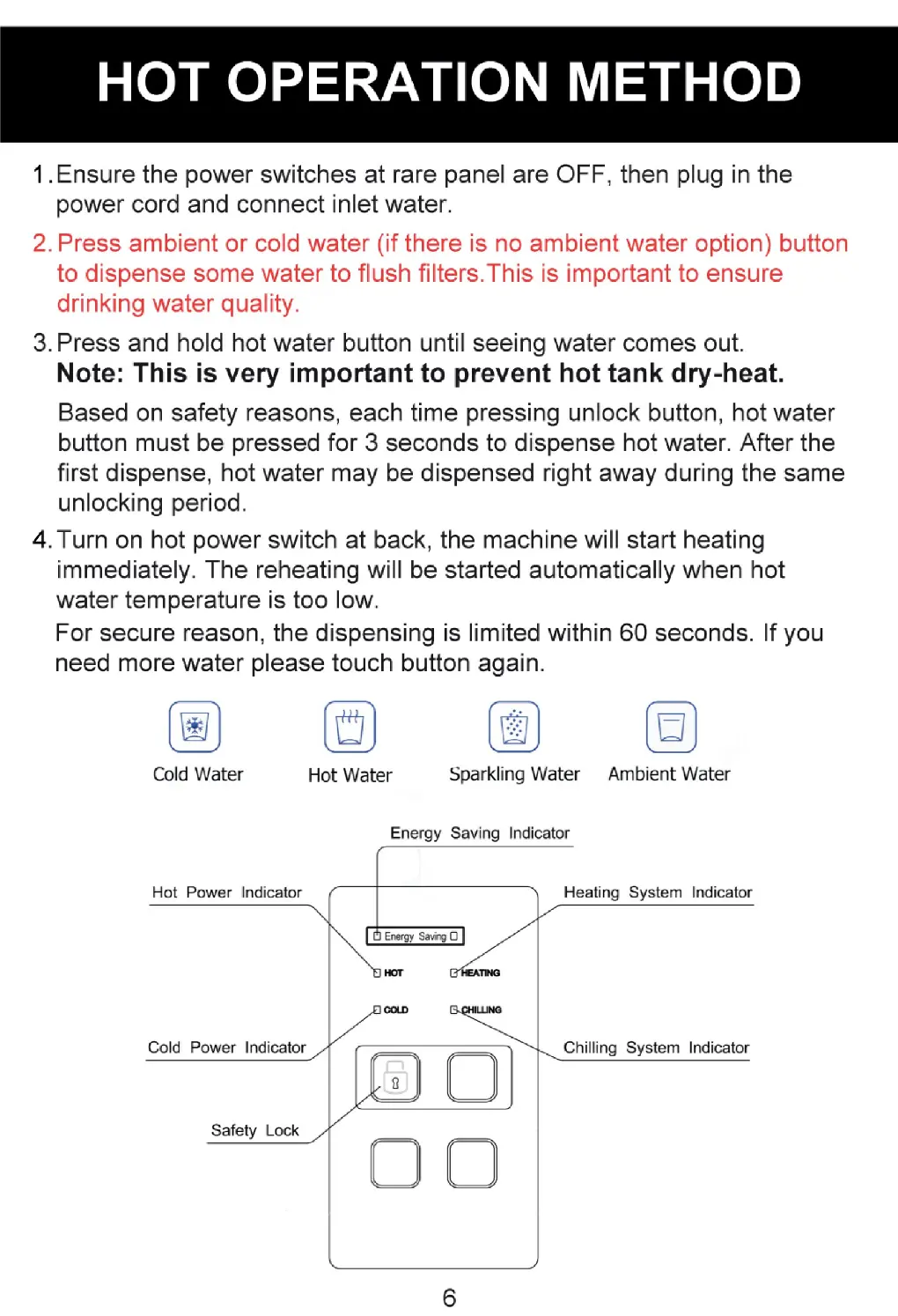
Cold
Water
Hot
Water
Sparkling
Water
Ambient
Water
Energy
Saving
Indicator
NS
{a
Energy
Saving
a
HOT
‘TING:
a
Chilling
System
Indicator
i
_)
(JU
Hot
Power
Indicator
Heating
System
Indicator
Cold
Power
Indicator
Safety
Lock

Related product manuals