• Bluetooth mode:
(1)First power on, press the“Wi-Fi”to Bluetooth mode,Wi-Fi pairing key ashes (with waiting for connection tone),
please search for Bluetooth devices in the mobile phone or tablet PC and pair. When the pairing is successful, the
key stays lit.
(2)If it is need to switch to another Bluetooth terminal, press the Bluetooth pairing key, the blue indicator light ashes,
once again into the Bluetooth pairing state, repeat steps (1).
( 3 ) If the Bluetooth terminal is successfully paired before shutdown, the machine will automatically connect the last
successful paired terminal after next restart (don´t need reconnection).
• Line-in mode:
When 3.5mm audio cable is inserted into the Line-in port, the product automatically switches to Line-in mode.
• USB charging mode:
Press the “Wi-Fi”to USB charging mode, it will charge mobile phone or other electronic devices.
If there is no signal input, such as pause playback, the product will remain 15 minutes in standby mode The speaker
use the communication protocol is 802.11b/g/n. The power of networked standby mode is 2.4W.
To reset the WiFi preset password, press the following ve combinations of buttons:Play,Vol+,Power,Play,Power
How to update rmware WiFi Online update:
1. Turn on the speaker, change it into wi- mode, after it prompt wi- network ready voice, use PC to connect the wi-
signal of speaker.
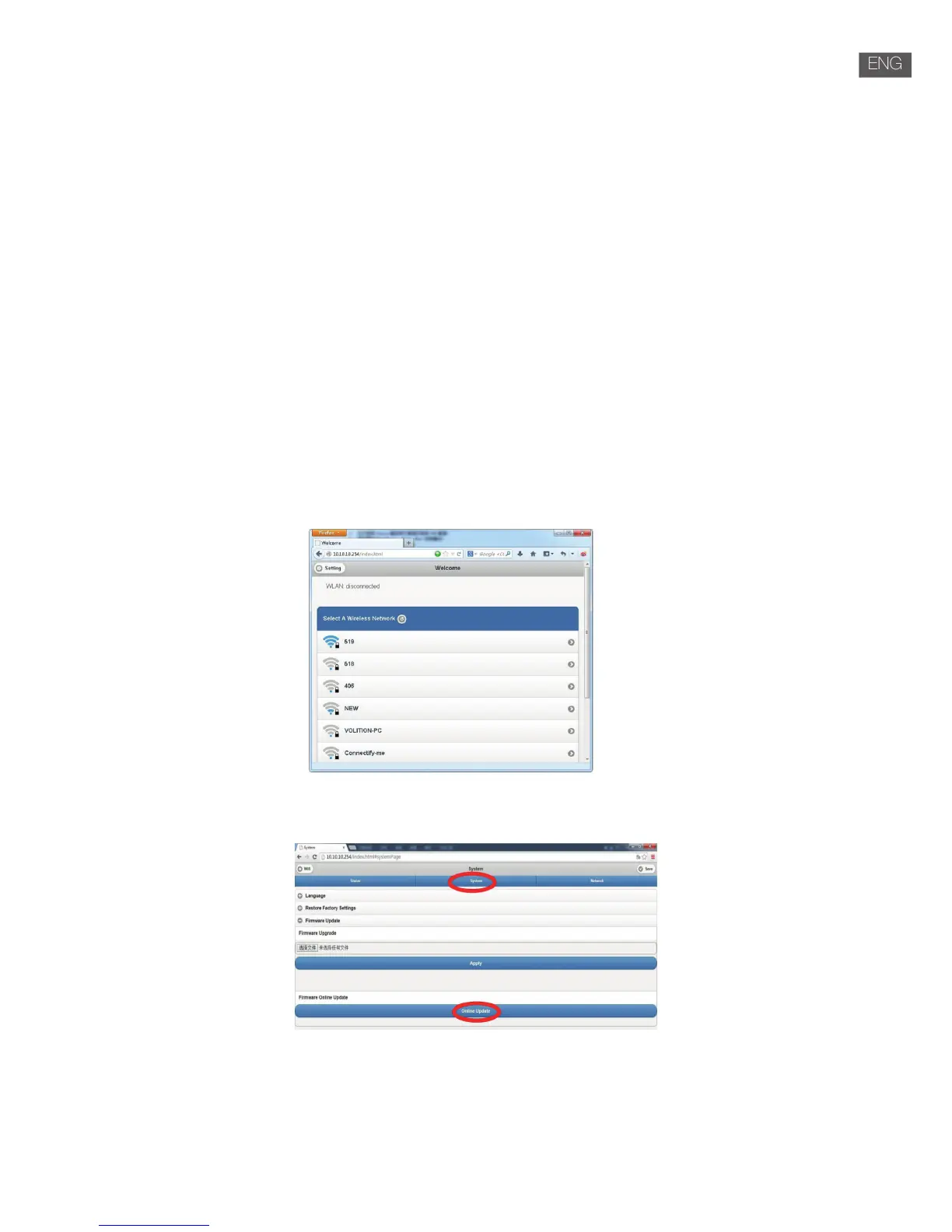
2. Enter “10.10.10.254” in the browser of PC.
3. Connect network
4. Select “Setting”
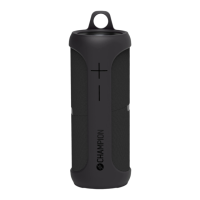
5. Click “System”
6. Click “online update”
7. The product will automatically download rmware upgrades,when it’s upgraded successfully, the broser will show a
message.


 To Next Page