This document is a maintenance manual for a CHANGHONG LED Colour TV, specifically models using the HLS48D chassis (MSD6306PUS-Z1) and model 24E3100 (JUC7.820.00191640/00186536(CKD)). It provides comprehensive information for installation, operation, maintenance, and troubleshooting.
Function Description
The device is an LED Colour TV designed for displaying video and audio content. It supports various input sources and includes features for image and sound processing. The mainboard integrates several key components for power management, signal processing, and display control.
Important Technical Specifications
LED Panel:
- Model Name: C240F17-E31-A(G72)
- Visual Area: 23.8 inches
- Aspect Ratio: 16:9
- Resolving Ratio: 1920 x 1080 Pixel
- Visual Area H x V: 527.04 (H) x 296.46 (V)
- Contrast Ratio: 3000:1
- Brightness: 180 cd/m² (Type)
- Visual Angle: 170° (horizontal)/170° (vertical)
- React Time: Tr+Tf=20ms
- Backlight Life: 30000 hours (Type)
- Color Temperature: Cold/Hot
TV Function:
- Sound System: M/N
- Color System: NTSC/PAL-N/PAL-M
Audio and Video Signal Input:
- AV: 1x AV input (Audio and video signal input)
- YPBPR: 1x YPBPR input (Support to 1080P)
- PC: 1x PC input (Audio and video signal input)
- HDMI: 2x HDMI inputs (Support to 1080P)
- USB: 1x USB input (Support media player)
Audio Output:
- Headphone: 1x Headphone output (Audio signal output)
Power:
- Power Supply: AC100V~240V, 50/60Hz
- Power Achievement: <40W
Requirement for Environment:
- Operation Temperature: +0°C ~ +50°C
- Storage Temperature: -20°C ~ +60°C
- Operation Humidity: 10%~90%
Main ICs and Functions:
- U805 (MP1471AGJ-LF-Z): DCDC converter (12V to 5V)
- U804 (LR1117/A-3.3): 5V to 3.3V LDO
- UA1 (RT9118GQW): Audio amplifier
- U807 (AZ1117H-ADJTRE1): 5V to 1.5V LDO
- U201 (MSD6306PUS-Z1): Main chip (Video decoder, image processor, A/D and D/A conversion)
- U202 (KH25L3206EM2I-12G): 32 Mbit (4M x 8bit) Serial Flash memory
- U802 (SY8008BAAC): DCDC converter (5V to 1.2V)
- U1 (TDA18275AHN/C1): Tuner IC
- UB1 (OB3350CPA (SOP-8)): Drive IC
- U002 (LR1117/A-3.3): 5V to 3.3V LDO
Recommended PC Resolving Ratio: 1280x768
Usage Features
Installation Notes:
- Avoid physical impact or scratching the LED screen.
- Clean the screen gently with absorbent cotton or cloth.
- Promptly clean any liquid or viscous pollution to prevent damage or discoloration.
- Protect the LED screen from strong external forces.
Operation and Usage Attention Points:
- Always unplug the power cable before moving the LED screen.
- Avoid changing original mainboard settings, as this may affect brightness, white balance, and other specifications.
- Prolonged use at room temperature may result in higher radiation compared to low temperatures.
- Be aware that long-displayed images might remain on the screen after shutdown.
- Keep mobile phones away to prevent interference with the TV.
Storage Notes:
- For long-term storage, maintain a temperature between 0°C and 40°C and humidity below 85%RH.
- Do not store in high humidity (e.g., 85%RH) and high temperature (e.g., 60°C) environments.
- Do not store in low temperature environments (e.g., below -25°C).
Interface Definition:
The mainboard features various inputs and outputs including IR input, Lvds output, Backlight control, Speaker Audio output, RF input, HDMI (HDMI1, HDMI2), AV and YPBPR input, Audio L/R input, Headphone output, PC input, USB input, and Power AC input. HDMI inputs support up to 1080P.
Factory Mode Parameter Setting:
- To enter factory mode: Switch on the TV, press
SOURCE+3138 on the remote control, then enter 3138 using the number keys.
- Navigation: Use
▲/▼ to select items, >/< to adjust values.
- Sub-directories: Use
V+ to enter, P+/P- to navigate options, V+/V- to set.
- Exiting: Press
MENU to go back to the parent directory, EXIT to quit factory mode.
- Warning: "Restore Factory Default" clears memory data and should only be used when necessary.
Maintenance Features
Dismantling Notes:
- Handle the LED screen carefully during dismantling due to its fragility.
- Pay attention to screw positions to avoid incorrect reinstallation, which could crack or damage the face frame.
- Before dismantling, take photos of cable routes for reference during reassembly.
- Ensure no foreign objects remain inside the machine after maintenance.
High-Voltage Warning:
- The LED screen's high voltage is generated by the power supply board. Exercise extreme caution to avoid electric shock.
Software Upgrade Instructions:
- Tooling: Two types of upgrade tooling are supported:
- Combined interface (parallel port) using "TV Utility_4.4".
- Interface upgrade tooling using versions higher than "TV Utility_4.4".
- Process:
- Set up ISP Tooling (e.g.,
ISP_Tool_4532.exe).
- Open the ISP tooling and select "Connect".
- Confirm successful connection with "OK".
- Select "Read" to load the current software.
- Choose the correct software file (
MERGE.bin) and open it.
- Select "Auto" to initiate the upgrade process.
- Select "Run" to start the software update.
- Wait for the software to update.
- Turn on the TV again after successful update.
Classical Accident Maintenance Procedures and Examples:
- Don't Boot: Check if the power is connected.
- No Picture, No Sound, No Indicator Light:
- Possible Reasons: Power cord unplugged, contrast/brightness/color/volume at minimum, TV in mute mode, no audio signal input, incorrect audio/signal cable connection.
- Solutions: Plug in power cord, adjust settings, connect cables correctly.
- Picture and Sound Abnormality:
- Possible Reasons: Improper contrast/sharpness/color settings, incorrect color system, incorrect sound system.
- Solutions: Adjust settings, set correct color/sound system.
- Picture Spotted or with Snow:
- Possible Reason: Low-level signal source or low-quality signal cord.
- Solution: Use a qualified signal cord.
- Black Screen, 'No Signal' Displayed:
- Possible Reason: No signal input, video cable not connected or incorrectly connected.
- Solution: Connect the video cable correctly.
Troubleshooting Flowcharts:
The manual provides detailed flowcharts for diagnosing and resolving common issues:
- LED Driver Power Supply Service Guide: Addresses issues where the IR indicator lights up but the backlight is off, guiding checks for LED+ voltage, LED drive circuit, boost converter, and AC/DC power supply.
- System's Power Supply Abnormal: Guides checks for adapter/DP9 voltage, CON P2 voltage, L818 voltage, U804_PIN3 voltage, L805 voltage, Q808 voltage, U002_PIN4 voltage, and U807_PIN4 voltage, leading to component replacement if necessary.
- Black Screen: Guides checks for DP9 voltage, LED indicator status, panel power (5V), power system, LVDS CLK voltage, and panel cable connection.
- Abnormal Screen: Guides checks for system power supply, source voltage of Q808, collector of Q803, B pole of Q803 voltage, R815 voltage, panel power (5V), LVDS short/open, and software upgrading.
- Audio Part (No Sound): Guides checks for external audio equipment, audio signal input, panel cable connection, CON701 signal, 12V power supply on UA1, audio signal on U201/UA1 pins, and power supply of the amplifier.
- TV Channel Doesn't Have Sound but Has Image: Guides checks for AV channel sound, and the circuit between UA1 and U201.
- HDMI Channel Doesn't Have Sound: Guides checks for HDMI input signal, AV channel sound, and HDMI input signal on U201 pins.
- Tuner Can't Search TV Channel or No TV Image: Guides checks for circuit between tuner and U201, external RF signal, 3.3V on U002 pin 4, I2C signal, and AGC voltage.
- AV Channel Doesn't Have Signal or Image: Guides checks for AV input signal and AV input signal on U201 pins.
- USB Channel Doesn't Have Signal: Guides checks for USB input signal and USB input signal on U201 pins.
High Voltage and High Current Wearing Parts List:
- Mainboard part: JUC7.820.00191640/00186536(CKD) - Proportion of easy damage: 1%
- LED screen: C240F16-E11-A(G01) - Proportion of easy damage: 0.1%
Circuit Schematic Diagram:
The manual includes an appendix with the circuit schematic diagram (JUC7.820.00191640/00186536(CKD).pd) and instructions to clear EEPROM and set parameters after upgrading, and to check all channels/sources for normal image and sound.

 Need help?
 General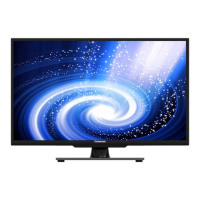


 To Next Page