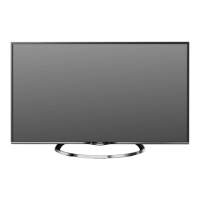
How to troubleshoot no sound and picture on Changhong Electric LED TV?
P
Phillip MaloneAug 18, 2025
If your Changhong Electric LED TV shows no sound and picture, ensure the main plug is connected to a wall outlet and that you've pressed the POWER button on the front of the TV. Also, verify the picture contrast and brightness settings.
M
Mark FloresAug 20, 2025
What to do if the remote control for my Changhong Electric LED39D2200DS LED TV does not work?
R
Roger DanielAug 20, 2025
If the remote control for your Changhong Electric LED TV isn't working, check for any obstructions between the remote and the TV. Ensure the batteries are installed with the correct polarity (+ to +, - to -), and that the correct remote operating mode is set (TV, VCR, etc.). If problems persist, install new batteries.
R
Roger OwensAug 23, 2025
How to fix normal picture but no sound on Changhong Electric LED39D2200DS LED TV?
J
jhensleyAug 23, 2025
If your Changhong Electric LED TV has a normal picture but no sound, first check the volume level. If the sound is muted, press the MUTE button. Try another channel to rule out a broadcast issue. Finally, verify that the audio cables are installed properly.
N
Nancy HessAug 26, 2025
Why is there no or poor color on my Changhong Electric LED39D2200DS screen?
W
webbandrewAug 26, 2025
If your Changhong Electric LED TV has no or poor color, or a poor picture, adjust the color in the menu options. Ensure sufficient distance between the TV and any VCR. Try another channel to see if the problem is with the broadcast. Check if the VIDEO cables are installed properly. You might also try activating any function to restore the brightness of the picture.
M
Monica SmithAug 27, 2025
How to improve poor reception on Changhong Electric LED39D2200DS?
J
Jack RodriguezAug 27, 2025
If you experience poor reception on some channels with your Changhong Electric LED TV, the station or cable product may be experiencing problems, so try tuning to another station. If the station signal is weak, reorient the antenna. Also, check for any sources of possible interference.
P
petersonkennethAug 30, 2025
Why does my Changhong Electric LED39D2200DS LED TV power off suddenly?
O
oandersonAug 30, 2025
If your Changhong Electric LED TV suddenly turns off, check if the sleep timer is set. Review the power control settings. Consider whether the power was interrupted or if there's no broadcast on the tuned station with auto-activation enabled.
B
Barbara FrederickSep 1, 2025
What does 'The signal is out of range' mean on Changhong Electric LED TV?
Z
Zachary MedinaSep 1, 2025
If your Changhong Electric LED TV displays 'The signal is out of range,' adjust the resolution, horizontal frequency, or vertical frequency. Verify that the signal cable is securely connected and check the input source.
D
David FerrellSep 3, 2025
How to fix horizontal bars on Changhong Electric LED39D2200DS?
D
Donald MuellerSep 3, 2025
If your Changhong Electric LED TV displays horizontal/vertical bars or the picture is shaking, check for local interference from electrical appliances or power tools.
M
Matthew LeachSep 6, 2025
How to remove lines or streaks in pictures on Changhong Electric LED39D2200DS LED TV?
C
Colton BrooksSep 6, 2025
If you see lines or streaks in the pictures on your Changhong Electric LED TV, check the antenna and try changing its direction.
J
Jennifer MunozSep 8, 2025
Why is the screen color unstable on Changhong Electric LED39D2200DS LED TV?
L
Linda SmithSep 8, 2025
If the screen color on your Changhong Electric LED TV is unstable or displaying a single color, check the signal cable. If the issue persists, try reinstalling the PC video card.


 To Next Page
 General