Need help?
Do you have a question about the Channel Master 1 TV and is the answer not in the manual?
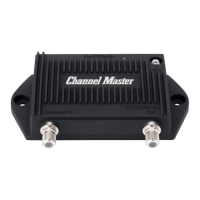
Connect coaxial cable from Antenna to Pre-amplifier's 'Antenna In' port.
Connect coaxial cable from Pre-amplifier 'Out' to Power Inserter 'To Amp' port.
Connect Power Inserter 'DC IN' to DC power supply, then plug into outlet.
Connect coaxial cable from Power Inserter 'To TV' port to the TV.
Connect coaxial cable from Antenna to Pre-amplifier 'Antenna In' port.
Connect coaxial cable from Pre-amplifier 'Output/Power' to Power Inserter 'To Amp' port.
Connect Power Inserter 'DC IN' to DC power supply, then plug into outlet.
Connect coaxial cable from Power Inserter 'To TV' to the 4-Way RF Splitter 'IN' port.
Connect coaxial cables from Splitter 'To TV' ports to individual TVs.
Connect coaxial cable from Antenna to Pre-amplifier 'Antenna In' port.
Connect coaxial cable from Pre-amplifier 'Out' to Power Inserter 'To Amp' port.
Connect coaxial cable from Power Inserter 'To TV' to Distribution Amplifier 'RF IN' port.
Two options for powering the Distribution Amplifier: direct or via Power Inserter.
Connect coaxial cables from Distribution Amplifier 'To TV' ports to the TVs.
Connect coaxial cable from Antenna to Pre-amplifier 'Antenna In' port.
Connect coaxial cable from Pre-amplifier 'Out' to first Splitter 'Antenna IN/DC Power Out' port.
Connect coaxial cables from first Splitter 'To TV' ports to three TVs.
Connect coaxial cable from first Splitter 'RF Out/DC Power IN' to Power Inserter 'To Amp' port.
Connect Power Inserter 'Power IN/DC IN' to DC power supply, then plug into outlet.
Connect coaxial cable from Power Inserter 'To TV' port to the second Splitter 'IN' port.
Connect coaxial cables from second Splitter 'To TV' ports to the remaining TVs.
Connect coaxial cable from Antenna to Pre-amplifier 'Antenna In' port.
Connect coaxial cable from Pre-amplifier 'Out' to Splitter 'Antenna IN/DC Power Out' port.
Connect coaxial cables from Splitter 'To TV' ports to three TVs.
Connect coaxial cable from Splitter 'RF Out/DC Power IN' to Power Inserter 'To Amp' port.
Connect coaxial cable from Power Inserter 'To TV' port to Distribution Amplifier 'RF IN' port.
Two options for powering the Distribution Amplifier: direct or via Power Inserter.
Connect coaxial cables from Distribution Amplifier 'To TV' ports to the TVs.
 General
| Brand | Channel Master |
|---|---|
| Model | 1 TV |
| Category | TV Antenna |
| Language | English |

 To Next Page