FM Filter Instruction Sheet
Hoja de instrucciones del ltro FM
Feuille d’instructions du ltre FM
Contents:
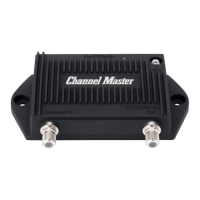
1. CM-3202 FM Filter
CM-3202 Filtro FM
CM-3202 Filtre FM
2. Instruction Sheet
Hoja de instrucciones
Feuille d’instruction
2.
1.
Three Ways to Install the FM Filter
to your TV Antenna:
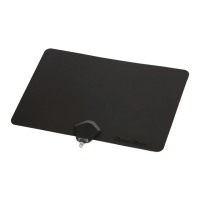
A. Indoor Antenna
1. Connect your FM lter to the coax port on your television.
2. Then, connect your indoor antenna to the “IN” port on your
FM lter.
B. Outdoor Antenna with an Antenna Amplier
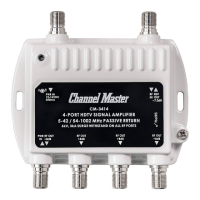
1. Connect your FM lter to the “IN” port on your amplier.
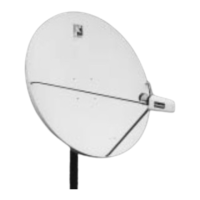
2. Then, connect your outdoor antenna to the “IN” port on your FM lter.
C. Outdoor Antenna with a Signal Splitter
1. Connect your FM lter to the “IN” port on your signal splitter.
2. Then, connect your outdoor antenna to the “IN” port on your FM lter.
© 2020 Channel Master L.L.C. Channel Master is a registered trademark. Specications subject to change. All rights reserved. © 2020 Channel Master. Channel Master es una marca registrada.
Especicaciones sujetas a cambio. Todos los derechos reservados. © Channel Master, 2020. Channel Master est une marque déposée. Les caractéristiques peuvent être modiées sans préavis. Tous droits
réservés. Pub CM3202.IS.202009
ChannelMaster.com
Instruction
Sheet
Instalación
Tres formas de instalar el ltro FM en su
antena de TV:
A. Antena interior
1. Conecte su ltro FM al puerto coaxial de su televisor.
2. Luego, conecte su antena interior al puerto “IN” de su ltro
FM.
B. Antena exterior con un amplicador de
antena
1. Conecte su ltro FM al puerto “IN” de su amplicador.
2. Luego, conecte su antena exterior al puerto “IN” de su ltro
FM.
C. Antena exterior con divisor de señal
1. Conecte su ltro FM al puerto “IN” en su divisor de señal.
2. Luego, conecte su antena exterior al puerto “IN” de su ltro
FM.
L’installation
Trois façons d’installer le ltre FM sur
votre antenne TV:
A. Antenne intérieure
1. Connectez votre ltre FM au port coaxial de votre téléviseur.
2. Ensuite, connectez votre antenne intérieure au port “IN” de
votre ltre FM.
B. Antenne extérieure avec un amplicateur
d’antenne
1. Connectez votre ltre FM au port «IN» de votre amplicateur.
2. Ensuite, connectez votre antenne extérieure au port «IN» de
votre ltre FM.
C. Antenne extérieure avec séparateur de signal
1. . Connectez votre ltre FM au port «IN» de votre séparateur de
signal.
2. Ensuite, connectez votre antenne extérieure au port «IN» de
votre ltre FM.
FAQ’s
Q: What is FM?
A: FM (Frequency Modulation) is a common term to
reference tranditional Radio broadcast in the range of
88-108 MHz.
Q: How can FM affect my antenna signal?
A: FM Radio signals can often times be stronger in
signal power than your RF TV OTA signals. This can
disrupt your signal quality of your TV channels when
using Television Antennas, Pre-Ampliers and/or
Distribution ampliers.
Q: Can tuning in FM stations on a radio in my home
or near my antenna cause loss of TV channels?
A: No. FM broadcasts from towers located close enough
to your home/antenna can disrupt your signal quality
but a radio in your home will not disrupt your TV
signals.
Q: Where do I install the FM Filter?
A: We recommend that you connect the FM Filter as
close to the antenna as possible if you are using an
amplier or splitter. If you do not have an amplier or
splitter, the FM Filter can connect to the back of your
TV or set top box.
Q. Will I receive more channels using the FM Filter?
A. No, the FM Filter will not add more channels, it simply
lters out any FM signals that can interfere with
antenna signals.
Q. Will I notice a difference in my signal?
A. It is possible that you may not notice a difference.
However, FM interference can happen at any given
time of day. This means recordings or live TV signal
can be affected at any time.
Preguntas frecuentes
P: ¿Qué es FM?
R: FM (Modulación de frecuencia) es un término
común para hacer referencia a la transmisión de
CM-3202

 Need help?
 General

 To Next Page