NOTE: We recommend you connect a 12’ coaxial cable. If a longer
cable is desired, you can connect a longer coaxial cable.
2. Use tape to temporarily attach FLATenna to the desired location.
The ideal placement is a vertical mount facing the direction of
the broadcast towers in your area (see Figure B).
3. Ensure your television, set-top box or DVR is set to scan Antenna
channels, NOT CABLE. In your devices set-up menu, it will
typically ask if you want to scan Antenna/Air/Broadcast or
Cable. You will need to choose the option that says Antenna, Air
or Broadcast, these three terms are all the same but sometimes
referenced differently by different manufacturers. Once your
device is set, proceed with the Auto Channel Scan.
4. Once the Channel Scan is complete, check to make sure all of
the desired channels are being received. If you think you are
missing a channel, repeat step #2 in an alternative location and
then rescan channels as described in step #3.
5. Repeat step #4 as many times as necessary until the desired
performance is achieved.
6. Once desired performance is achieved, permanently attach the
antenna using the included adhesive tabs.
FLATenna Instruction Sheet
Hoja de instrucciones de FLATenna / Fiche
d’instructions FLATenna
CM-4001HDBW
Figure A
Figure B
Installation:
Instalación / Installation
1. Connect the antenna to a coaxial cable (not included), then
connect the antenna to your television, set-top box or DVR.
(see Figure A)
Instalación
1. Conecte la antena a un cable coaxial (no incluido), luego conecte la
antena a su televisor, decodicador o DVR.
(ver Figura A)
NOTA: Recomendamos que conecte un cable coaxial de 12 ‘. Si desea un
cable más largo, puede conectar un cable coaxial más largo.
2. Use cinta para unir temporalmente FLATenna a la ubicación deseada. La
ubicación ideal es un montaje vertical orientado hacia la dirección de las
torres de transmisión en su área (consulte la Figura B).
3. Asegúrese de que su televisor, decodicador o DVR esté congurado para
escanear canales de antena, NO CABLE. En el menú de conguración de
sus dispositivos, generalmente le preguntará si desea escanear Antena
/ Aire / Emisión o Cable. Tendrá que elegir la opción que dice Antena,
Aire o Transmisión, estos tres términos son todos iguales, pero a veces
los fabricantes los mencionan de manera diferente. Una vez que su
dispositivo esté congurado, continúe con la Exploración automática de
canales.
4. Una vez que se complete la Exploración de canales, verique que se estén
Figure C
Contents:
1. CM-4001HDBW FLATenna
CM-0500 JOINtenna antena
CM-0500 JOINtenna antenne
2. (2) Square Adhesive Mounting Tab
( 2 ) de montaje lazos del cierre relámpago
( 2 ) de montage attaches
3. Triangle Adhesive Mounting Tab
( 2 ) de montaje lazos del cierre relámpago
( 2 ) de montage attaches
4. Instruction Sheet
Hoja de instrucciones
Feuille d’instruction
2.
3.
1.
4.
Instruction
Sheet
© 2020 Channel Master, LLC. Channel Master is a registered trademark. Specications subject to change. All rights reserved. © 2020 Channel Master. Channel Master es una marca
registrada. Especicaciones sujetas a cambio. Todos los derechos reservados. © Channel Master, 2020. Channel Master est une marque déposée. Les caractéristiques peuvent être
modiées sans préavis. Tous droits réservés. Pub CM4001HDBW.IS.202002
ChannelMaster.com

 Need help?
 General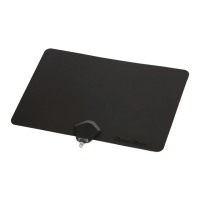

 To Next Page