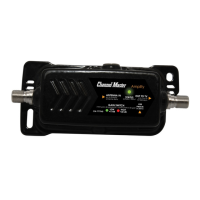
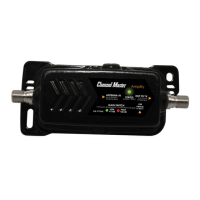
CM-7778HD
Amplify+ Instruction Sheet
Amplify+ Hoja de Instrucciones
Amplify+ Mode d’emploi
Contents:
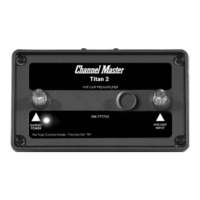
1. CM-7778HD Amplify+
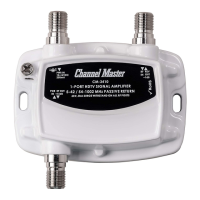
2. DC Power Adapter
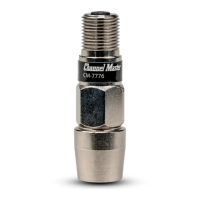
3. Power Inserter
4. Mounting U-Bolt
5. (2) Mounting Screws
6. Instruction Sheet
Contenido:
1. CM-7778HD Amplify +
2. Adaptador de corriente continua
3. Power Inserter
4. Montaje de perno en U
5. (2) Tornillos de montaje
6. Hoja de instrucciones
Contenu:
1. CM-7778HD Amplify +
2. Adaptateur d’alimentation DC
3. Inséreuse de puissance
4. Montage du boulon en U
5. (2) Vis de montage
6. Feuille d’instructions
2.
3.
5.
6.
4.
1.
Installation:
1. Use the U-bolt to connect the Amplify+ to the
mast pole with the ports facing down.
2. Connect a short coaxial cable from your
antenna to the coaxial port labeled “UHF
Combined Input” as indicated on the label.
If you are installing two separate antennas,
connect the VHF antenna to the “VHF Input”
port and the UHF antenna to the “UHF
Combined Input” port.
3. Connect a coaxial cable from the coaxial port
labeled “Output/Power” on the Amplify+ to the
coaxial input labeled “To Amp” on your Power
Inserter.
4. Plug the DC power adapter into a power
source and connect a coaxial cable between
the power plug and the Power Inserter.
5. Ensure the LED is powered on. (You may
need to cover in order to see the light). If the
light is on, this means your Amplify+ is now
functional. If the green light does not power
on, double check the power source is securely
connected and the receptacle has power.
6. Open the front panel and adjust the
switch on the inside of Amplify+ to set the
gain adjustment to the desired level. We
recommend the default low setting for most
applications. The high setting should only
be used in extreme deep fringe areas. If you
are installing two separate antennas, you will
also need to adjust the UHF input switch to
“SEPARATE”. The FM Trap switch will allow
you to block FM signals when set to “ON” and
to pass FM signals when set to “OFF”.
7. Ensure your television, set-top box or DVR is
Instalación
1. Use el perno en U para conectar el Amplify + al mástil con
los puertos hacia abajo.
2. Conecte un cable coaxial corto desde su antena al puerto
coaxial con la etiqueta “Entrada combinada UHF” como
se indica en la etiqueta. Si está instalando dos antenas
separadas, conecte la antena VHF al puerto “Entrada
VHF” y la antena UHF al puerto “Entrada combinada
UHF”.
3. Conecte un cable coaxial desde el puerto coaxial con la
etiqueta “Salida / Potencia” en Amplify + a la entrada
coaxial con la etiqueta “Para amplicar” en su Power
Inserter.
4. Enchufe el adaptador de alimentación de CC a una fuente
de alimentación y conecte un cable coaxial entre el
enchufe de alimentación y el Power Inserter.
5. Asegúrese de que el LED esté encendido. (Es posible que
deba cubrir para ver la luz). Si la luz está encendida,
esto signica que su Amplify + ahora es funcional. Si
la luz verde no se enciende, verique que la fuente de
alimentación esté bien conectada y que el receptáculo
tenga energía.
6. Abra el panel frontal y ajuste el interruptor en el interior
de Amplify + para establecer el ajuste de ganancia al
nivel deseado. Recomendamos la conguración baja
predeterminada para la mayoría de las aplicaciones.
El ajuste alto solo debe usarse en áreas con franjas
profundas extremas. Si está instalando dos antenas
separadas, también deberá ajustar el interruptor de
ChannelMaster.com
set to scan Antenna channels, NOT CABLE. In
your device set-up menu it will typically ask
if you want to scan Antenna/Air/Broadcast or
Cable. You will need to choose the option that
says Antenna, Air or Broadcast. Proceed with
the Auto Channel Scan.
8. Check to make sure all of the desired
channels are being received. If you think you
are missing a channel, try the alternative gain
setting and re-scan channels.
Note: The use of Amplify+ will strengthen weaker
signals, but does not always mean that you
will get more channels. This depends on the
location of your broadcast towers and the
signal frequency that they use.
© 2020 Channel Master L.L.C. Channel Master is a registered trademark. Specications subject to change. All rights reserved. © 2020 Channel Master. Channel Master es una marca
registrada. Especicaciones sujetas a cambio. Todos los derechos reservados. © Channel Master, 2020. Channel Master est une marque déposée. Les caractéristiques peuvent être
modiées sans préavis. Tous droits réservés. Pub CM7778HD.IS.202006

 Need help?
 General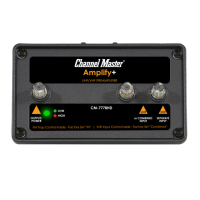

 To Next Page