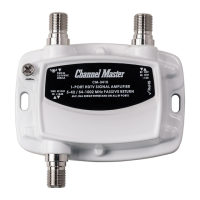
Instruction
Sheet
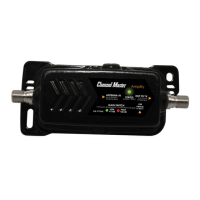
MicroAmp
Indoor Antenna Amplier Instruction Sheet
Hoja de instrucciones del Amplicador de interior Titan Mini
de baja ganancia / Fiche d’instructions de l’amplicateur
d’intérieur à faible gain Titan
Contents:
1. CM-7776 MicroAmp Indoor Antenna
Amplier (10dB)
2. Power inserter (CM-7777HDXPI)
3. USB-Mini USB Power Cord
4. USB Power Adapter
5. RG6 Coaxial Cable
6. Instruction Sheet
Contenido:
1. CM-7776 Amplicador de antena interior MicroAmp
(10dB)
2. Insertador de energía (CM-7777HDXPI)
3. Cable de alimentación USB mini USB
4. Adaptador de corriente USB
5. RG6 cable coaxial
6. Hoja de instrucciones
Contenu:
1. CM-7776 Amplicateur d’antenne intérieure
MicroAmp (10dB)
2. Inséreuse de puissance (CM-7777HDXPI)
3. USB-Mini cordon d’alimentation USB
4. Adaptateur secteur USB
5. RG6 câble coaxial
6. Feuille d’instruction.
2.
3.
6.5.4.
1.
© 2020 Channel Master, LLC. Channel Master is a registered trademark. Specications subject to change. All rights reserved. © 2020 Channel Master. Channel Master es una marca registrada. Especicaciones sujetas a cambio. Todos los derechos reservados. © Channel Master,
2020. Channel Master est une marque déposée. Les caractéristiques peuvent être modiées sans préavis. Tous droits réservés. Pub CM7776.IS.202001
ChannelMaster.com
CM-7776
BACK OF TV
ANT IN
To
TV
PWR IN
To
Amp
Figure A
Installation:
Instalación / Installation
INDOOR INSTALLATION
1. Connect the MicroAmp to the power
inserters output port marked (To Amp ).
2. Connect your Antennas coaxial cable*
from the antenna to the pre-amplier.
(See Fig A)
*Coaxial cable not included
3. Connect USB Power Adapter to USB-
Mini USB Power Cord and connect to the
Power inserter (CM-7777HDXPI)
4. Use the included coaxial cable to connect
the Power Inserter ( To TV)to the
RF/Coaxial Antenna input port on your
TV / Tuner or Set top box (STB) for
Antenna TV. (See Fig A)
5. Connect the USB Power adapter to AC
voltage source.
6. Perform a SCAN / RESCAN on your TV /
Tuner or Set top box.
(Note- Always rescan when moving your
antenna to a new location)
This completes your installation of Channel
Master’s CM-7776 MicroAmp Indoor
Antenna Amplier .
USB-MINI USB CORD
USB-Mini USB Cable/
USB-Mini USB Cordon
POWER OUTLET
Toma de corriente/
Prise de courant
USB POWER ADAPTER
Adaptador de corriente USB/
Adaptateur secteur USB
AMPLIFIER
Amplicador/
Amplicateur
COAXIAL CABLE
cable coaxial/
câble coaxial
POWER INSERTER
Inserción de energía/
Insertion d’énergie
POWER INSERTER
Inserción de energía/
Insertion d’énergie
ANTENNA
Antena/
Antenne
Figure C
Instalación:
1. Conecte el MicroAmp al puerto de salida de los
insertadores de potencia marcado (A Amp).
2. Conecte su cable coaxial de antena * desde la antena al
preamplicador. (Ver Fig. A)
* Cables coaxiales no incluidos
3. Conecte el adaptador de alimentación USB al cable de
alimentación USB-Mini USB y conéctelo al insertador
de alimentación (CM-7777HDXPI)
4.Use el cable coaxial incluido para conectar el Power
Inserter (al televisor) al Puerto de entrada de antena RF
/ coaxial en su TV / sintonizador o decodicador (STB)
para TV con antena. (Ver Fig. A)
5. Conecte el adaptador de corriente USB a la fuente de
voltaje de CA.
6. Realice un SCAN / RESCAN en su televisor / sintonizador
o decodicador.
(Nota: siempre vuelva a escanear cuando mueva su antena
a una nueva ubicación)
Esto completa su instalación del amplicador de antena de
interior CM-7776 MicroAmp de Channel Master.
Installation:
1. Connectez MicroAmp au port de sortie des modules
d’insertion marqués (A Amp).
2. Connectez votre câble d’antenne coaxial * de l’antenne au
préamplicateur. (Voir Fig. A)
* Câbles coaxiaux non inclus
3. Connectez l’adaptateur secteur USB au câble
d’alimentation USB-Mini USB et connectez-le à l’insert
suite de l’installation à la dernière page

 Need help?
 General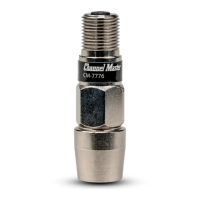

 To Next Page