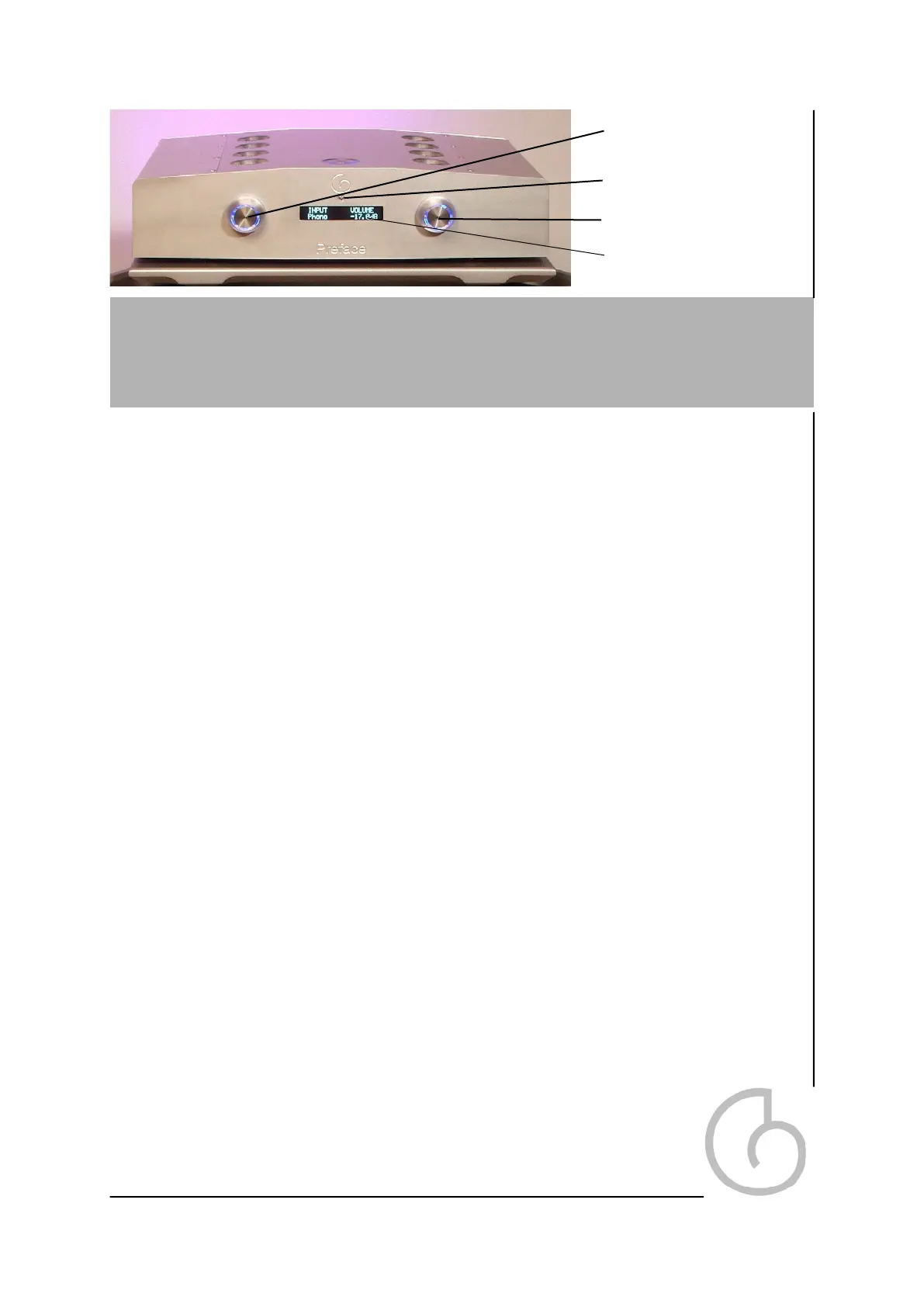
Front Panel
There are two knobs on the front of the Preface. The knobs will glow blue when
power is applied to the unit and unit is brought out of standby by either pressing the
top panl button or pressing either the right or left knobs.
The lights on the knobs will not change in intensity, and have been designed to stay
lit so that the unit may be used in low light conditions
Left Knob Functions. (In menu order)
Input (select)
Choose between any of the six available inputs. Rotating the knob to the desired
input will activate that input. From left to right these are TAPE, VIDEO, SAT, RADIO,
DVD, CD, PHONO
Output (Select)
Press the left hand knob to open up the output select menu. This gives you the
option to select your choice of active outputs. These are ‘BALANCED’ (default),
‘UNBALANCED’ or ‘BAL+UNBAL’.
Phase (Select)
Press the left knob once more to open up the Phase select menu. You can alter the
phase on any input. The choices are ‘NON INVERT’ (default) and ‘INVERT’.
Sleep Mode
Press the left knob once more opens up the Sleep mode menu. This feature allows
you to shut down the display and micro controller down after a time period selected
by you. To activate sleep mode rotate the knob from the ‘OFF’ position, after which
point you will be able to select the amount of time that the display remains active
before going into sleep mode. The options are from 5 seconds through to 60 sec-
onds in five second intervals. If a knob or the remote is used the Preface will come
out of sleep mode and re enter this mode after the set amount of time
has elapsed. The default setting is 20 seconds. If ‘OFF’ is selected, the
unit will always show the display and the micro controller will be active.
Pressing the left knob once again will cycle back to the input menu.
Input Select Knob - Left
11
Graphic Display
Volume Knob - Right
IR Receiver


 To Next Page