Need help?
Do you have a question about the CHARGEHUB X5+ and is the answer not in the manual?
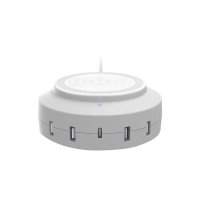
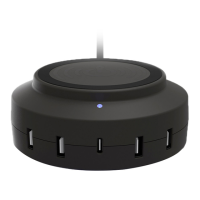
The top surface for wireless charging.
Ports for connecting devices via USB cables.
Port for USB Type-C charging.
Port for connecting the power cord.
Steps to connect the device to power.
Instructions for charging via USB-A cables.
Instructions for charging via USB Type-C cables.
Steps for charging devices wirelessly.
How to handle product disputes through arbitration.
Details of the arbitration process.
Information on product export regulations.
 General
| Input Voltage | 100-240V AC |
|---|---|
| Output | 5V/2.4A per port |
| Smart Charging Technology | Yes |
| Color | Black |
| Output Ports | 5 USB ports |
| Compatibility | USB devices |
| Product Type | USB Charging Station |

 To Next Page