20
Connecting an Android Device to the
CharJi EVO CLOUD Using a 2D
Barcode
On the CharJi EVO CLOUD:
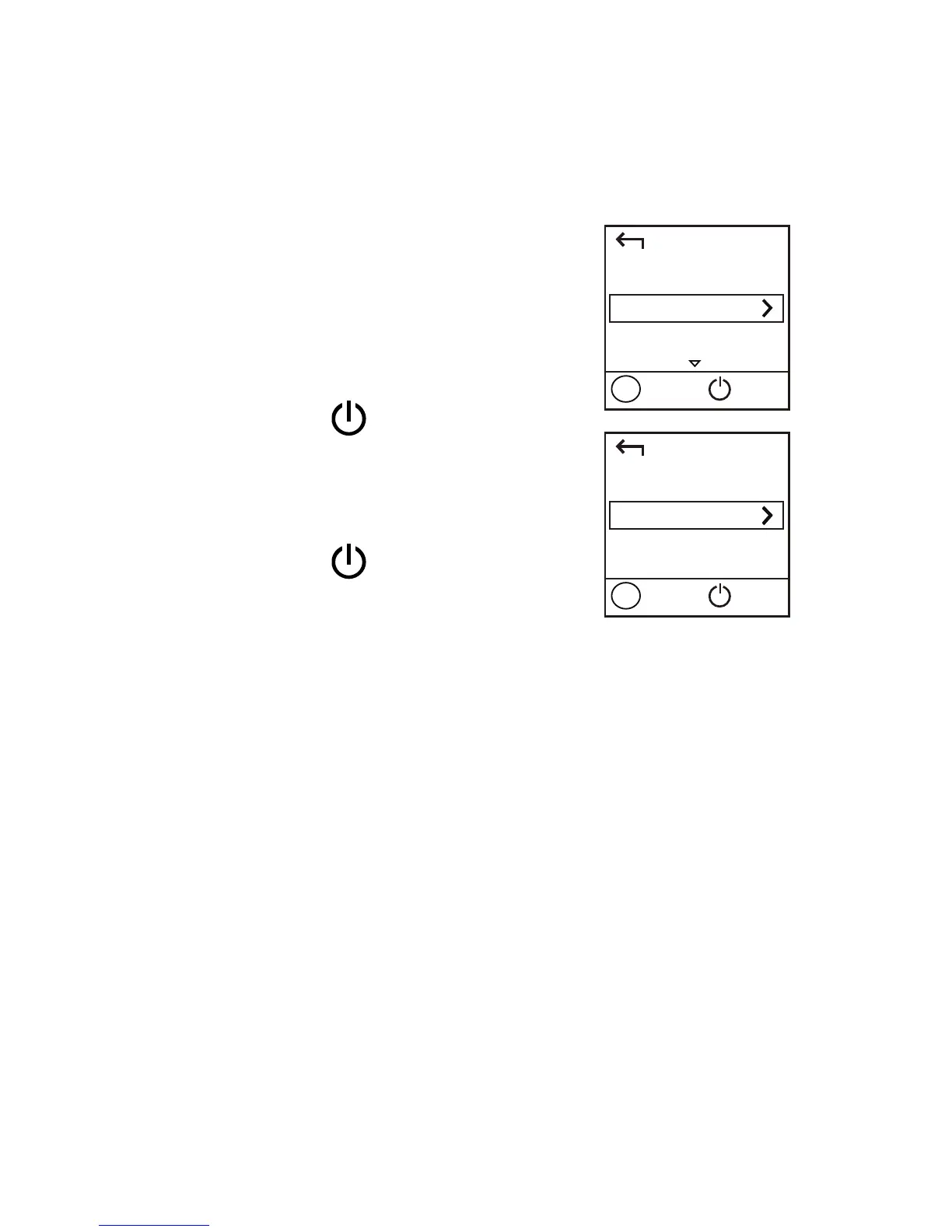
1. Press the MENU button to
display the menu.
2. Press the MENU button to
scroll to 2D Barcode.
3. Press the
button to enter
2D Barcode.
4. Press the MENU button to
scroll to Wi-Fi key.
5. Press the
button to
display the Wi-Fi key screen.
On your Android device:
6. Scan the 2D Barcode on the CharJi EVO CLOUD
using the HUAWEI Mobile WiFi App.
Your Android device will then connect to the CharJi
EVO CLOUD.
Back
2D Barcode
Next
OK
Menu
Back
Wi-Fi key
Next
OK
Menu


 To Next Page