5.
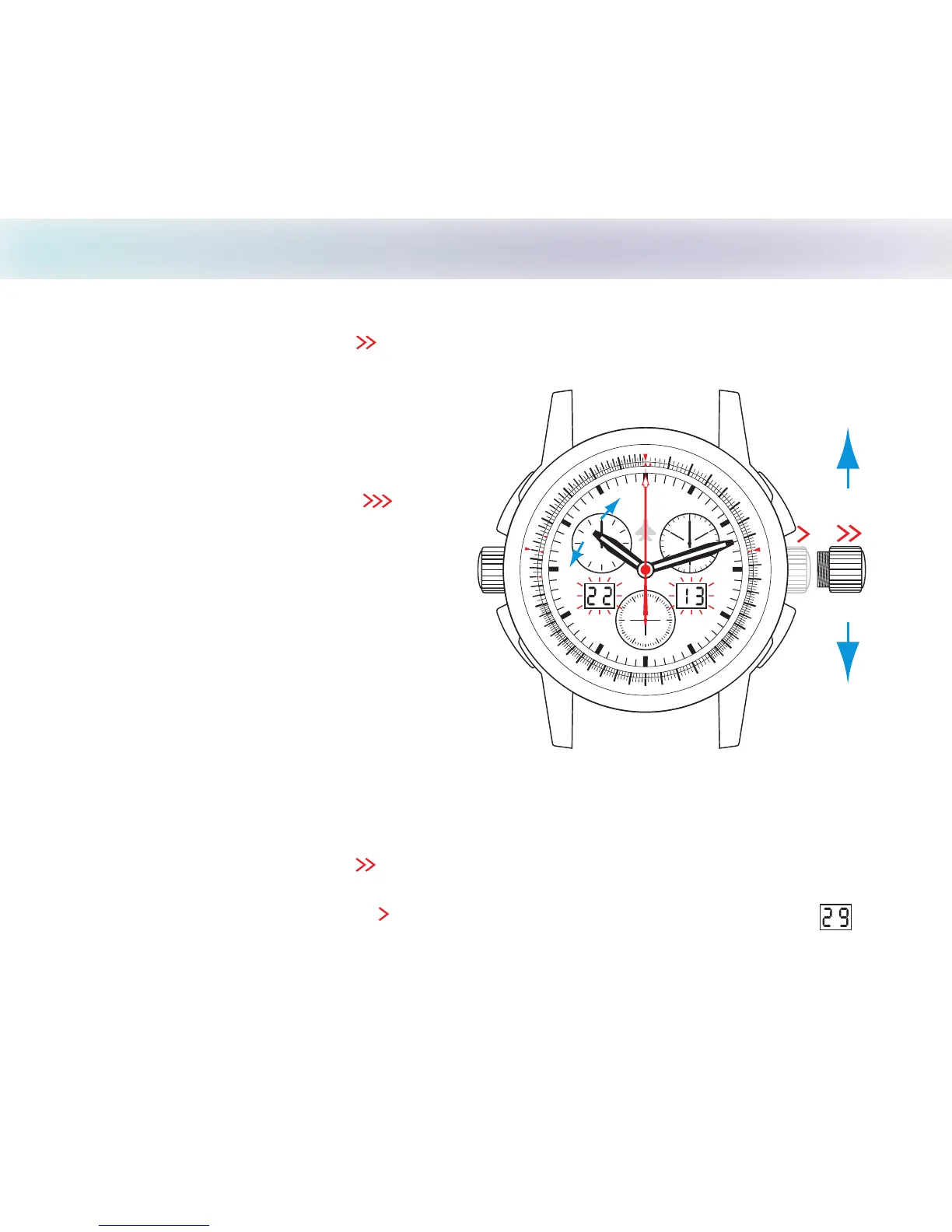
Setting Time Zones/Leap Year
February 28 will normally change to March 1 and only needs to be adjusted on February 29 every four
years to accommodate leap years.
A
B
D
C
10
11
1
2
13
1
4
1
5
1
6
1
7
18
1
9
20
2
1
2
2
2
3
2
4
2
5
3
0
3
5
4
0
45
5
0
5
5
70
80
9
0
6
0
65
7
5
8
5
95
5
3
.
T
U
A
N
0
4
.
T
A
T
S
10
11
12
1
3
14
15
1
6
1
7
18
19
2
0
2
1
22
2
3
24
2
5
3
0
45
50
55
7
8
9
M
P
H
C H A S E - D U R E R
30
20
1
0
8 4
12
6
2
10
60
40
2
0
10
30
50
1
2
Correcting for Leap Year
1. Pull setting crown out to position and turn the hour hand counterclockwise (backwards) 24 hours
or two revolutions.
2
3. Screw down the setting crown to finish.
2. Push setting crown back to position and the right LCD (date) will display the correct date
1
Set crown in
position 2 to
only the hour hand
adjust
1. Pull setting crown out to position and turn to set the hour hand to another time zone when
traveling, or to adjust for Daylight Savings.
2
Setting Time Zones
Note - The hour displayed in the left LCD will also
change in synchronization with the hour hand!
If you wish to retain the original time zone,
pull setting crown to position and
press button to set LCD’s to time mode.
Reset the current hour on the left LCD
by pushing button until original time is
displayed.
A
C
Please note that the LCD time is used for the
Alarm function! If you wish to have the Alarm
synchronized to the hour hand, then the LCD
and hour hand must be set to the same time.
3



 To Next Page