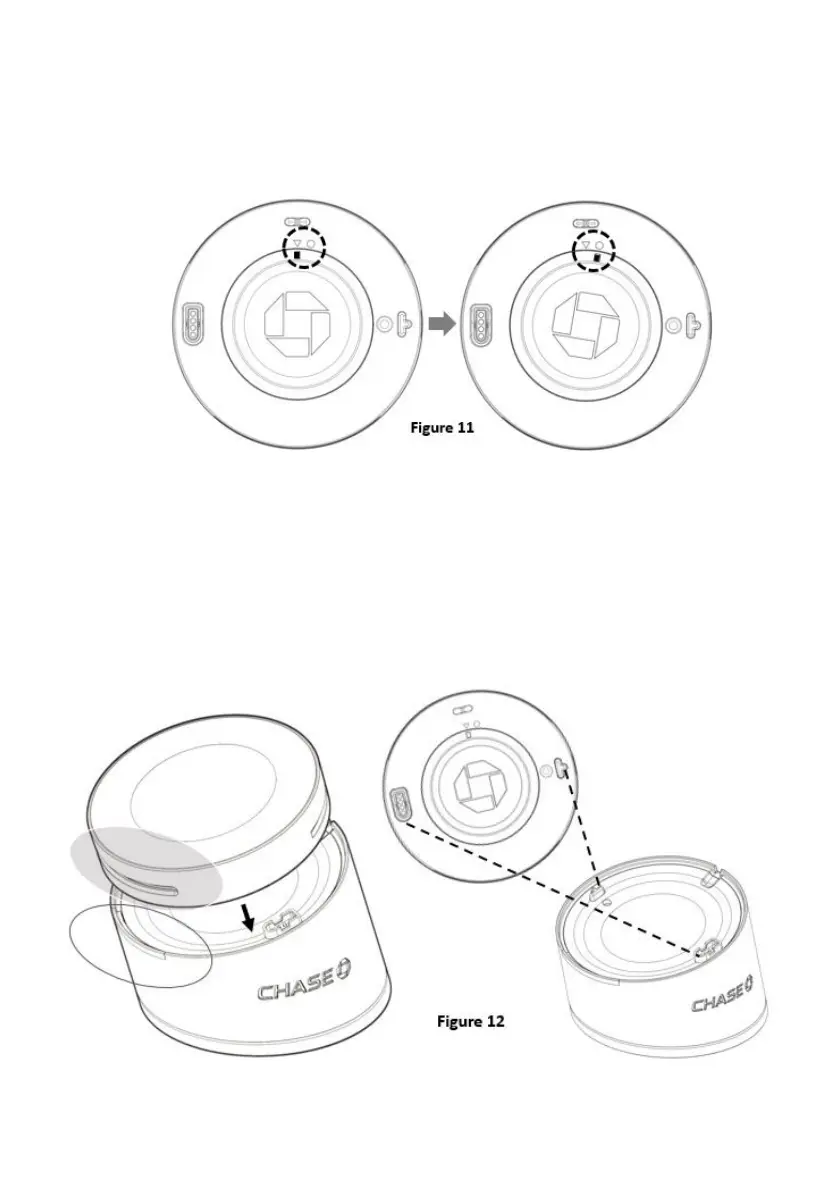
5. HOW TO OPEN BATTERY COVER FOR REPLACEMENT
Use the finger or the pen point to push the battery cover to right side as below
Figure 11 to release the battery cover from the reader body to replace the battery
or SAM card.
6. HOW TO PLACE READER ON THE BASE
Align the smart card slot with the LED light guide of Charging Base. Gently press the
reader on the Charging Base and make sure the T-pin and the charging Pogo pin
contacts of the Charging Base well with the Reader as shown on Figure 12.



 To Next Page