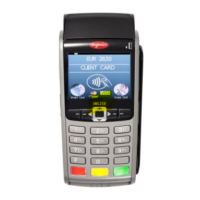
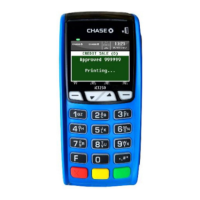
Need help?
Do you have a question about the Chase VeriFone Omni and is the answer not in the manual?
This Quick Reference Guide will guide you through understanding your terminal's functionality and navigation, and will help you with troubleshooting.
Use the Down and Up Arrow keys for menu navigation.
Keys for Tip Adjust, Gift Card, and Reports access.
Details on Credit Sale, Phone/Web Order, Auth Only, Void, Force, Refund, Open Tab, Close Tab.
Details on Debit Sale and Debit Refund.
Details on EBT Sale, Force, Refund, and Balance Inquiry.
Add, log, delete, modify, and clear clerk/server information.
Overview of Main Menu, Clerk/Server, and Batch Review reports.
Details on IRS Tip, Discount Tip, and Tab reports.
Includes issuance, activation, redemption, void, balance inquiry, force, and tips.
Covers Deactivation and Reactivation of gift cards.
Guide to starting sales and other transactions.
Accessing receipts, clerk setup, reports, and tip adjustments.
Procedures for editing auto shift times and manual shift closes.
Explanation of batch settlement and its purpose.
Details on Manual and Auto Settlement options.
Clarification for merchant selection and encrypted web sales.
Guidance on Imprint Card, V-Code, Duplicate Send, and Approval Codes.
Chart to interpret Address Verification System response codes by card type.
List of common error codes and their resolution steps.
 General
| Brand | Chase |
|---|---|
| Model | VeriFone Omni |
| Category | Payment Terminal |
| Language | English |


 To Next Page