EasyManua.ls Logo

ChaseBliss DARK WORLD - User Manual

ChaseBliss DARK WORLD
5 pages
Print Icon
To Next Page IconTo Next Page
Loading...
DARK WORLD
INSTRUCTIONS
OVERVIEW
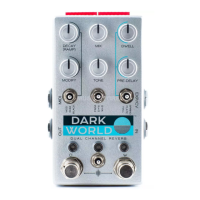
Digital World. Dark Heart. Dark World™ is the rst fully digital
offering from Chase Bliss Audio; a unique dual channel reverb that we
made with a little help from our friends. Cooper FX is responsible for
the “Dark” channel; a collaborative effort inuenced partly by their
Generation Loss and Outward designs. Keeley Electronics crafted the
“World” channel, which houses three absolutely gorgeous Hall, Plate,
and Spring algorithms. Put together, the channels can be routed in
33 distinct ways, creating a stunning palette of reverb ranging from
subtle, tasteful, and lush all the way to broken video cassette, glitch
shimmer, and innite freeze. Add all this to the dense digital control
and full MIDI, dip-switch, and preset implementation Chase Bliss is
known for, and you have yourself a very fun, powerful, and player-
friendly reverb pedal in a small package.
can set this knob to control any of the ve parameters
individually or simultaneously (Mix, Dwell, Modify, Tone,
Pre-Delay), and have it either modulate (Bounce) or ramp-
and-hold (rise or fall) via dip switches in the back of the
pedal. In this case, this knob controls the ramp time in
which this takes place.
MODIFY
This knob changes its function depending on which Dark
channel program is active. In Mod mode, Modify controls
the warble / hiss / broken-down-nature of a failing video
cassette tape, turning clockwise increases all of these
neat things. In Shim mode, Modify controls an octave
that is mixed in to the reverb. Turn clockwise to introduce
+1 octave and turn counterclockwise to introduce a -1
octave; noon has no pitch shifting mixed in. In Black
mode, Modify controls the volume of the frozen audio.
HALL | PLATE | SPRING TOGGLE
This toggle selects the reverb program that you’d like for
the World channel. These algorithms are inspired by their
beautiful, real-life reverb namesakes.
DWELL
Sets the intensity of the World channel’s reverb,
and the amount of time it takes to decay.
PRE-DELAY
This controls the amount of space between the initial
note attack, and when you start hearing world channel
reverb reections. Counterclockwise is 0ms and clockwise
has a time of 200ms.
MOD | SHIM | BLACK TOGGLE
This toggle selects the reverb program that you’d like
for the Dark channel. Mod is a reverb inspired by Cooper
FX’s Generation Loss, and is a warbly, wispy, degraded
VHS emulator. Shim is a unique dual path reverb design
with innite-style Decay inuenced by some elements of
the Outward pedal. In this mode, one reverb path freezes
a slice of your incoming audio while the other reverb path
loops back its previously frozen slice. The reverb paths
switch roles (from freezing, to loop playback) back and
forth at a LFO rate dictated by the Decay knob; CCW is
crazy fast and CW increases LFO time. In Black mode,
audio is sampled and frozen based on your playing
dynamics. When you play your instrument loudly, the
previously frozen audio in the reverb loop will be erased
and the newer sounds will be sustained innitely. The
threshold of this envelope-based effect is controlled by
the Decay knob. The higher the Decay knob, the harder
it will be to clear the frozen sound, and at fully CW
the frozen sound will never be overwritten by any
incoming audio.
DECAY (RAMP)
When you don’t have any dip switches assigned for
ramping, this control is known as the Decay knob for the
Dark channel. This knob changes its function depending
on what program is active. In Mod mode, Decay controls
the reverb amount / time of decay. In Shim mode, the
Decay knob controls the LFO time switching between the
two reverb paths described above in the toggle section.
Clockwise increases the LFO time. In Black mode, this
knob controls the sensitivity for incoming audio to be
frozen – at the max clockwise position no new audio is
allowed in. If a dip switch is engaged for ramping, you
This device complies with part 15 of the FCC rules.
Operation is subject to the following two conditions:
(1) This device may not cause harmful interference, and
(2) this device must accept any interference received,
including interference that may cause undesired operation.
Question and Answer IconNeed help?

Do you have a question about the ChaseBliss DARK WORLD and is the answer not in the manual?

Summary

Overview

Dark Channel Controls

MOD | SHIM | BLACK TOGGLE

Selects the Dark channel reverb program: Mod (warbly VHS), Shim (dual path infinite decay), or Black (dynamic freeze).

DECAY (RAMP) Control

Controls decay amount, LFO time, or freeze sensitivity for Dark channel programs, or ramp time.

MODIFY Control

Adjusts warble, octave mix, or frozen audio volume for Dark channel programs.

World Channel Controls

HALL | PLATE | SPRING TOGGLE

Selects the reverb program for the World channel: Hall, Plate, or Spring algorithms.

DWELL Control

Sets the intensity and decay time of the World channel's reverb.

PRE-DELAY Control

Controls the space between note attack and World channel reverb reflections.

General Controls and Connectivity

MIX Control

Sets the wet/dry mix of the signal, with analog dry-through.

TONE Control

Global control for the low-pass filter tone of both channels.

PARA | D > W | W > D TOGGLE

Selects parallel or series routing between Dark and World channels.

D & W BYPASS STOMPS

Activates or bypasses each channel individually; bypass mode can be momentary.

LOWER TOGGLE (Preset Recall)

Recalls saved presets (#1 or #2) or shows current knob/toggle positions.

Input;Output Jacks

1/4" mono input and output jacks for audio signal connection.

EXP; CV Jack

For expression pedal or 0-5V Control Voltage input.

MIDI Jack

For interfacing with Chase Bliss Midibox or external switch.

Power & Other Info

Details on power requirements, input/output impedance, and consumption.

Expression Pedal and Dip Switches

Expression; CV Control & Dip Switches

Enables parameter control via expression pedal or CV, configurable with dip switches.

Setting Expression; CV Range

Defines the range of expression/CV control using knob positions and dip switches.

Understanding the Dip Switches

Explains dip switch functions for ramping, expression, bypass modes, and trails.

Preset Examples

PILOT Preset

Example configuration for the 'PILOT' preset, showing active World channel and expression/ramp parameters.

NOWHERE Preset

Example configuration for the 'NOWHERE' preset, showing active Dark channel and expression/ramp parameters.

ZEN Preset

Example configuration for the 'ZEN' preset, showing active World channel and expression/ramp parameters.

TIME Preset

Example configuration for the 'TIME' preset, showing active Dark and World channels and expression/ramp parameters.

DREAMS Preset

Example configuration for the 'DREAMS' preset, showing active Dark and World channels and expression/ramp parameters.

LAST Preset

Example configuration for the 'LAST' preset, showing active Dark and World channels and expression/ramp parameters.

THE GIANT Preset

Example configuration for 'THE GIANT' preset, showing active Dark and World channels and expression/ramp parameters.

GLASS Preset

Example configuration for the 'GLASS' preset, showing active World channel and expression/ramp parameters.

COMA Preset

Example configuration for the 'COMA' preset, showing active Dark and World channels and expression/ramp parameters.

DIARY Preset

Example configuration for the 'DIARY' preset, showing active Dark and World channels and expression/ramp parameters.

ChaseBliss DARK WORLD Specifications

General IconGeneral
BypassTrue Bypass
Inputs1 x 1/4"
Outputs1 x 1/4"
Current Draw150 mA
TypeReverb
Power Source9V DC power supply
ControlsMix

Related product manuals