1
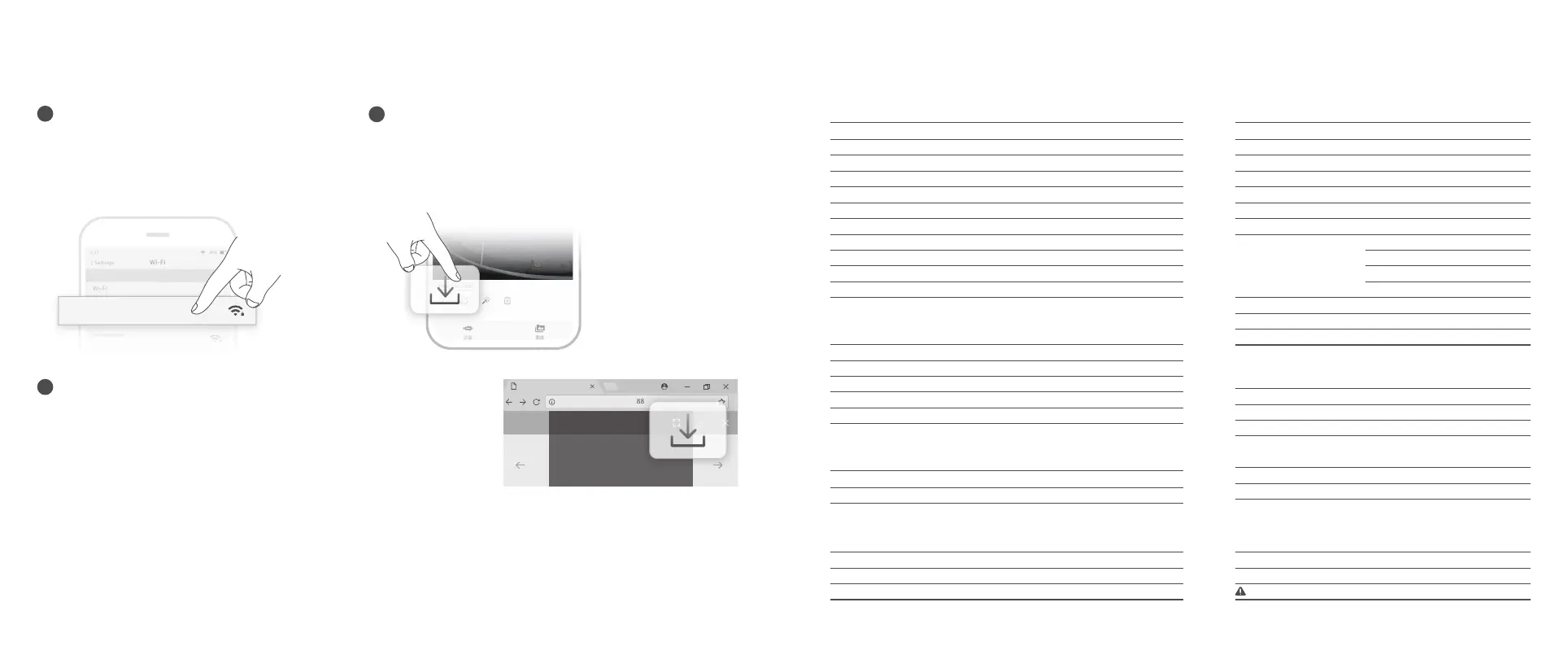
Video and Photo Download
1)Connect the ROV with remote controller by the tether,
Switch remote controller power button to on.
2)Find the chasing_xxxxxxxx Wi-Fi on the phone/tablet/
laptop Wi-Fi list.
3)Input Wi-Fi Password :12345678
Connect Wi-Fi
2
Charging Guidance
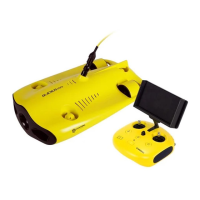
ROV & Remote Controller:
Adapter (12.6.V 3A) : It is a 2 in 1 charger that could charge the ROV, Remote Controller.
Red light indicates Charging, Green light indicates fully charged.
2.65lbs(164 ft)/3.97lbs(328 ft)
50m/100m
Weight
Tether
Tether & Winder
Specifications
Camera
CMOS
Aperture
Focal Length
ISO Range
Field of View
Maximum Image Resolution
Image File Types
Video Resolution
Video Maximum Stream
Video Type
SD Card Memory
1/2.3 inch
F3.0
4.0mm
100-3200 (Still camera only)
95°
12M(4000*3000)
JPEG/DNG
FHD:1920x1080 30Fps
FHD:1920x1080 60Fps
FHD:1920x1080 120Fps
UHD: 3840x2160(4K) 30fps
60M
MP4
64G
3A/12.6V
2h
Adapter
Drone charging time
Adapter
Note:Maximum image resolution
Brightness
Color Temperature
CRI
Maximum Power
Dimming
2x1200LM
4000K-5000K
80
2x10W
Manually adjustable
Dimmable LED Lights
Three-axis gyroscope/acceleration/compass
+/- 1.64 ft
+/- 35.6℉
IMU
Depth Sensor
Temperature Sensor
Sensor
Size
Battery Capacity
Weight
Buoyancy
Operating Temperature
Maximum Depth
Maximum Speed
Maximum Rise/Fall Speed
Maximum Flow Resistance
Battery Life
Battery Cycle
15.2x8.9x5.4 inch
55.5Wh (5000mAh)
<5.5 lbs
-0.02 lbs~.02 lbs
14℉~140℉
328 ft
4Kn (2m/s)
2Kn (1m/s)
2Kn (1m/s)
2h (Forward at low speed in fixed depth mode)
>300 times
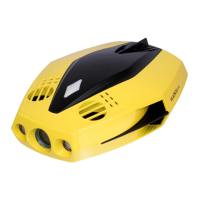
Drone
1)Open CHASING MINI APP, click the Media button in the lower
right corner.
2)Find the video/photo that you want to download.
Click the download button andthe image will be saved
directly to the phone/tablet's photo album (Download folder).
Download to Phone/Tablet
Media
Not secure | 192.168.1.88
1/11
Wi-Fi
Wi-Fi
Gladius_5G_xxxxx
xxxxxxxxxx
CHOOSE A NETWORK...
6:27 89%
Settings
xxxxxxxxxx
xxxxxxxxxx
Chasing_xxxxx
3
1)Open the web browser and type IP address:192.168.1.88
2 )F ind the video/photo that you want to download. Click the download icon and
save, then the images will generally save in the Download folder.
3)It is recommended to use Firefox or Google Chrome browser for better experience.
Download to Computer
( laptop or the computer which could use Wi-Fi )
Size
Weight
Battery capacity
Battery life
Wireless
HDMI
6.3*6.1*4.9 inch
0.685kg
2500mAh
≥6H
(Depend on working condition)
Wi-Fi
1080P
Remote Controller


 To Next Page