HUBER install : critical steps
• Make sure you have the requested tools ( see install guide)
• Follow the install guideline steps
• Unpacking ( slide 2): make sure you save all the protection elements and
boxes to be able to repack at the end of the show.
• Moving the column ( slide 5) : The sensors in the handles are sensitive
and the column should not be lift by the handles
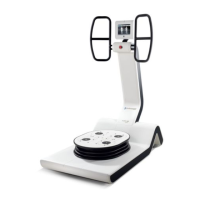
• Moving the platform ( slides 8-9) : the plate is heavy and to move it 3
peoples at least, well positioned around are requested.
• Placing the column over the platform( slide 10) : risk of bend or twist the
bolt if not made carefully
• Connecting wires ( slide 11): only 3 socket , it’s easy, no tool requested
but should me made appropriately
• Set up ( slide 15-17 ) : platform alignment ( horizontality) and software
initialization are the most critical . I would recommend to wait after me for
this step.
HUBER 360 install 1

 Need help?
 General










 To Next Page