EasyManua.ls Logo

Chattanooga Vectra Neo - User Manual

Chattanooga Vectra Neo
86 pages
Print Icon
To Next Page IconTo Next Page
Loading...
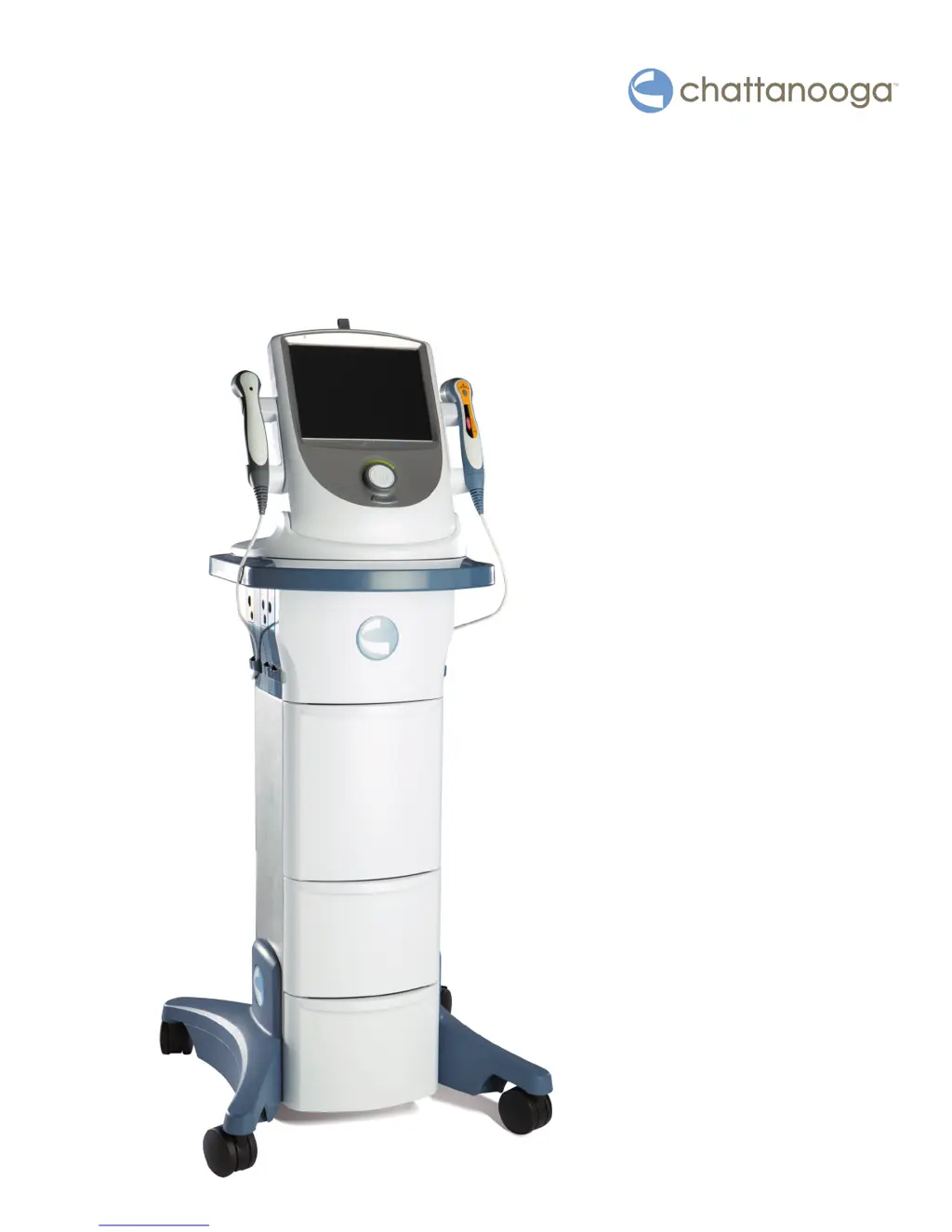
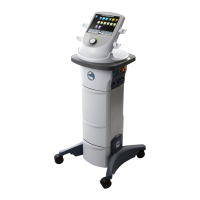
Vectra® Neo Clinical
Therapy System
User Manual
Operator and
Installation
Instructions
Rx Only

Table of Contents

Questions and Answers

  • A
    Andrew HenrySep 23, 2025
    What does it mean if Chattanooga Medical Equipment shows any 200-level code not listed in the manual?
    • H
      Heidi SavageSep 23, 2025
      Immediately stop all use of the system and contact the dealer or DJO for service. Warnings in these categories indicate an internal problem with the system that must be tested and corrected by DJO or a Trained Technician before any further operation or use of the system. Use of a system that indicates a Warning in these categories may pose a risk of injury to the patient, user, or extensive internal damage to the system.
  • M
    Michael FryAug 25, 2025
    What to do if the laser application is out of calibration in Chattanooga Medical Equipment?
    • A
      Allen BlackwellAug 25, 2025
      If the laser application is out of calibration: 1. Discontinue using the laser applicator and contact the dealer or factory for technical service to have it recalibrated. 2. If the problem exists with multiple laser applicators, stop using the laser and contact the dealer or factory for technical service.
  • J
    julian10Aug 25, 2025
    What to do if I entered the incorrect Laser PIN on Chattanooga Medical Equipment?
    • T
      Todd PierceAug 26, 2025
      If you entered the incorrect Laser PIN, enter the correct laser PIN when prompted prior to starting a laser treatment.
  • V
    vmillerAug 26, 2025
    What to do if I attempt to perform an action requiring the USB flash drive, but no USB flash drive is plugged into the Chattanooga Medical Equipment?
    • N
      Nicole SawyerAug 27, 2025
      If you're attempting an action needing a USB flash drive and none is plugged in, or it cannot be accessed, ensure a valid USB flash drive is firmly inserted into the unit. Alternatively, try a different USB flash drive.
  • D
    David RobbinsSep 23, 2025
    What does it mean if Chattanooga Medical Equipment shows any 300-level code?
    • T
      Tom JohnsonSep 23, 2025
      Immediately stop all use of the system and contact the dealer or DJO for service. Errors in these categories indicate an internal problem with the system that must be tested and corrected by DJO or a Trained Technician before any further operation or use of the system. Use of a system that indicates an Error in these categories may pose a risk of injury to the patient, user, or extensive internal damage to the system.
  • T
    Tyler CookSep 13, 2025
    What to do if I attempt to save the Clinic Name with a blank name on Chattanooga Medical Equipment?
    • B
      Brandon ShermanSep 13, 2025
      If you're attempting to save the Clinic Name with a blank name, make sure the Clinic name is not blank before saving it.
  • K
    Kimberly WuSep 12, 2025
    What to do if I attempt to save a Custom protocol with a blank protocol name on Chattanooga Medical Equipment?
    • C
      cherylsmithSep 12, 2025
      If you're trying to save a Custom protocol with a blank protocol name, make sure the protocol name is not blank before saving it.
  • P
    Phillip HallSep 12, 2025
    What to do if I attempt to save a Sequence with a blank sequence name on Chattanooga Medical Equipment?
    • M
      marythorntonSep 12, 2025
      If you're trying to save a Sequence with a blank sequence name, make sure the sequence name is not blank before saving the sequence.
  • S
    simpsonmatthewSep 4, 2025
    What to do if I attempt to select an sEMG treatment but no sEMG is installed on the Stim 1/2 module on Chattanooga Medical Equipment?
    • B
      Brenda ShermanSep 4, 2025
      If you're trying to select an sEMG treatment but no sEMG is installed on the Stim 1/2 module: 1. If sEMG is installed on the Stim 1/2 module, reset the Therapy System by turning it Off then back On via the Power button. 2. If sEMG is installed on the Stim 1/2 module and the problem persists, discontinue use of the device and contact the dealer or factory for technical service.
  • J
    Jacqueline ShahSep 1, 2025
    What to do if no laser applicator is plugged into the Chattanooga Medical Equipment unit?
    • C
      Carlos MooreSep 1, 2025
      If no laser applicator is plugged into the unit, ensure the desired laser applicator is securely connected to the unit prior to selecting a laser treatment.

Summary

Introduction to Vectra Neo Clinical Therapy System

Precautionary Instructions and Symbols

Explains safety symbols and their meanings used throughout the manual.

General Terminology and Software Symbols

Defines terms and explains software icons for system operation and control functionality.

Device Markings and Indications for Use

Details device markings and lists intended uses for electrotherapy, sEMG, and laser.

Device Description and Operator Interface

Product Description and Overview

Overview of the Vectra® Neo Clinical Therapy System's modular design and components.

Operator Interface Controls and Functions

Details the front, rear, and side controls and their functions on the system.

General Warnings, Precautions, and Safety

Cautionary Statements

General cautions for safe operation and maintenance to prevent minor injury or damage.

Warning Statements

General warnings for safe operation and maintenance to prevent serious injury or damage.

Danger Statements

High-risk safety warnings and potential hazards that could result in death or serious injury.

Setup Instructions for Therapy System

Head to Cart Assembly

Instructions for assembling the therapy system head to the cart.

Neo Leg to Cart Assembly and Adjustment

Steps for attaching and adjusting the cart legs for height.

Module Installation and System Start-Up

Guide for installing therapy modules and steps for system start-up.

System Specifications and Technical Details

System Specifications and Dimensions

Provides physical measurements and electrical specifications for the system.

Ultrasound and Laser Specifications

Details technical specifications for ultrasound and laser modalities.

Laser Protective Eyewear Specifications

Information on required protective eyewear for laser use.

Patient Preparation Guidelines

Electrode Placement and DURA-STICK Electrodes

Guidelines for proper electrode application for electrotherapy.

sEMG & Stim Patient Preparation

Instructions for preparing patients for sEMG and stimulation therapies.

Laser and Ultrasound Patient Preparation

Steps for preparing the patient's skin for laser and ultrasound therapy.

Device User Interface and Operation

Screen Description and Home Screen

Explains the layout of the system's interface and the home screen.

Utilities, Options, and Treatment Screens

Details user preferences, system settings, and treatment screen elements.

Electrotherapy, Ultrasound, and Combination Operation

Guides for operating electrotherapy, ultrasound, and combination therapies.

sEMG, Laser, and Data Saving Operations

Guides for sEMG, laser operation, and saving data to USB.

Troubleshooting and Error Codes

Troubleshooting Codes and Solutions

Lists error codes, probable causes, and remedies for system issues.

Accessories and Replacement Parts

Replacement Accessories Overview

Information on ordering replacement parts and accessories.

Laser and Ultrasound Specific Accessories

Lists specific accessories for laser and ultrasound therapies.

Maintenance and Calibration

System Cleaning Procedures

Instructions for cleaning the Vectra® Neo Clinical Therapy System.

Applicator Calibration Requirements

Details required calibration procedures for ultrasound and laser applicators.

Service and Warranty Information

Warranty Repair and Service Procedures

Procedures for obtaining service and warranty claims.

Product Warranty Terms and Conditions

Details the product warranty terms and conditions.

Appendices and Technical Data

Appendix 1: Laser Therapy Overview and Terms

Explains laser therapy principles, treatment tips, and defines common terms.

Appendix 2: Electromagnetic Compatibility (EMC)

Information regarding EMC compliance and guidelines for medical devices.

Appendix 3: Output Calculations and Electrode Selection

Provides formulas for output current and guides for electrode size selection.

Chattanooga Vectra Neo Specifications

General IconGeneral
BrandChattanooga
ModelVectra Neo
CategoryMedical Equipment
LanguageEnglish

Related product manuals