Intelect® Advanced Therapy System
45
OPERATION
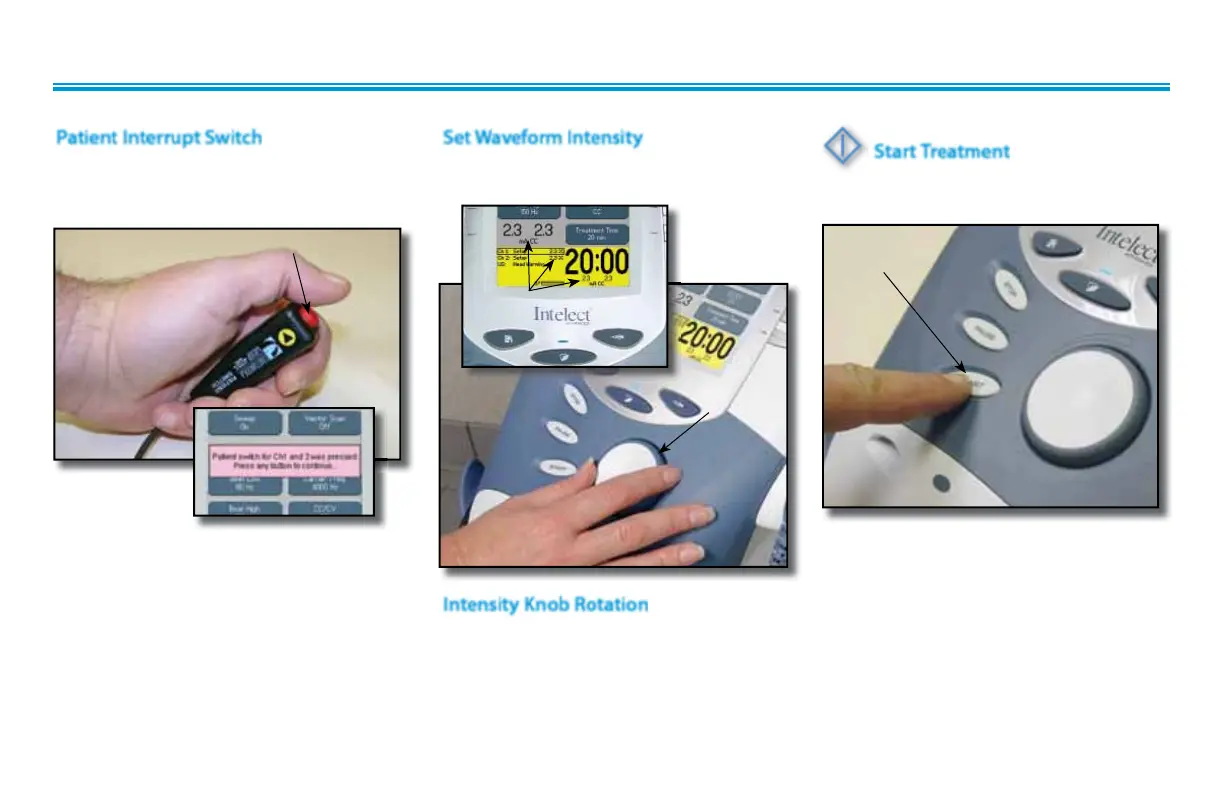
Give Patient Interrupt Switch to patient
and explain that pressing the Red button
once pauses the therapy session.
GENERAL ELECTROTHERAPY WAVEFORM SET UP (continued)
Patient Interrupt Switch
Set intensity by rotating the Intensity Control
Knob to the prescribed level.
Set Waveform Intensity
PRESSING BUTTON ONCE PAUSES SESSION
INTENSITY
DISPLAYED
ROTATE
INTENSITY
KNOB
Clockwise- Increases Intensity
Counterclockwise- Decreases Intensity
Intensity Knob Rotation
If Patient Interrupt Switch is depressed, the
treatment will be paused and a message
will appear on the System screen.
Press any button to clear the message.
NOTE:
If the Patient Interrupt Switch is depressed
a second time, the message will clear from
the screen and the treatment will remain
paused.
Start Treatment
Press the Start button to begin therapy
session.
START
BUTTON



 To Next Page
 Loading...






