EasyManua.ls Logo

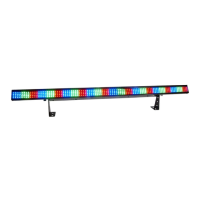
Chauvet COLORstrip - User Manual

Chauvet COLORstrip
19 pages
Print Icon
To Next Page IconTo Next Page
Loading...
CHAUVET, 3000 N 29
th
Ct, Hollywood, FL 33020 U.S.A
(800) 762-1084 (954) 929-1115
FAX (954) 929-5560
www.chauvetlighting.com
2010-01-26/14:45
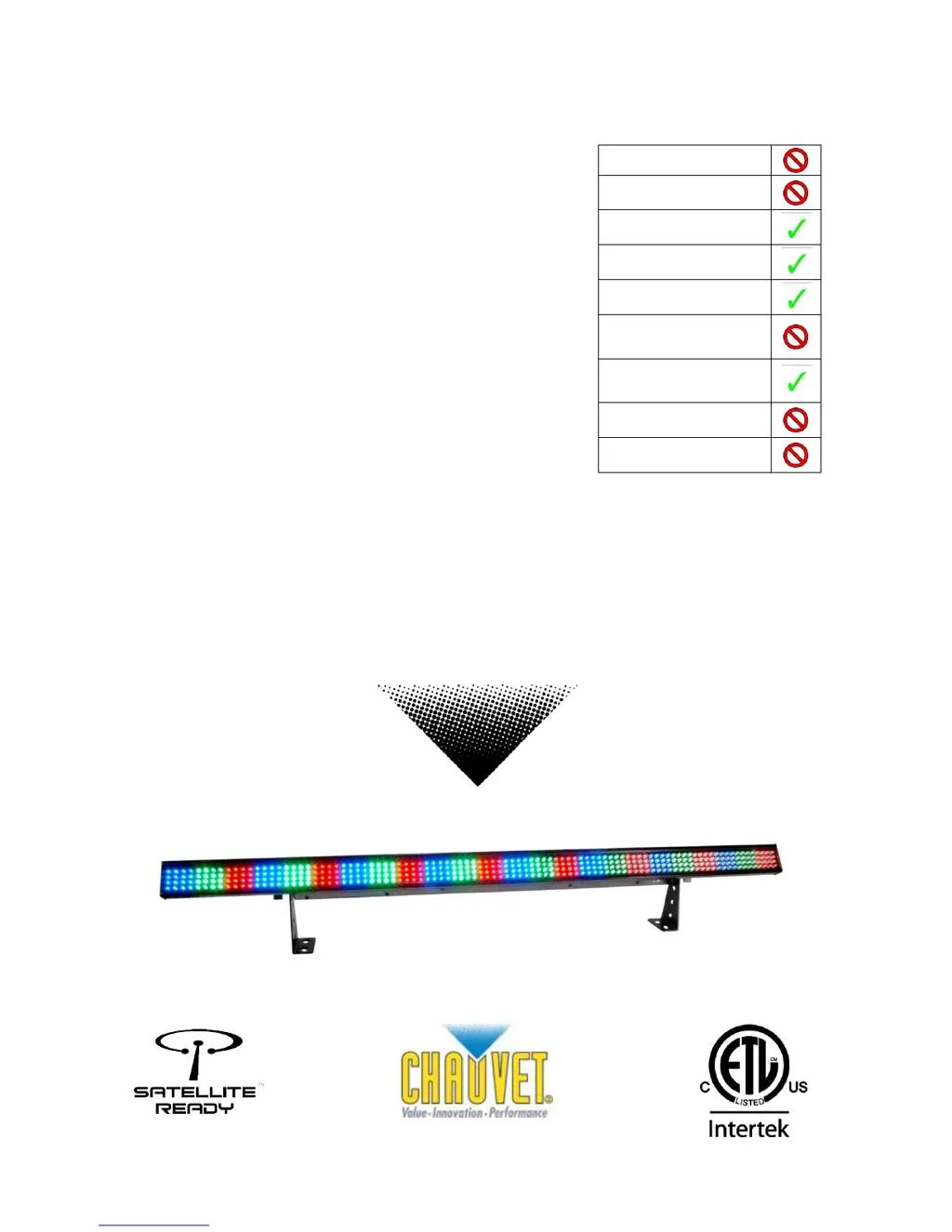
COLORstrip
USER MANUAL
Snapshot
OK on Dimmer
Outdoor OK
Sound Activated
DMX512
Master/Slave
115V/230V
Switch
Replaceable
Fuse
User Serviceable
Duty Cycle

Other manuals for Chauvet COLORstrip

Questions and Answers

  • G
    gardnersarahJul 26, 2025
    What to do if my Chauvet Flood Light device has no power?
    • C
      casey28Jul 26, 2025
      If your Chauvet Flood Light device isn't powering on, first, ensure that the power mains are active. Next, inspect the device's fuse, both internal and external, for any signs of damage or failure.
  • N
    Nancy SerranoJul 30, 2025
    Why is my Chauvet Flood Light beam very dim?
    • B
      belljillJul 30, 2025
      If the beam on your Chauvet Flood Light is dim, try cleaning the optical system. If that doesn't work, replace the lamp. Also, verify that the 220/110v switch is set correctly for your region.
  • F
    Fernando SmithAug 4, 2025
    What to do if my Chauvet Flood Light fixture is not responding?
    • R
      Roberta JenkinsAug 4, 2025
      If your Chauvet Flood Light fixture isn't responding, check the DMX Dip switch settings to ensure they are correctly addressed. Also, inspect the DMX cables and verify the polarity switch settings.
  • J
    Joshua HolmesAug 8, 2025
    Why does the breaker/fuse keep blowing on my Chauvet Flood Light?
    • R
      Roger ConnerAug 8, 2025
      If the breaker or fuse keeps blowing on your Chauvet Flood Light, check the total load placed on the device.
  • B
    Barry JohnsonAug 12, 2025
    What to do if my Chauvet Flood Light fixture is on but there is no movement to the audio?
    • C
      Cody TaylorAug 12, 2025
      If your Chauvet Flood Light is on but not responding to audio, ensure that the correct audio mode is selected on the control switches. If you're using a ¼” jack for audio, confirm that a live audio signal is present. You may also need to adjust the sound sensitivity knob.
  • D
    David FullerAug 16, 2025
    Why does my Chauvet Flood Light lamp cut off sporadically?
    • K
      Kari CarpenterAug 16, 2025
      If your Chauvet Flood Light lamp cuts off sporadically, it could be a bad lamp or the fixture is overheating. The lamp may also be at the end of its life.
  • L
    Laura PetersonAug 21, 2025
    How to fix auto shut off on Chauvet Flood Light?
    • P
      Patrick RangelAug 21, 2025
      Check the fan thermal switch reset on your Chauvet Flood Light.

Summary

BEFORE YOU BEGIN

WHAT IS INCLUDED

Lists all items included in the COLORstrip package.

UNPACKING INSTRUCTIONS

Guidance on how to carefully unpack the fixture and check for damage.

AC POWER

Details on the auto-switching power supply and voltage requirements.

CONTACT Us

Contact information for general inquiries and technical support.

Safety Instructions

General Safety Precautions

Important safety guidelines for installation, usage, and maintenance of the product.

INTRODUCTION

FEATURES

Highlights the key features and capabilities of the COLORstrip fixture.

DMX CHANNEL SUMMARY

An overview of DMX channel assignments for various operating modes.

Optional Controller

Information about the optional foot controller for the COLORstrip.

PRODUCT OVERVIEW

Diagram and description of the fixture's physical components and ports.

SETUP

FUSE REPLACEMENT

Step-by-step instructions for safely replacing the fixture's fuse.

FIXTURE LINKING

Guidance on connecting multiple fixtures for DMX or master/slave operation.

Data Cabling

Recommendations for selecting and using appropriate data cables for DMX.

DMX DATA CABLE

Specifications and characteristics of suitable DMX data cables.

CABLE CONNECTORS

Details on the XLR connectors used for DMX data transmission.

3-PIN TO 5-PIN CONVERSION CHART

Guide for converting 3-pin DMX connectors to 5-pin connectors.

Setting up a DMX Serial Data Link

Instructions for establishing a serial DMX data link between fixtures.

Master;Slave Fixture Linking

Steps for configuring fixtures in a master/slave synchronization setup.

Mounting

Information and considerations for mounting the COLORstrip fixture.

ORIENTATION

Notes on acceptable mounting orientations for the fixture.

RIGGING

Safety and practical advice for rigging the COLORstrip fixture securely.

OPERATING INSTRUCTIONS

Using the control panel

Guide on navigating and operating the fixture's control panel.

Control Panel Modes & Functions

Detailed table of control panel modes, programs, and functions.

Master;Slave & Stand Alone

How to operate units in Master/Slave or Stand Alone modes.

Built in programs detailed

Detailed explanation of the fixture's built-in programs and their options.

DMX Control Mode

Overview of using DMX-512 for flexible control of the fixture.

DAISY CHAIN CONNECTION

Instructions for connecting fixtures in a DMX daisy chain.

DMX MODE SETUP

Steps for configuring DMX addressing and settings on the fixture.

About DMX addressing

Explanation of DMX addressing, channel allocation, and avoiding overlaps.

Controlling multiple COLORstrips as one device

Guide to synchronizing multiple fixtures for unified control.

DMX Channel Values

Detailed breakdown of DMX channel values and their corresponding functions.

General Troubleshooting

Troubleshooting Solutions

Provides solutions for common issues encountered with the fixture's operation.

Technical Support

APPENDIX

DMX Primer

Explains the fundamental concepts of the DMX-512 protocol for lighting control.

General Maintenance

Returns Procedure

Steps and requirements for returning the product for service or replacement.

Claims

Information on how to submit claims for damaged or missing parts.

Technical Specifications

Weight & Dimensions

Physical measurements and weight of the COLORstrip fixture.

Power Specifications

Details on the fixture's power supply, consumption, and output.

Light Source & Optics

Information about the LEDs used and the beam/field angles.

Thermal & Fuse Details

Specifications regarding operating temperature and fuse type.

Control & Programming

Details on data input/output, pin configuration, and DMX protocols.

Warranty Information

Information regarding the product's warranty period.

Chauvet COLORstrip Specifications

Power IconPower
auto-switching power supply100-240V 50/60Hz
power consumption33.3W at 120V
inrush power24.6W at 120V
Light Source IconLight Source
LED count384 Total
LED lifespan100, 000 hour
LED colors128 red, 128 green, 128 blue
Photo Optic IconPhoto Optic
beam angle63° x 29°
field angle82° x 52°
Thermal IconThermal
maximum ambient temperature104°F
Fuse IconFuse
main fuse1.5A 250V fast blow
Weight and Dimensions IconWeight and Dimensions
length38 in
width2.5 in
height6 in
weight4.5 lbs

Related product manuals