EasyManua.ls Logo

Chauvet DMX-750 - User Manual

Chauvet DMX-750
12 pages
Print Icon
To Next Page IconTo Next Page
Loading...
TECHNICAL REFERENCE & MANUAL
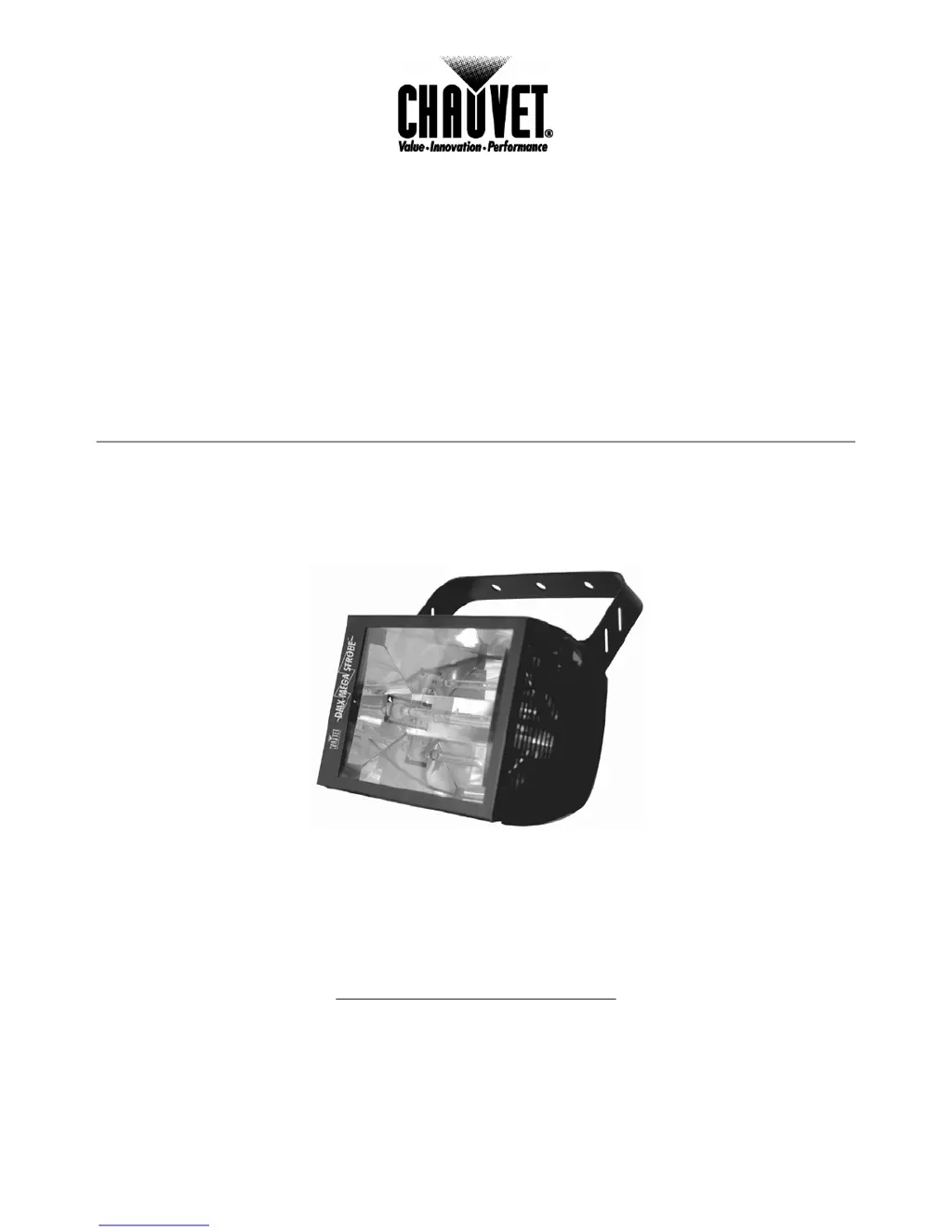
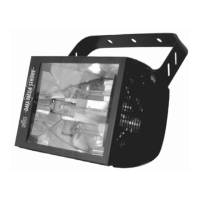
DMX MEGA STROBE
DMX-750
CHAUVET
3000 North 29
th
Ct.
Hollywood, FL 33020 USA
Tel: 954-929-1115 Fax: 954-929-5560
www.CHAUVETlighting.com

Questions and Answers

  • J
    James GarciaSep 22, 2025
    How does stand alone mode work on Chauvet DMX-750 Spotlight?
    • E
      ernest13Sep 22, 2025
      All Chauvet lighting fixtures featuring stand-alone functions do not require additional settings; simply power the fixture, and it will automatically enter this mode.
  • H
    Helen FloresAug 23, 2025
    Why is my Chauvet Spotlight producing no fog?
    • R
      Robert WhiteAug 23, 2025
      If your Chauvet Spotlight isn't producing fog, start by checking the fluid tank to ensure it's not empty. Also, verify that the green power light is illuminated.
  • J
    Jay RodriguezAug 25, 2025
    How to fix a dim beam on a Chauvet DMX-750 Spotlight?
    • A
      Andrew JohnsonAug 26, 2025
      To fix a dim beam on your Chauvet Spotlight, try cleaning the optical system. If that doesn't work, replace the lamp. Also, check the 220/110v switch to ensure it's set correctly.
  • G
    Glenn BryanAug 26, 2025
    What to do if Chauvet DMX-750 breaker keeps blowing?
    • B
      Becky BradyAug 26, 2025
      If the breaker or fuse keeps blowing on your Chauvet Spotlight, check the total load placed on the device.
  • K
    Kristie SinghAug 27, 2025
    How to resolve signal loss with Chauvet DMX-750?
    • C
      Carlos MccarthyAug 27, 2025
      To resolve signal loss with your Chauvet Spotlight, ensure you are using only DMX cables and install a terminator.
  • S
    sharon69Sep 18, 2025
    Why does my Chauvet DMX-750 Spotlight wobble when rotating?
    • G
      Gregory StanleySep 18, 2025
      If your Chauvet Spotlight wobbles when rotating, check for damages possibly incurred during shipping.
  • T
    Thomas ShannonSep 15, 2025
    What to do if the relay will not work on Chauvet Spotlight?
    • A
      Angela GrantSep 15, 2025
      If the relay is not working on your Chauvet Spotlight, check the reset switch and cable connections.
  • C
    Charles MarshSep 16, 2025
    Why is the fluid indicator not working on my Chauvet DMX-750?
    • S
      Steven JonesSep 16, 2025
      If the fluid indicator is not working on your Chauvet Spotlight, the filter tip on the end of the tube inserted into the fluid container must float freely to measure correctly. Check to see if it's stuck.
  • D
    Dr. Travis FitzgeraldSep 6, 2025
    What to do if Chauvet Spotlight has no movement to the audio?
    • R
      Rhonda FaulknerSep 6, 2025
      If your Chauvet Spotlight is on but there's no movement to the audio, ensure you have the correct audio mode selected on the control switches. If the audio is provided via a ¼” jack, make sure a live audio signal exists and adjust the sound sensitivity knob.
  • R
    Richard FosterSep 3, 2025
    Why is the flash not working on my Chauvet DMX-750?
    • S
      Sherri PearsonSep 3, 2025
      If the flash is not working on your Chauvet Spotlight, try re-installing the bulb, as it may have shifted during shipping.

Summary

Warranty Information

Limited Warranty Details

Details CHAUVET's limited warranty terms, coverage, and exclusions for DMX products.

Introduction: Product Overview

Product Overview

Introduces the DMX Mega Strobe DMX-750, its capabilities, and operational modes.

Technical Specifications

Technical Specifications

Lists power, lamp, dimensions, control, features, and warranty details for the DMX-750.

What is Enclosed

Itemizes the components included with the DMX-750 Mega Strobe unit.

Before You Begin

Unpacking and Installation

Instructions for safely unpacking, inspecting, and mounting the fixture.

Powering

Guidance on connecting the fixture to power, checking voltage, and grounding.

Safety Warnings

General Warnings

Crucial safety precautions, including indoor use, eye protection, and handling gas discharge lamps.

Operating Instructions: DMX Primer

DMX Primer

Explains DMX 512 basics, channel assignment, and daisy-chaining fixtures.

DMX Control Mode

How to set the start address using DIP switches for DMX control.

DMX Control and Self-Test Mode

DMX Addressing Example

Illustrates DMX address calculation and the function of DIP switches for addressing.

Self-Test Mode

Details how to use DIP switches to activate and control pre-programmed test patterns.

Operating Modes

Automatic Sound-to-Light Mode

Enables the fixture to react to music, independent of a controller.

DMX Channel Attributes

Details channel functions for strobing, intensity, blinder, and sound-to-light modes.

Appendix: Maintenance and Claims

Maintenance

Guidance on fixture cleaning and maintenance for optimal performance.

Returns Procedure

Steps for returning merchandise and packaging requirements.

Claims

Procedure for reporting shipping damage or concealed damage claims.

General Troubleshooting

Troubleshooting Common Issues

Solutions for common problems like auto shut-off, dim beam, breaker issues, and no power.

Chauvet DMX-750 Specifications

General IconGeneral
Pan Range540°
Tilt Range270°
Dimming0-100%
DMX Connectors3-pin
ControlDMX
Voltage100 to 240 VAC, 50/60 Hz

Related product manuals