EasyManua.ls Logo

Chauvet TFX-24CON - User Manual

Chauvet TFX-24CON
23 pages
Print Icon
To Next Page IconTo Next Page
Loading...
TECHNICAL REFERENCE & MANUAL
Stage Designer™ 24
TFX-24CON
CHAUVET
3000 North 29
th
Ct.
Hollywood, FL 33020 U.S.A.
Tel: 954-929-1115 Fax: 954-929-5560
www.CHAUVETlighting.com

Questions and Answers

Summary

Warranty Information

Limited Warranty USA

CHAUVET provides a 24-month limited warranty on all DMX products, 12-month on special effect fixtures and controllers, and 3-month on items with 'NV' prefix.

Before You Begin

Powering the Fixture

Determining power requirements, connecting to a switched circuit, and ensuring correct voltage and earth ground.

Safety Warnings

Essential safety precautions including indoor use, keeping away from children, cord care, and avoiding moisture.

Introduction

Technical Specifications

Details on power input, adapter, DMX/MIDI out, fuse, dimensions, shipping weight, features, and warranty.

Product Overview

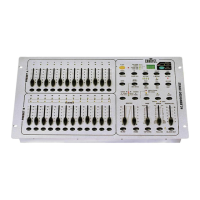
Description of the controller's layout and features, including front panel controls and indicators.

Rear Panel Connections

Explanation of rear panel ports: DC Input, MIDI, DMX Out, Audio Input, and Remote Input.

Operating Instructions

Programming Scenes

Instructions on creating and storing scenes using channel sliders, Mode Select, and Record/Page buttons.

Edit Enable

Procedure to enter Edit mode for modifying existing programs or scenes using Page, Mode Select, and Edit buttons.

Erase All Programs

Instructions to erase all stored programs by holding the Record button and tapping specific Flash buttons.

Running Chase Programs

Steps to run chase programs using Mode Select, Page, Master Sliders, and Channel Sliders.

Running a Program in Audio

How to enable and adjust audio sync for programs using the Audio button and Audio Level Slider.

Appendix

General Troubleshooting

Solutions for common symptoms like auto shut off, dimming, power issues, and fixture response.

Chauvet TFX-24CON Specifications

General IconGeneral
TypeFog Machine
Heat Up Time5 minutes
DMX OutputYes
ControlDMX
Power Input120V, 60Hz
Power SupplyAC
DMX Channels1 or 3
Weight21.2 lb (9.6 kg)

Related product manuals