1 Product introduction
1.1 Exterior
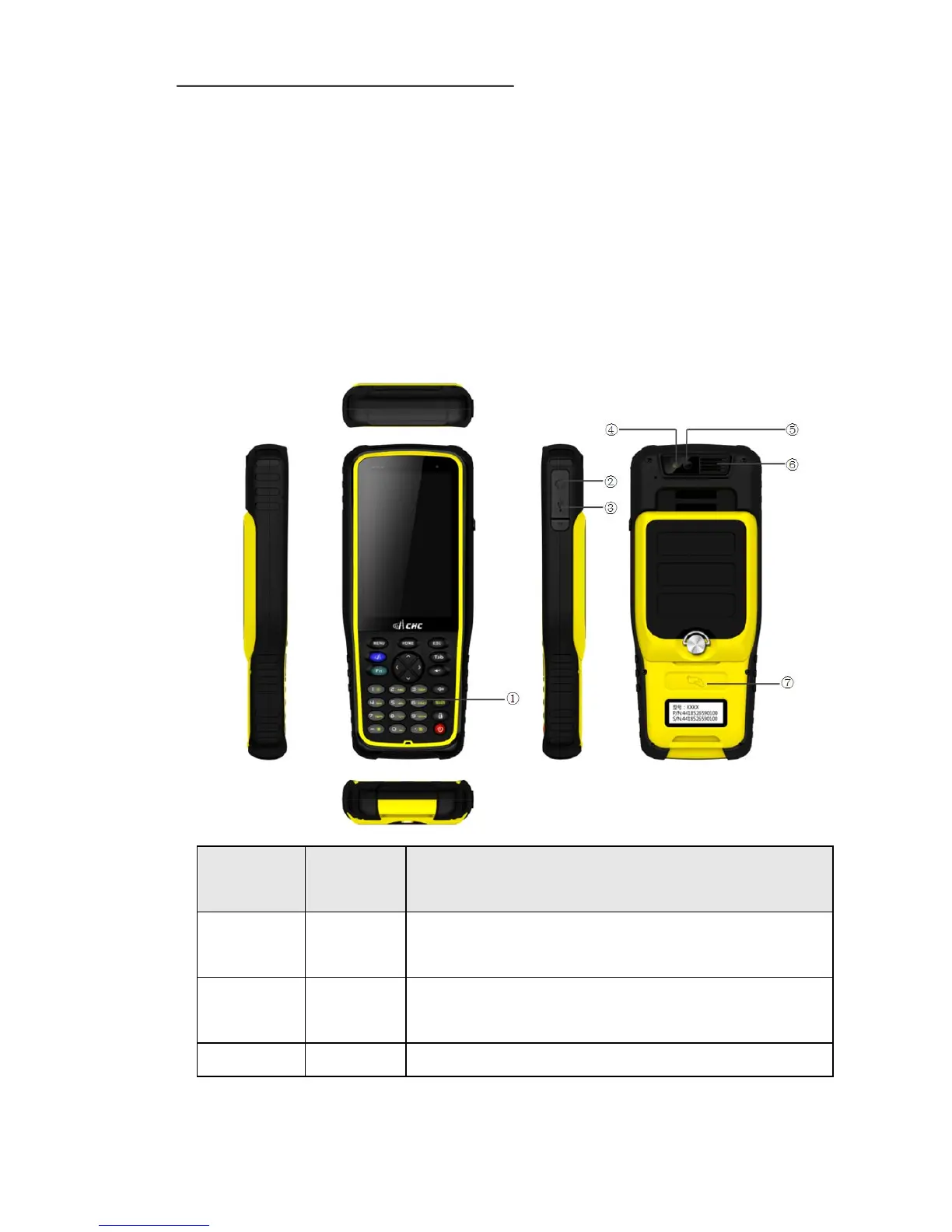
This specification applies to HCE300 products, the appearance of all
the information and operation to HCE300.
Serial
number
Name Explanation
1 keyboard Enter numbers, uppercase and lowercase letters and common
punctuation through the keyboard.
2
Headphone
jack
The position of headphones plugged,not plug the headphone or
earphone is pulled out must be timely plug waterproof plug.
3 USB jack
The position of USB cable insertion,not insert the USB



 To Next Page